|
VOOZH | about |
|
VOOZH | about |
Unit testing is an essential practice in software development to ensure the accuracy and functionality of code. When working with Jinja templates in Python, it's crucial to validate the correctness of the generated output. In this article, we will see how to perform unit testing Jinja Templates with Flask.
Pre-requisite
To begin, ensure you have the necessary dependencies installed, such as `Jinja2`, and a testing framework like `unittest` or `pytest`. Below are some steps by which we can Unit Test Jinja Templates in Python.
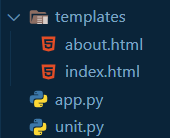
Create a directory structure and prepare the template files that need testing. To follow along please use this directory structure:
👁 Screenshot-2023-11-07-055502
To begin we must have a flask server that serves some templates that then we will be testing. So let's get the server first. The code sets up a basic Flask web application with two routes: '/' displaying the "Homepage" and /about showing the "About" page. It uses templates to render HTML content for each route in the Flask application.
index.html: This code represents a basic template using Jinja2 syntax, intending to be rendered by a Flask application. It consists of a structure with placeholders ('{{ title }}' and '{{ content }}') to be filled dynamically by data passed from the Flask routes for the title and content.
Output
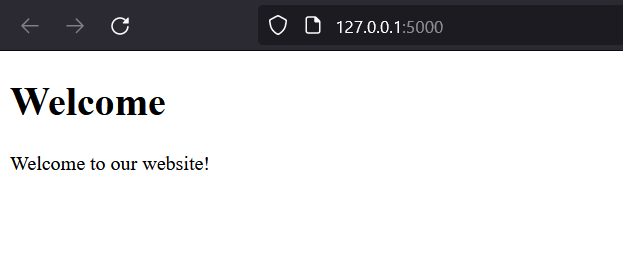
If you now run this server you'll get a welcome page like this:
👁 Screenshot-2023-11-07-053737
We can use Python's testing framework`unittest` to write test methods to check various aspects of the template outputs. We can test for different input data, edge cases, and expected results. In the test methods, we can render the Jinja templates with sample data and compare the output with the expected output.
unit.py: This Python code is a unit test using the 'unittest' framework to test the Flask application's index route. It uses 'app.test_client()' to simulate an HTTP GET request to the root route ('/') and validates the presence of specific HTML elements and content within the returned response. Running 'unittest.main()' executes the defined test cases.
Output
Run this file and you will get an output like below:
👁 Screenshot-2023-11-07-054317
In this step, we are creating a sample test that will create an error. Let's see that using the route.
about.html: Similar template file as index.html. Notice the error in title variable name. Our app already has a about route so let's make a unit test function to test it
unit.py: This code is a unit test for the about route. Now add this code in unit.py file.
Output
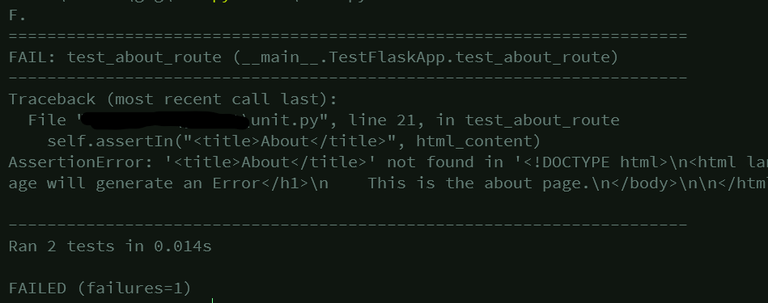
Now when you'll execute the unit.py file you'll find that it correctly recognizes that a test case failed.
👁 Screenshot-2023-11-07-054844
It even shows you a trace back of where the error occurred so you can easily go and fix it.
By verifying the output against expected results, developers can ensure that their templates function as intended, promoting stability and reducing potential issues in production.
Video Output