|
VOOZH | about |
|
VOOZH | about |
JWT (JSON Web Token) is a compact, secure, and self-contained token used for securely transmitting information between parties. It is often used for authentication and authorization in web applications.
A JWT consists of three parts:
In Flask, JWT is commonly used to authenticate users by issuing tokens upon login and verifying them for protected routes. Let's see how to create a basic flask app that uses JWT tokens for authentication.
Create a project folder and then inside that folder create and activate a virtual environment to install flask and other necessary modules in it. Use these commands to create and activate a new virtual environment-
python -m venv venv
.venv\Scripts\activate
And after that install flask and other relevant libraries using this command-
pip install Flask Flask-SQLAlchemy Werkzeug PyJWT
Create a "templates" folder, it will contain all the html files for the app.
To know more about creating flask apps, refer to- Creating Flask Applicaions
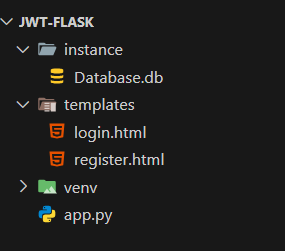
After completing the project and running the app for atleast once so that the databse is created, our file system should look similar to this-
Let's build our app step by step to implement authentication using JWT tokens. We'll also create an unprotected route to show that without a valid JWT, access is not restricted.
Before we start implementing authentication, let's set up our Flask application and configure necessary settings.
Explanation:
We need a database model to store user details. For this app, we are going to use SQLAlchemy for our database. Here's how to create it.
Explanation:
This section covers user authentication, including login and signup features.
Explanation:
To secure routes, we create a decorator that checks for a valid JWT token.
Explanation:
These routes handle rendering pages and displaying user information after login.
Explanation:
Finally, we initialize the database and start the Flask server.
Explanation:
Inside the templates folder create two files login.html file and register.html, these files will serve the page for registration and login, below is the code for these file-
After setting up everything, let's test the JWT authentication using Postman. Make sure that Postman is installed on your system, download and install it from here if it isn't.
To test the application follow these steps-
1. Start the Flask app using the following command in terminal
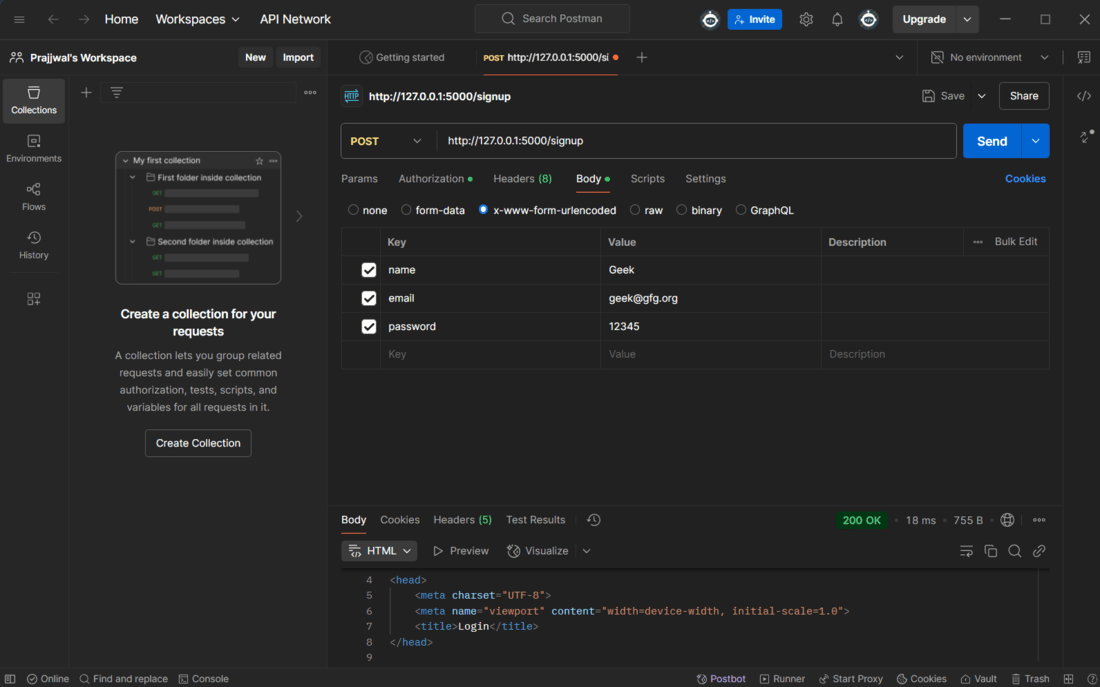
python app.py2. Register a new user
3. Login to get JWT Token
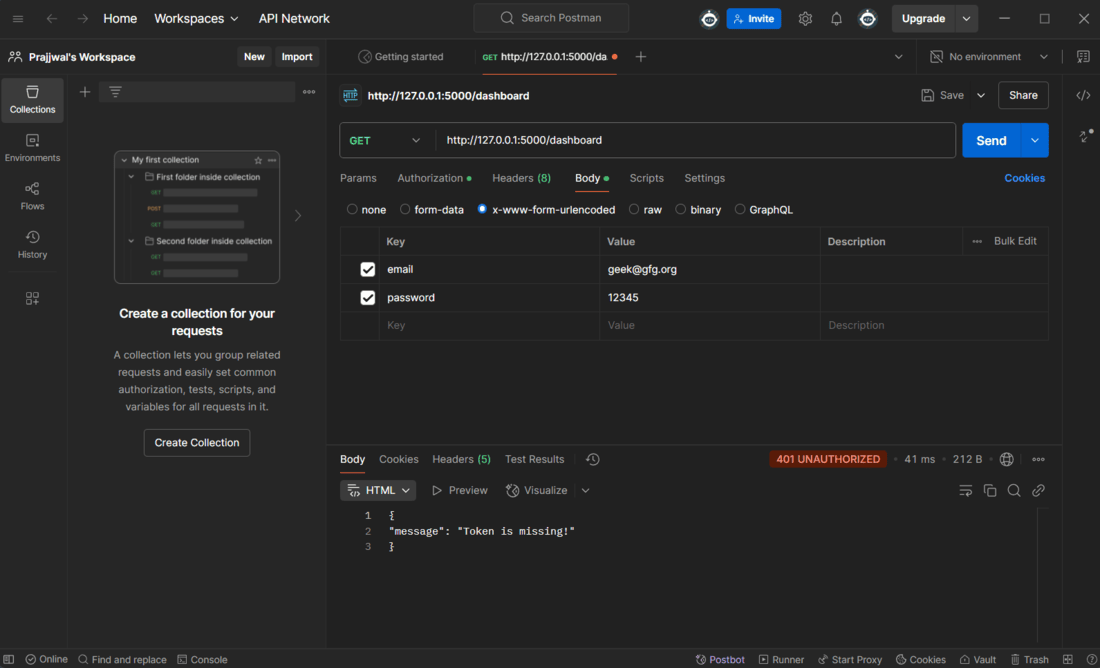
4. Test Unauthorized Access