|
VOOZH | about |
|
VOOZH | about |
Prerequisites: wxPython
In this article we are going to learn about GetFirstChild() method in wx.TreeCtrl class of wxPython. GetFirstChild() method returns the first child; call GetNextChild for the next child.
This function requires a ‘cookie’ parameter to be passed to it, which is opaque for the application but is necessary for the library to make these function enumerate on one and the same object simultaneously. The cookie passed to GetFirstChild and GetNextChild should be the same variable.
GetFirstChild() method returns an invalid tree item (i.e. wx.TreeItemId.IsOk returns False) if there are no further children.
Syntax:
wx.TreeCtrl.GetFirstChild(self, item)
Parameters:
Parameters Type Description item wx.TreeItemId item that we want to ensure to be visible.
Example:
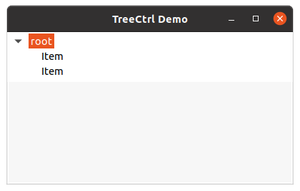
Output:
👁 Image(<wx._controls.TreeItemId; proxy of <Swig Object of type 'wxTreeItemId *' at 0x556c60f40440> >, <Swig Object of type 'void *' at 0x1>)