|
VOOZH | about |
|
VOOZH | about |
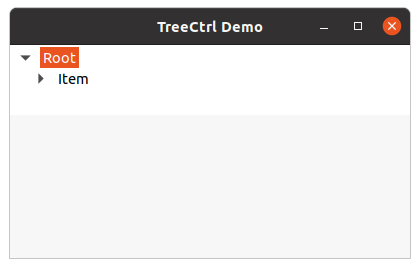
In this article we are going to learn that how can we create a Tree Control using two step creation. In order to do that we will use Create() method in wx.TreeCtrl class. Basically, we will initialize tree control using TreeCtrl() constructor with empty parentheses and then we will use Create() method and attributes to associate with Tree Control.
Syntax:
wx.TreeCtrl.Create(self, parent, id=ID_ANY, pos=DefaultPosition, size=DefaultSize, style=TR_DEFAULT_STYLE, validator=DefaultValidator, name=TreeCtrlNameStr)
Parameters:
Parameter Type Description parent wx.Window parent window/frame for Tree Control. id wx.WindowID widget identifier to be associated with Tree Control pos wx.Point position where to put Tree Control. size wx.Size size of the Tree Control widget style long style for Tree Control. validator wx.Validator Validator associated withTree Control. name string Name of Tree Control.
Code Example:
Output:
👁 Image