|
VOOZH | about |
|
VOOZH | about |
Code splitting in Redux applications refers to the practice of breaking down the application into smaller, manageable chunks that can be loaded on demand. This helps in reducing the initial load time of the application by only loading the necessary parts of the application when needed. Dynamic imports with React.lazy and Suspense are commonly used methods for achieving code splitting in React and Redux applications.
React.lazy to dynamically import components, enabling them to be split into separate chunks and loaded only when needed.React.Suspense to provide a fallback UI, ensuring a smooth loading experience.Step 1: Create a Redux application using following command.
npx create-react-app <-Project-name->Step 2: Navigate to the Project Directory.
cd <-Project-name->Step 3: Now, install the redux toolkit and react-redux to run redux functions.
npm install redux react-redux @reduxjs/toolkitThe updated dependencies in package.json file will look like:
"dependencies": {
 "@reduxjs/toolkit": "^2.2.5",
 "@testing-library/jest-dom": "^5.17.0",
 "@testing-library/react": "^13.4.0",
 "@testing-library/user-event": "^13.5.0",
 "react": "^18.3.1",
 "react-dom": "^18.3.1",
 "react-redux": "^9.1.2",
 "react-scripts": "5.0.1",
 "redux": "^5.0.1",
 "web-vitals": "^2.1.4"
 },
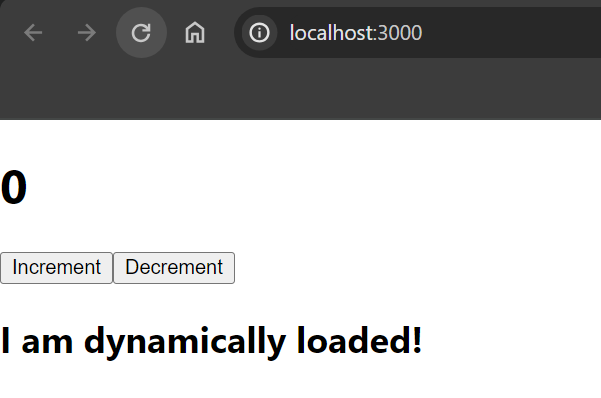
Example: This example code is with code splitting.
Step to Run Application: Run the application using the following command from the root directory of the project
npm startOutput: Your project will be shown in the URL http://localhost:3000/