|
VOOZH | about |
|
VOOZH | about |
React-Bootstrap is a front-end framework that was designed keeping React in mind. Bootstrap underwent a reconstruction and revitalization specifically for React, leading to its rebranded version known as React-Bootstrap. Input Groups are used to perform actions by adding text, buttons, or button groups on either side of textual inputs, custom dropdowns, and custom file inputs on the website and they play a crucial role in the front-end part.
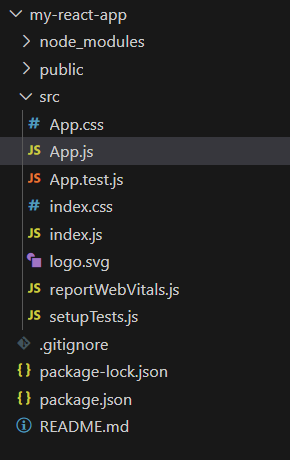
Step 1: Create a React application using the following command.
npx create-react-app my-react-appStep 2: After creating your project folder i.e. react-bs-input-group, move to it using the following command.
cd my-react-appStep 3: After creating the ReactJS application, Install the required modules using the following command.
npm install react-bootstrap bootstrap
npm i @chakra-ui/react @emotion/react@^11 @emotion/styled@^11 framer-motion@^6
Step 4: Add the below line in index.js file.
import 'bootstrap/dist/css/bootstrap.css';The updated dependencies in package.json file will look like:
 "dependencies": {
 "@chakra-ui/icons": "^2.1.1",
 "@chakra-ui/react": "^2.8.2",
 "@emotion/react": "^11.11.3",
 "@emotion/styled": "^11.11.0",
 "@testing-library/jest-dom": "^5.17.0",
 "@testing-library/react": "^13.4.0",
 "@testing-library/user-event": "^13.5.0",
 "bootstrap": "^5.3.2",
 "react": "^18.2.0",
 "react-bootstrap": "^2.10.0",
 "react-dom": "^18.2.0",
 "react-icons": "^5.0.1",
 "react-redux": "^9.1.0",
 "react-scripts": "5.0.1",
 "redux": "^5.0.1",
 "web-vitals": "^2.1.4"
}
Example: Now use the below code snippet in that file and export that component so that we can import in index.js for rendering.
Output:
Example 2: The following code demonstrates multiple button addons along with InputGroup. Import all required files as shown below in the code.
Output:
Example 3: The following code demonstrates dropdown buttons with split segemented buttons. Import all required files as shown below in the code.
Output: