|
VOOZH | about |
|
VOOZH | about |
Windows telemetry refers to the diagnostic information Windows 11 collects and sends to Microsoft. While this data helps Microsoft enhance Windows features, some users prefer more privacy and may want to turn telemetry off. Telemetry may include:
Step 1:
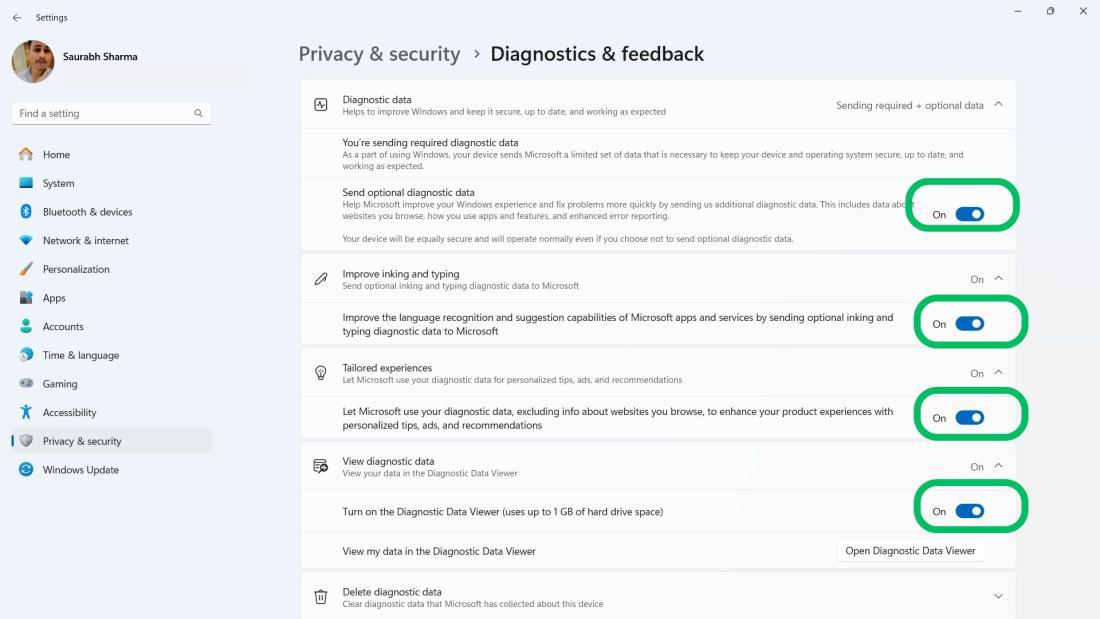
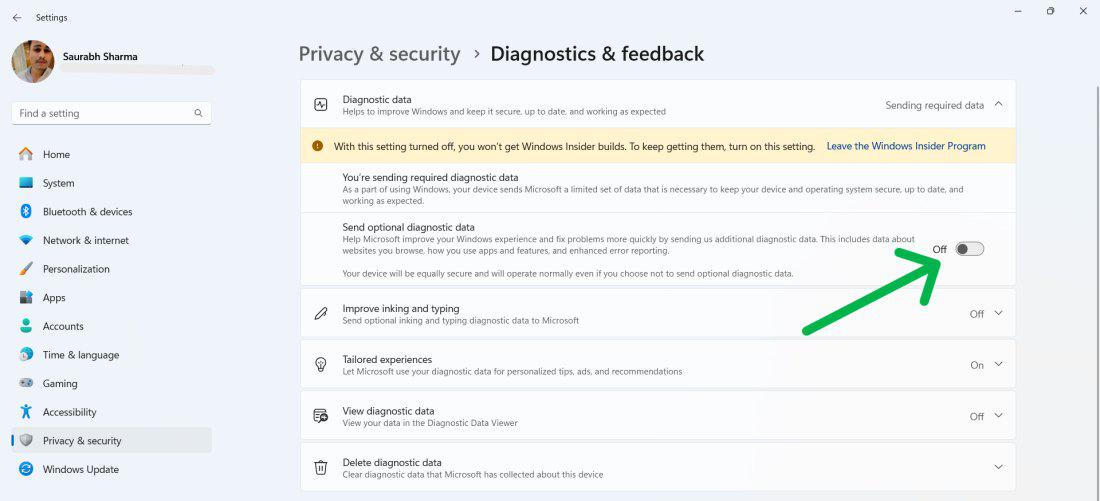
Step 2:
Under Diagnostic data, turn off:
This also disables “Improve inking & typing”.
Step 3:
Under Tailored experiences, turn off:
Step 4:
Step 5:
(Windows will remove stored data within a few days, though some essential data may still remain.)
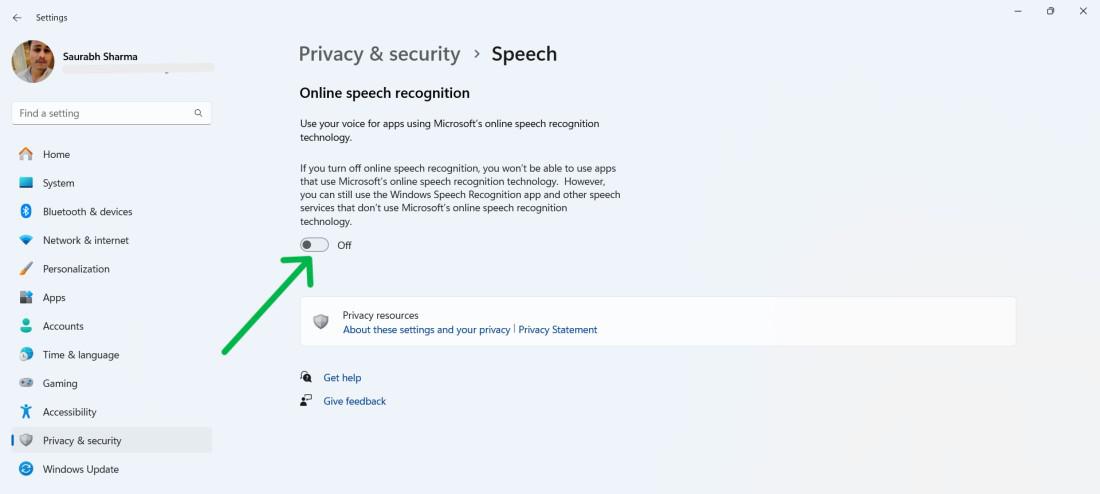
1: Disable Online Speech Recognition
2: Disable Inking & Typing Personalization
Step 1:
Open Settings → Privacy & Security
Step 2:
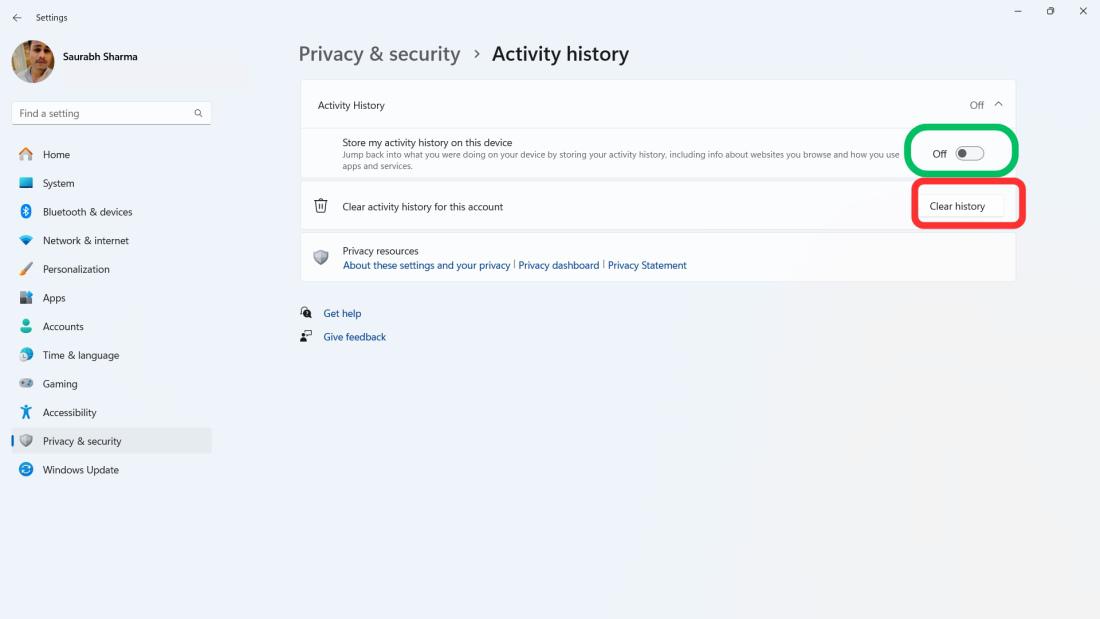
Select Activity History, toggle off:
Then select Clear History.
👁 Image
Step 1:
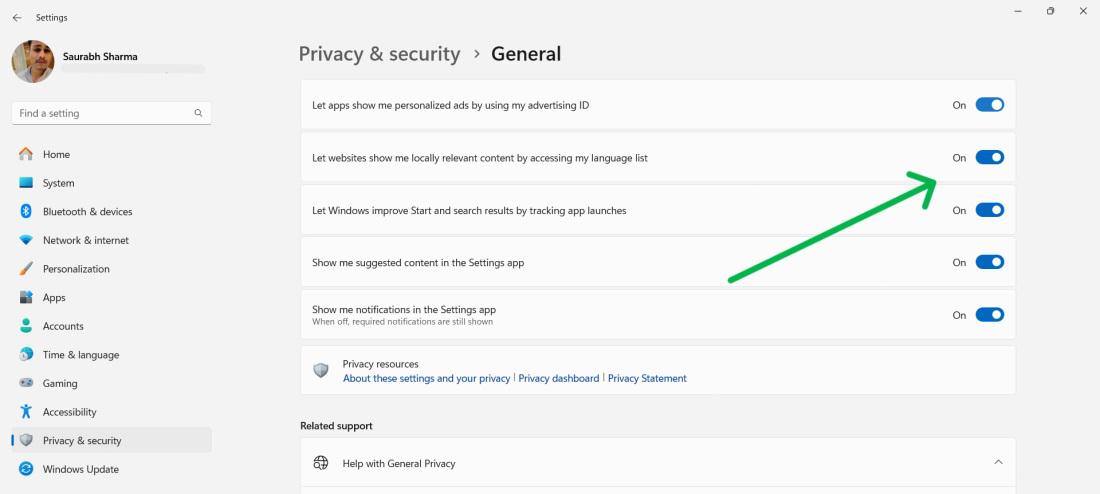
Step 2: Turn off the following options:
(Keep Show me notifications in the Settings app enabled.)
👁 ImageStep 1:
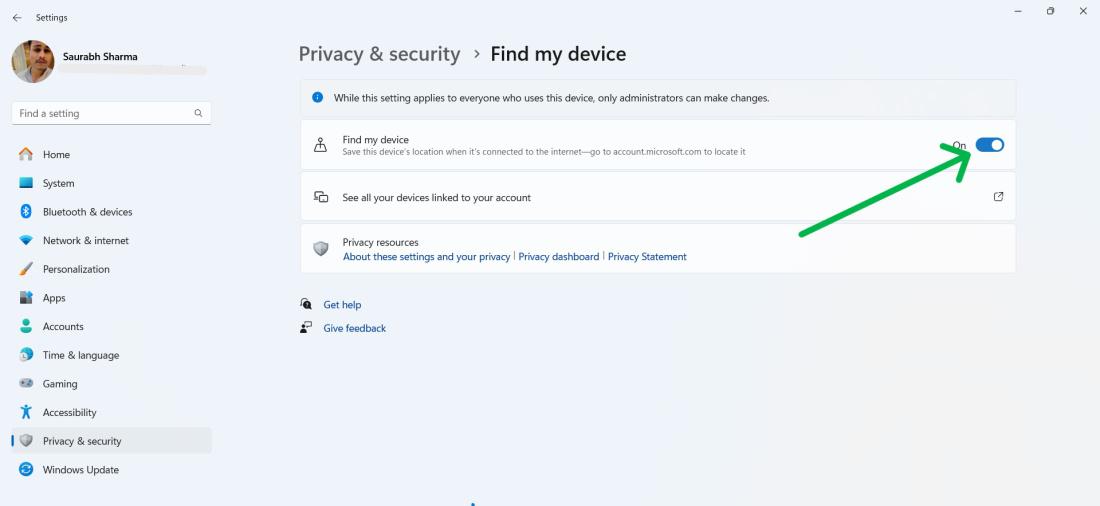
Go to Settings → Privacy & Security → Find my device
Step 2:
Toggle off the Find My device
Step 1:
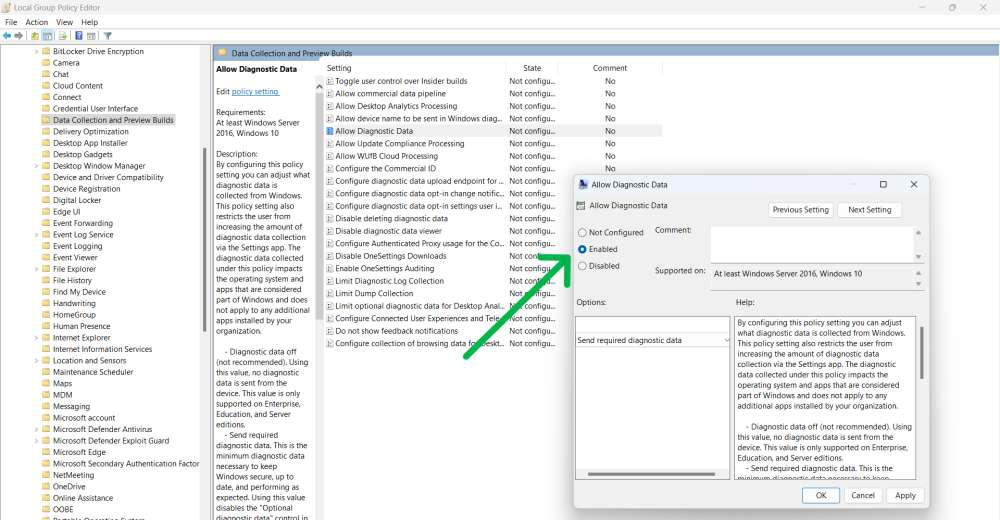
Press Win + R, type gpedit.msc, and press Enter.
Step 2:
Navigate to:
Computer Configuration → Administrative Templates → Windows Components → Data Collection
Step 3:
Double-click Allow Diagnostic Data → Select Disabled
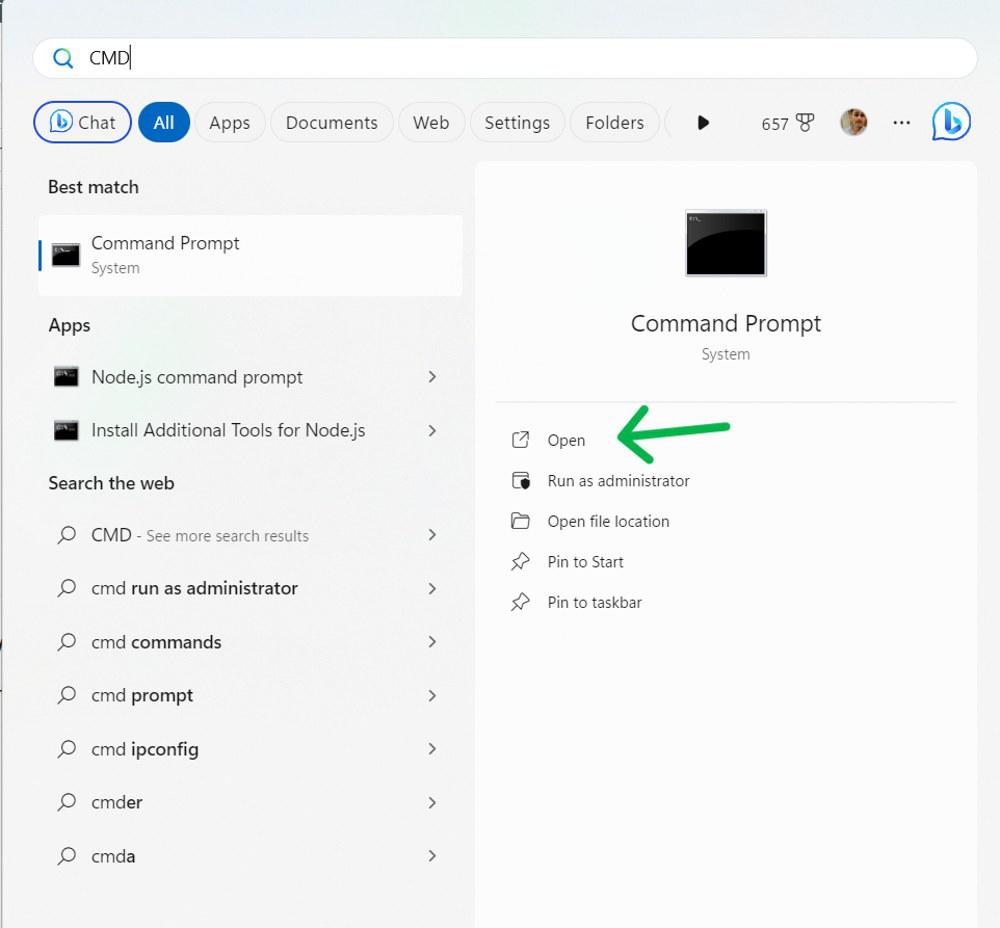
Step 1:
Open CMD as Administrator.
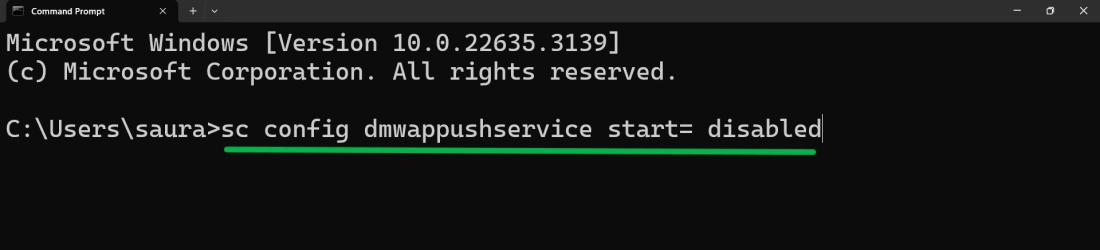
Step 2:
Run these commands:
sc config DiagTrack start= disabled
sc config dmwappushservice start= disabled
If you want to turn telemetry back on, follow:
Step 1:
Step 2:
Enable:
Step 3:
Turn on:
Step 4:
Turn onView diagnostic data.

.jpg)