 |
VOOZH | about |
|
VOOZH | about |
Running into the “Cannot find gpedit.msc” error on Windows 11 usually means you’re on the Home edition, which does not include the Group Policy Editor by default. In other cases, system corruption or missing files can also trigger the error. This guide walks you through quick checks, safe installation options, and repair steps to restore access to gpedit.msc.
Why gpedit.msc Fails to Open:
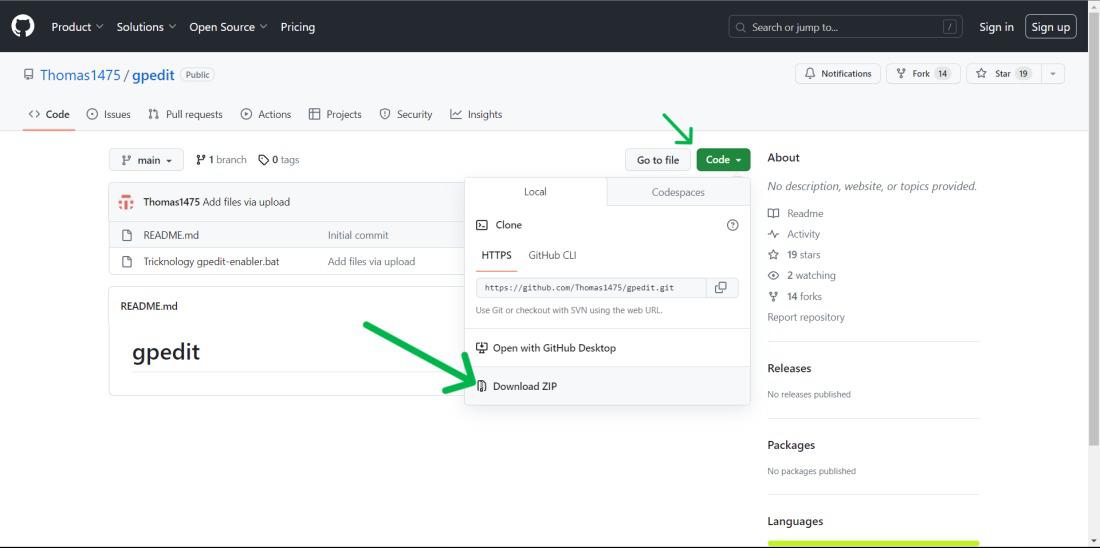
Step 1: Download the ZIP from GitHub: (https://github.com/Thomas1475/gpedit)
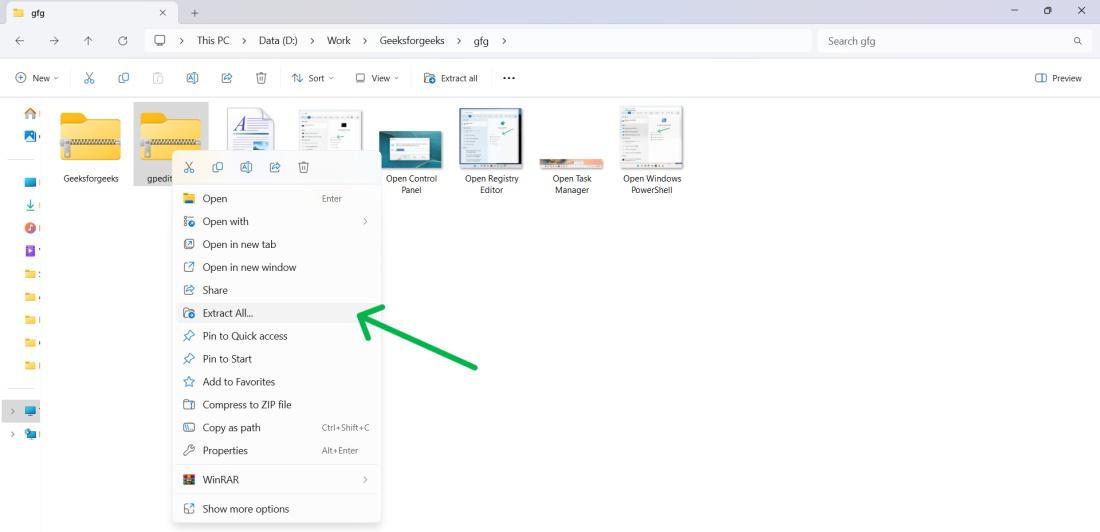
Step 2: Right-click → Extract All.
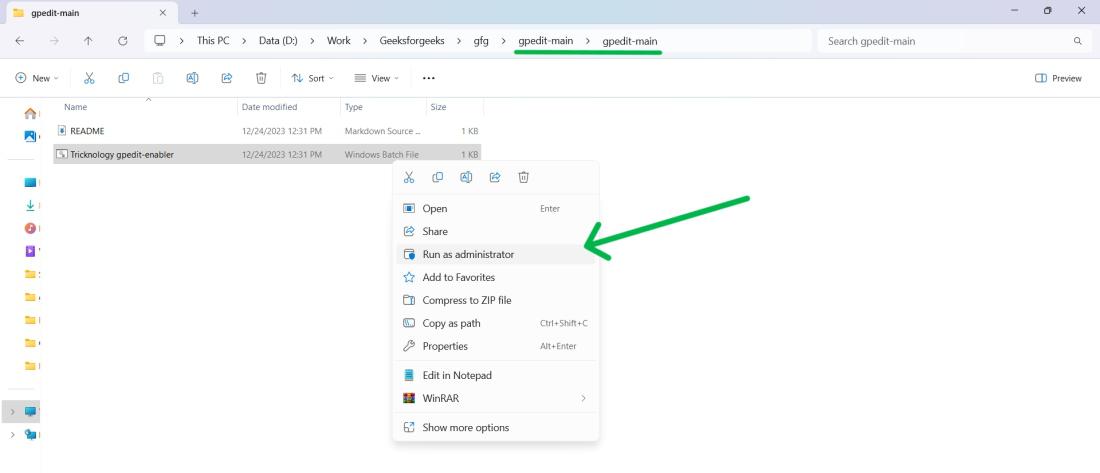
Step 3: Right-click gpedit-enabler.bat → select Run as administrator.
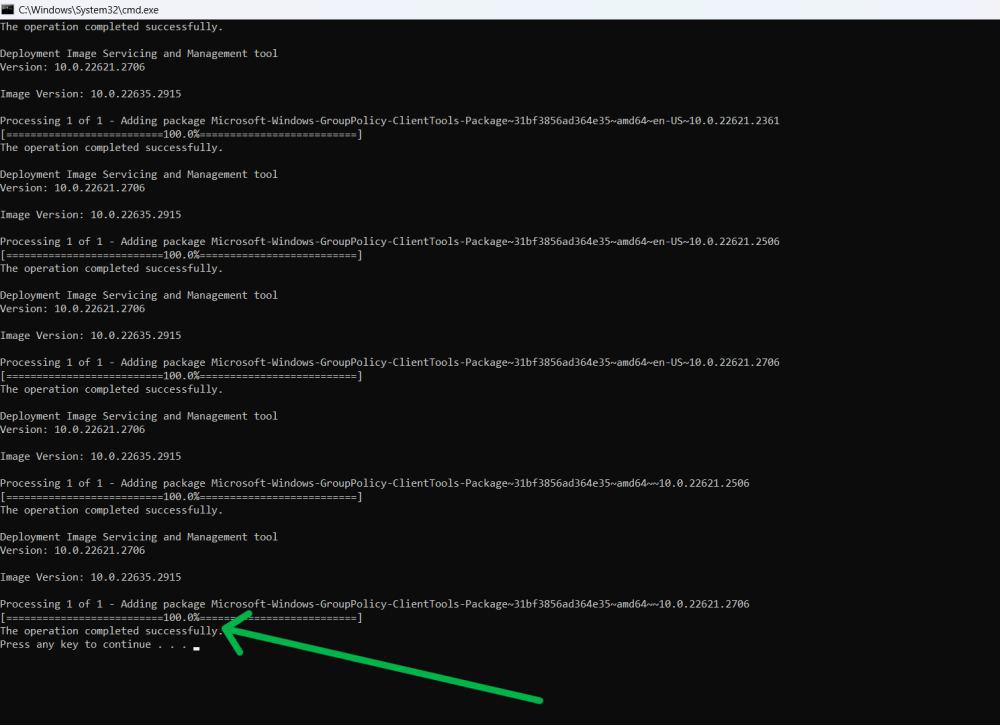
Step 4: Wait for installation to finish in the Command Prompt window.
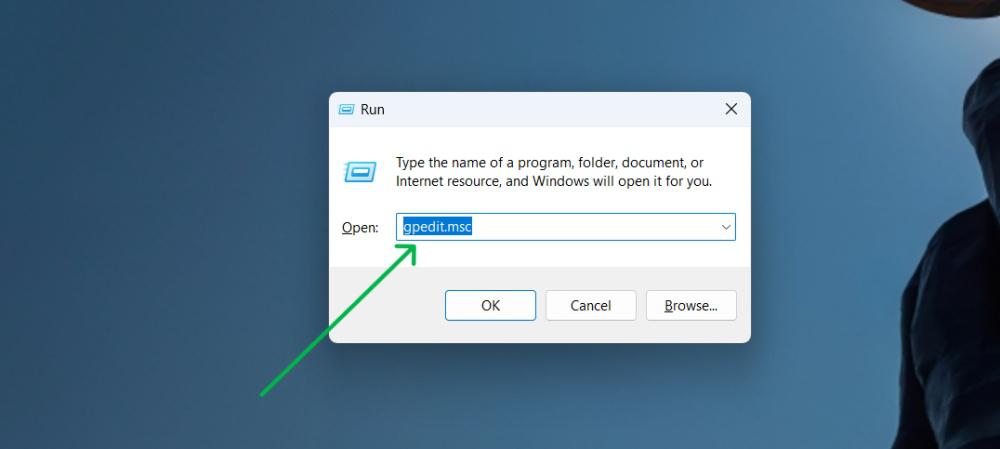
Step 5: Press Windows + R, type gpedit.msc, and press OK.
Uses built-in Windows packages to activate Group Policy tools.
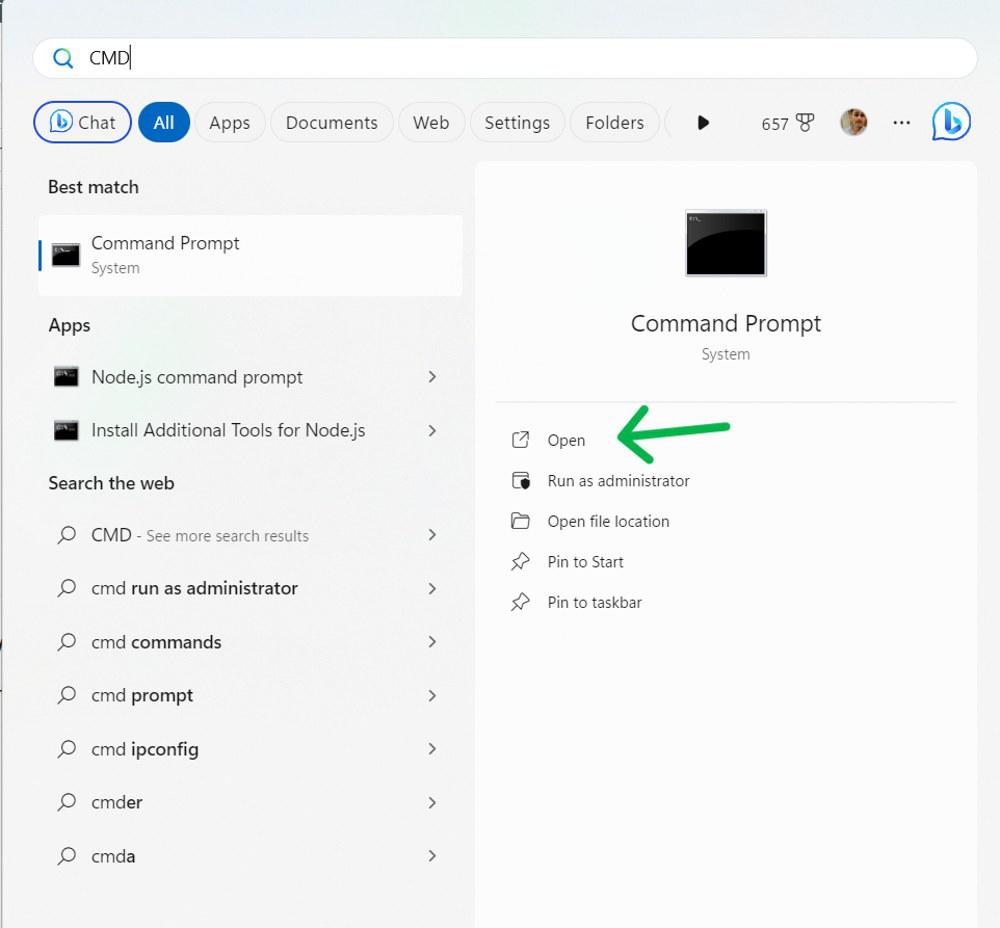
Step 1: Press Win + S, type cmd, and click Run as administrator.
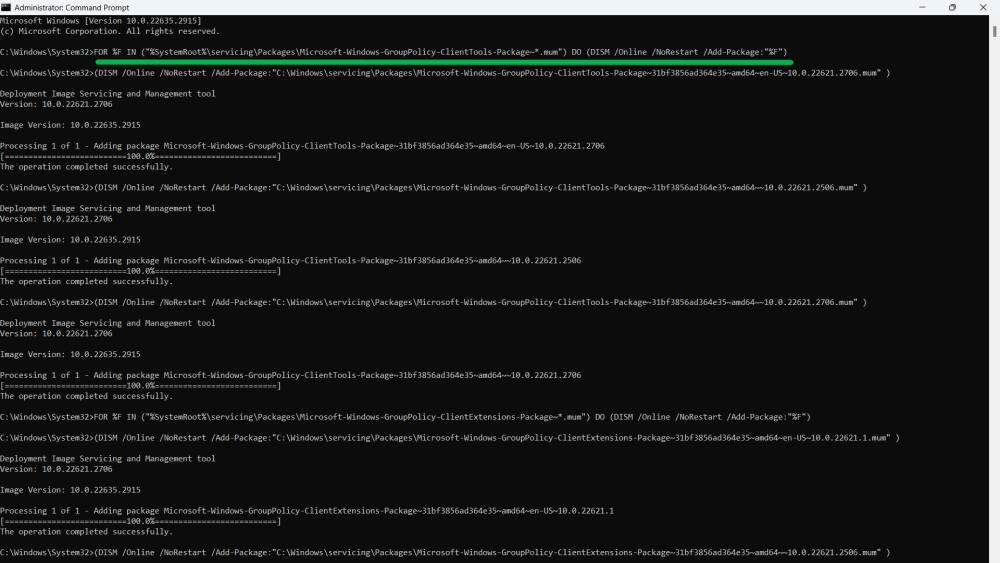
Step 2: Run the commands below one by one:
FOR %F IN ("%SystemRoot%\servicing\Packages\Microsoft-Windows-GroupPolicy-ClientTools-Package~*.mum") DO (DISM /Online /NoRestart /Add-Package:"%F")

FOR %F IN ("%SystemRoot%\servicing\Packages\Microsoft-Windows-GroupPolicy-ClientExtensions-Package~*.mum") DO (DISM /Online /NoRestart /Add-Package:"%F")
Step 3: Restart your PC.
Step 4: Press the Windows key + R, type "gpedit.msc," and click OK to open the Group Policy Editor.
👁 Cannot Find Gpedit.msc
Step 1: Open Command Prompt as administrator.
Step 2: Run:
sfc /scannow
Step 3: Then run these DISM repair commands:
DISM /Online /Cleanup-Image /CheckHealth
DISM /Online /Cleanup-Image /ScanHealth
DISM /Online /Cleanup-Image /RestoreHealth
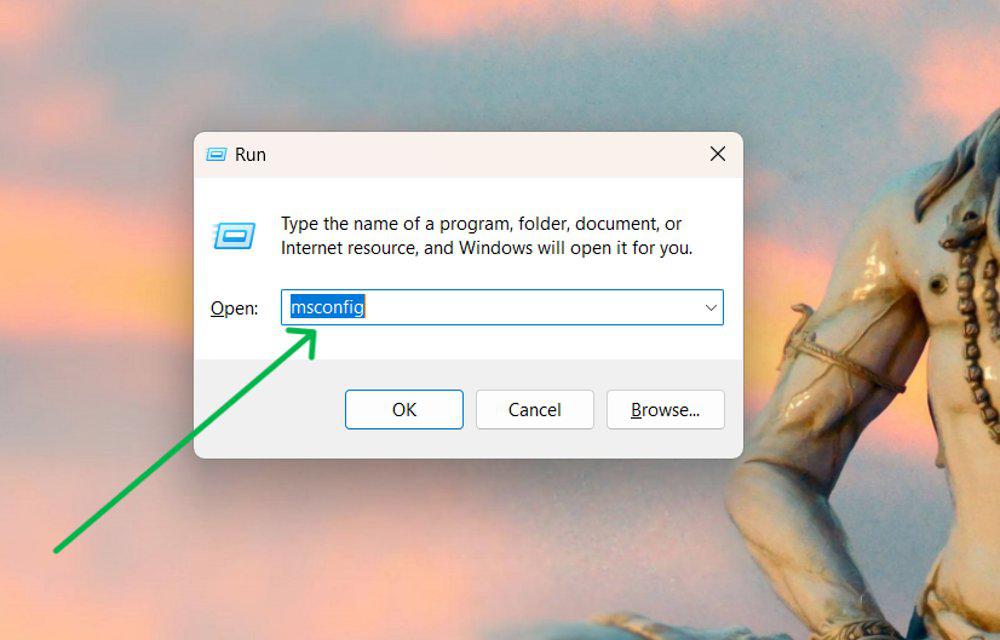
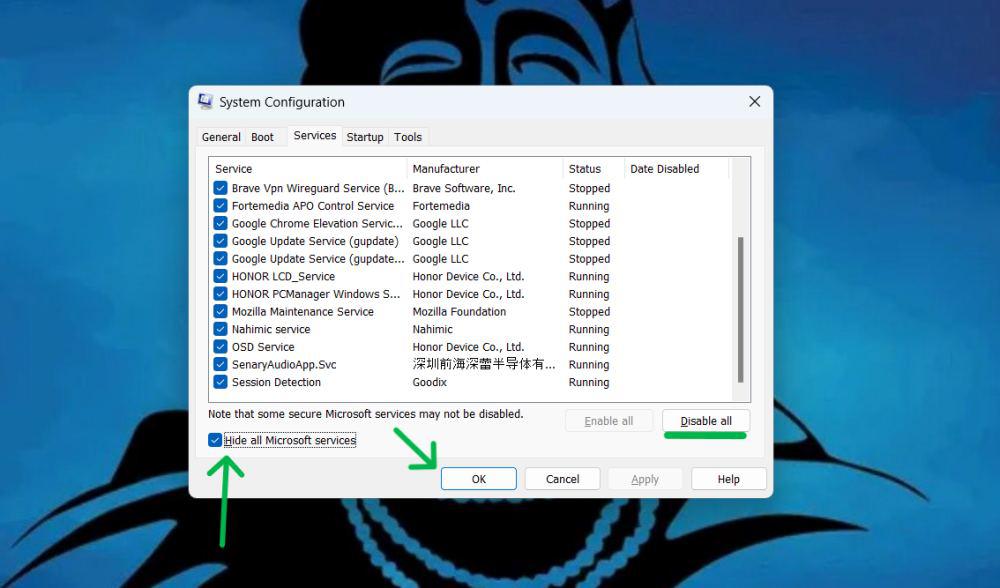
Step 1: Press Windows + R, type msconfig, press Enter.
Step 2: Go to Services → check Hide all Microsoft services.
Step 3: Click Disable all → Apply → OK.
Step 4: Restart your PC and try opening gpedit.msc again.
👁 Cannot Find Gpedit.mscNote: It is important to know why factory Reset is important and pre-requisites before doing a factory reset. For that check out this detailed article on How to Factory Reset a Windows 11 PC.
Step 1: Open Command Prompt as administrator.
Step 2: Run:
systemreset --factoryreset
Step 3: Pick one:
Step 4: Select the option you want and click "Reset".

.jpg)