Google Vault is a basic Google Workspace tool that lets you specify which material is stored and then provides simple search and export capability to verify it fits your eDiscovery and compliance requirements.
Google Vault is a widely used information governance and eDiscovery solution for Google Workspace. Vault allows you to save, search, and export users' Google Workspace data. Vault is suitable for the following types of data Gmail Messages, Google Drive Files, Google Chat messages, Google Calendar Events, Google Meet recordings, Google Group messages Google Voice for Google Workspace, Google Sites, and Classic Hangouts messages.
Features of Google Vault
eDiscovery: Google Vault features search functionality across Google Workspace applications, including Google Chat and Google Drive in addition to Gmail. It enables the discovery and retrieval of such data by the organization for audits, inquiries, and court proceedings quickly.
Retention policies: Google Vault allows enterprises to define retention policies for emails, Google Chat conversations, Google Drive files, and other types of data.
Export Data: Administrators can now export relevant data in formats compatible with legal review systems after finding them. This tool lets you export files, chat logs, and emails and retains all of the metadata.
Audit and Reports: Vault provides a really good reporting capability. This has reporting tools, as well as audit logs. Administrators are also able to monitor the searches, exports, and set holds.
How To Access Google Vault?
Step 1: Sign in to Vault
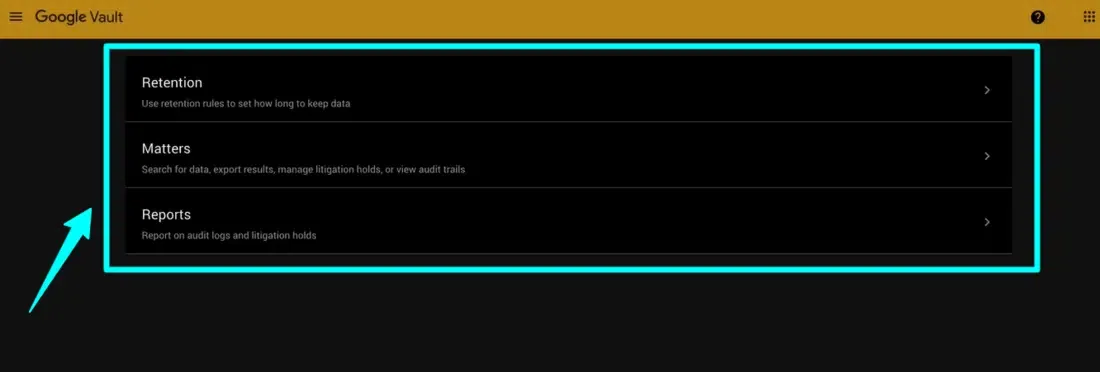
You must go to the Vault website first and log in with your Workspace Google account. If you can't log in, ask your Google Workspace administrator to enable Vault for you. You'll see retention, matters, and reports such as the one below.
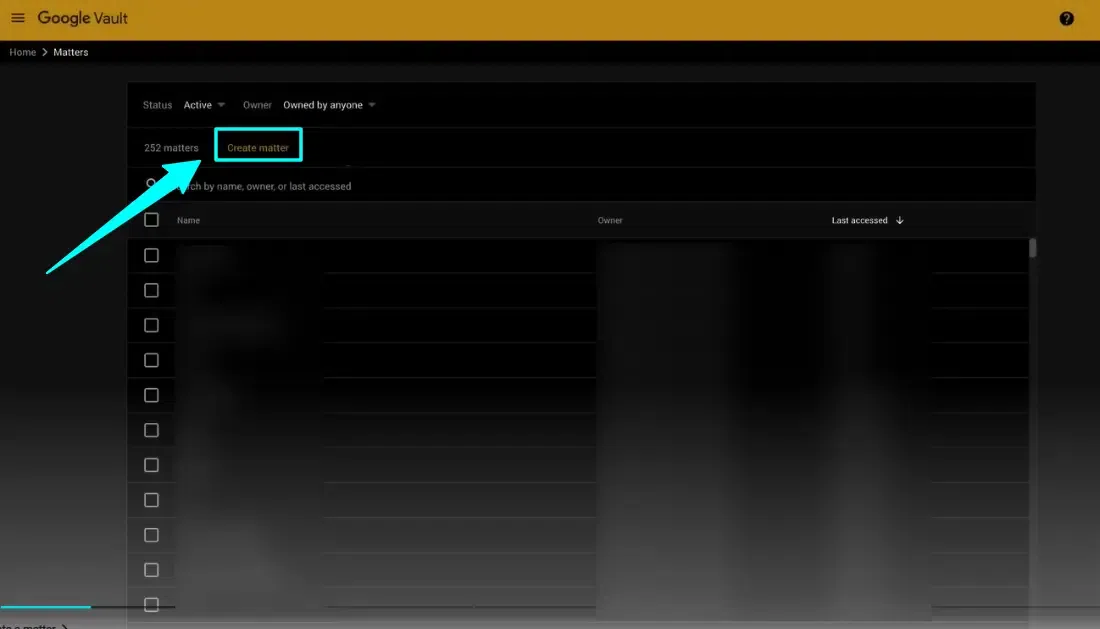
To search and export user data, you need to establish a workspace known as a matter. Consider a matter to be a folder where you may save your search queries and export packages. You can share information with other people, including external users.
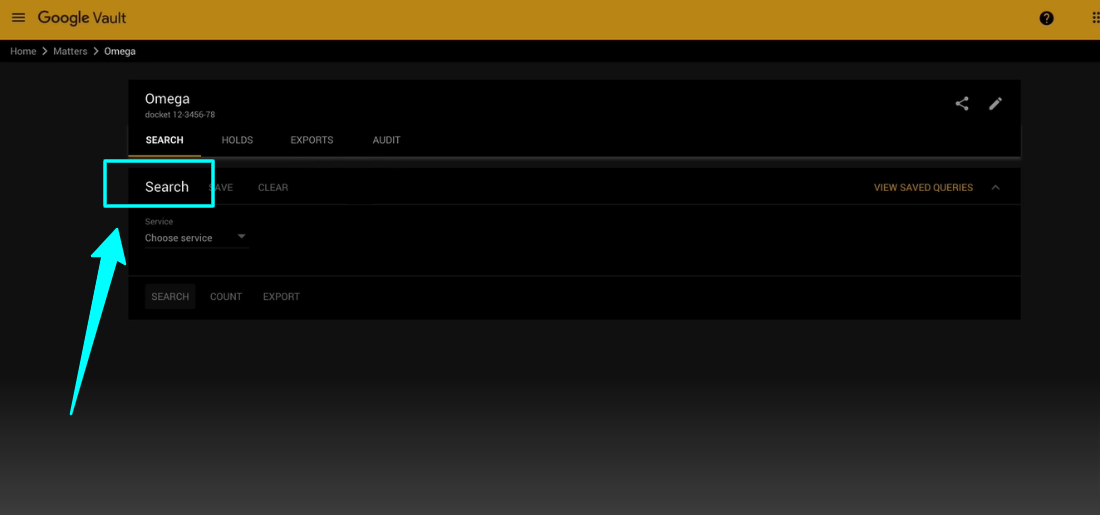
An issue that you created in Step 2 will open in the Search tab. It's time now to start your search. Ask your Google Workspace administrator to provide permissions if you do not see the Search tab.
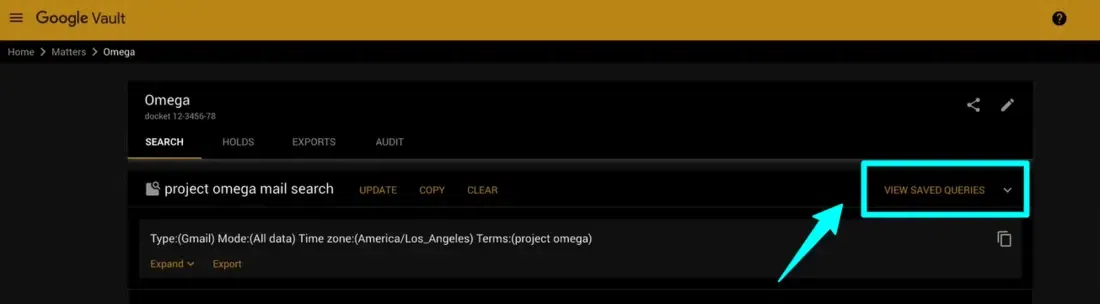
When you click on a row in the results table you will see view saved queries where you can get a preview of a matched item, and a sidebar on the right opens.
STORE DATA in an orderly manner. Google Vault allows you to create custom retention rules based on a certain OU, user, or date range.
Google Vault allows you to export a complete set of data that matches your search for additional investigation.
Google Vault's strong search module enables worldwide searches using particular individuals, phrases, or even keywords in email attachments.
Limitations of Google Vault
Vault cannot generate differential backups or deduplicate data. For example, a Drive export contains all objects that the searching account has access to.
When many accounts have access to the same things, each account receives an export, resulting in a large amount of duplicated data.
Retain works whether installed on-premises or in the GWAVA Cloud. With Retain, you have control over how your archived data is preserved.
Conclusion
In this article, we have learned about Google Vault. Google Vault is a robust archive and search tool for Google Workspace data. Designed for information governance and eDiscovery.