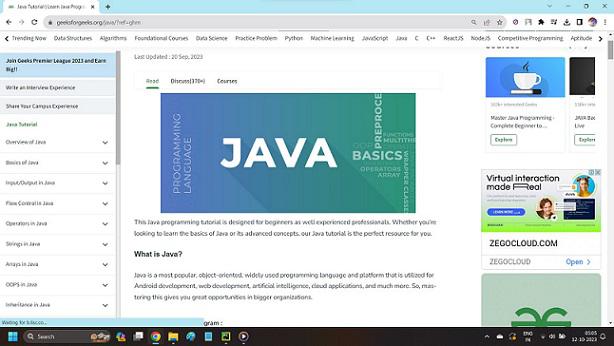
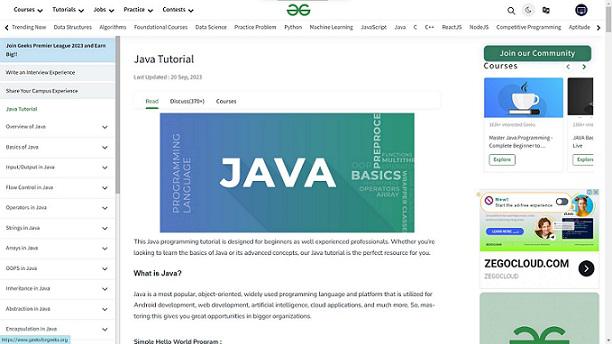
Full-screen mode in Google Chrome hides the toolbar, tabs, and taskbar, giving you a distraction-free browsing experience. Whether you’re watching videos, presenting, or simply focusing on a webpage, Chrome’s full-screen mode helps you stay focused. Chrome’s full-screen mode expands the browser window to cover your entire display by hiding:
Tabs and address bar Bookmarks bar Windows taskbar or macOS menu bar How to Enable Chrome Full Screen on Windows There are two main ways to enable full-screen mode in Chrome on Windows 11 without using the F11 key:
Method 1: Use Chrome Menu (No Keyboard Shortcut) Step 1:
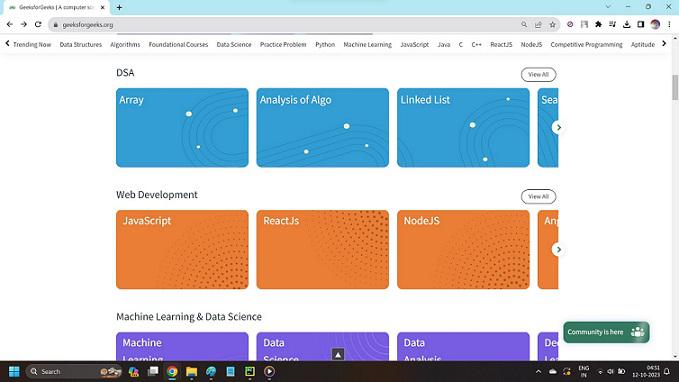
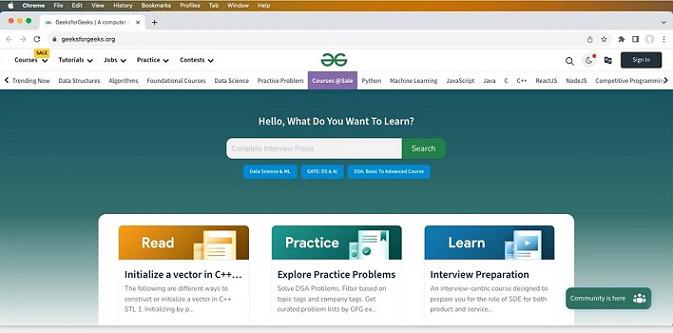
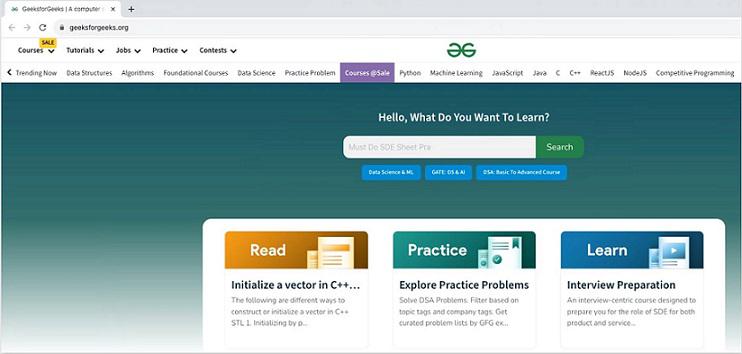
Open Google Chrome and visit any webpage. 👁 activate_fullscreen_Googlechrome_pic1 A webpage opened in Google Chrome browser Step 2:
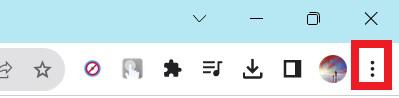
Click the three dots (⋮) in the top-right corner. 👁 activate_fullscreen_Googlechrome_pic2 Click the three vertical dots icon Step 3:
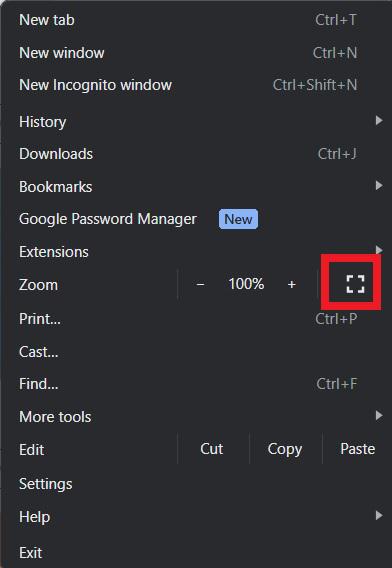
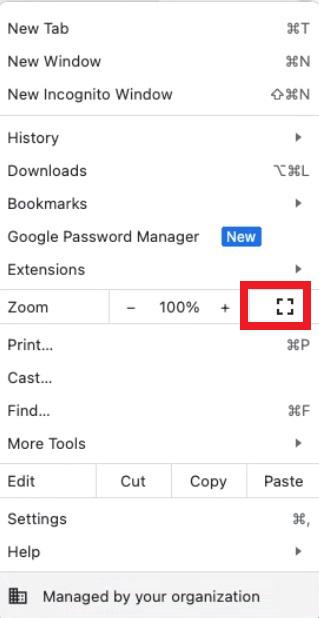
Click the Full Screen icon (diagonal arrows). 👁 activate_fullscreen_Googlechrome_pic3 Click the Fullscreen icon in the dropdown opened Step 4:
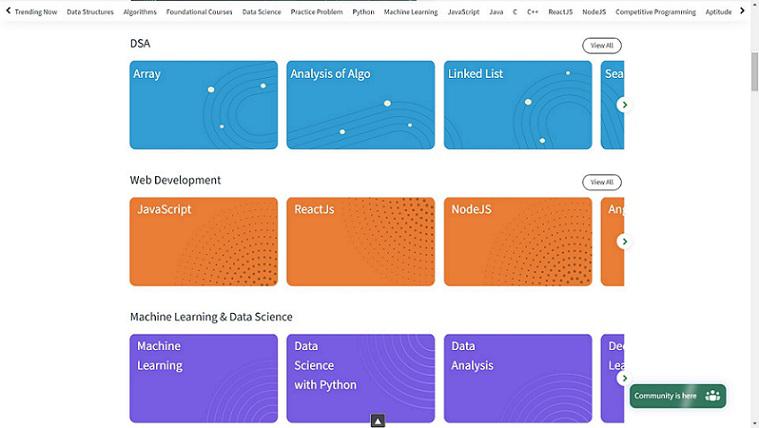
Chrome switches to full screen mode. 👁 activate_fullscreen_Googlechrome_pic4 Fullscreen mode activated in Google Chrome browser Exit: Press F11 or hover at the top and click Exit full screen.
Method 2: Press F11 (Windows/Linux Shortcut) If you're wondering how to make Chrome full screen , the easiest way is by pressing the F11 key . This shortcut works on both Windows and Linux systems. Here's how:
Step 1:
Open Chrome .
👁 activate_fullscreen_Googlechrome_pic5 A webpage opened in the Google Chrome browser in Normal mode Step 2:
Press F11 to enter full screen. 👁 activate_fullscreen_Googlechrome_pic6 Full-screen mode is activated in the Google Chrome browser Step 3:
How to Automatically Open Chrome in Full Screen You can force Chrome to launch in full-screen mode every time.
Step 1:
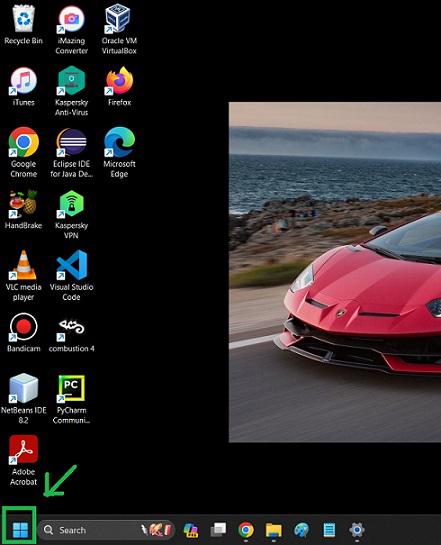
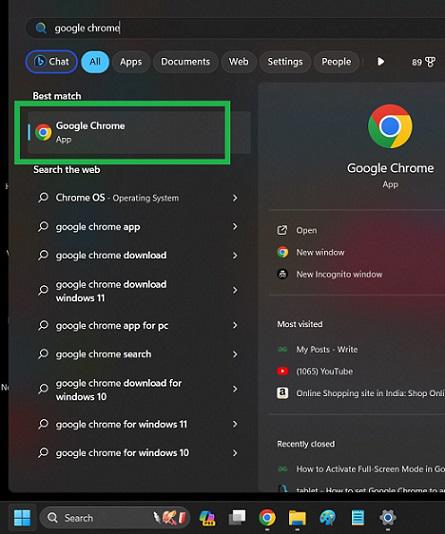
Click the ' Start ' icon from the taskbar of your computer. 👁 activate-full-screen-mode-automatic-chrome-pic1 Click the Start icon from the taskbar Step 2:
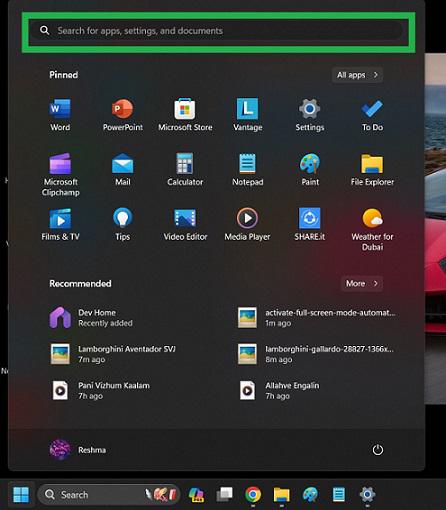
In the search bar of the panel opened, type 'Google Chrome '. The search results for Google Chrome appear. 👁 activate-full-screen-mode-automatic-chrome-pic2 Type in the search bar Step 3:
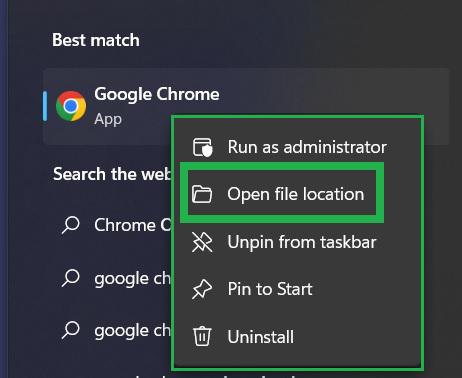
The Google Chrome software tops the search results. Right-click on it. 👁 activate-full-screen-mode-automatic-chrome-pic3 Right-click on the Google Chrome app in the search results Step 4:
The Right-click menu opens. Select ' Open File Location ' in it. 👁 activate-full-screen-mode-automatic-chrome-pic4 Click 'Open file location' Step 5:
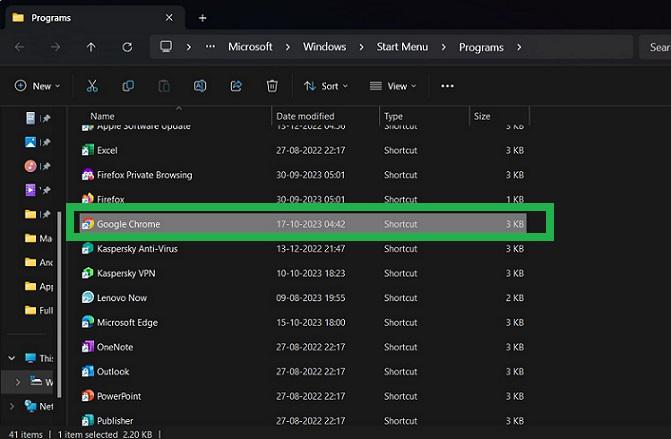
A window opens. Locate the ' Google Chrome ' in that window and right-click on it. 👁 activate-full-screen-mode-automatic-chrome-pic5 Right-click on 'Google Chrome' in this window opened Step 6:
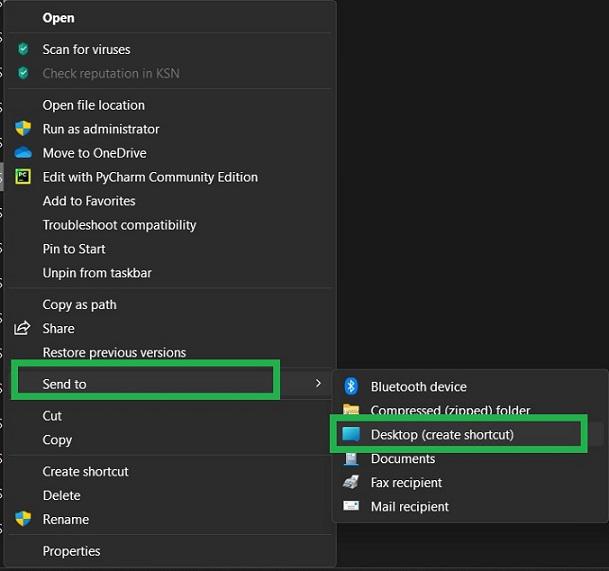
The right-click menu opens. Click ' Send To ' in it. Another sub-menu opens. Click ' Desktop (Create Shortcut) ' in it. 👁 activate-full-screen-mode-automatic-chrome-pic6 Select 'Send to' -> 'Desktop' to create a new shortcut for Google Chrome in the desktop Step 7:
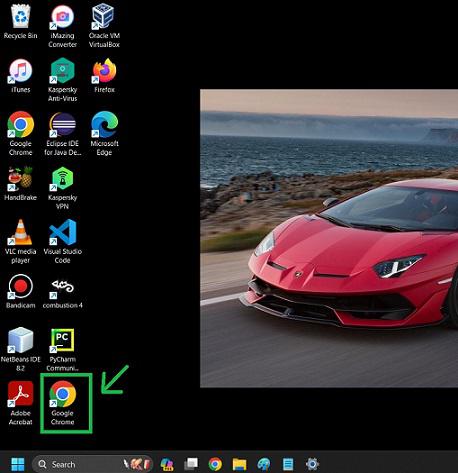
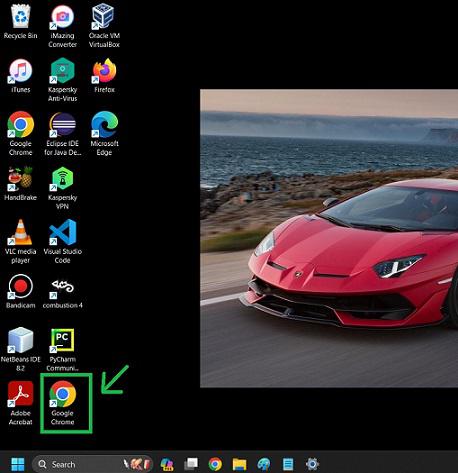
A second shortcut for Google Chrome is created and is now present on the Desktop along with the main shortcut for Google Chrome. 👁 activate-full-screen-mode-automatic-chrome-pic7 Newly created Google Chrome shortcut icon Step 8:
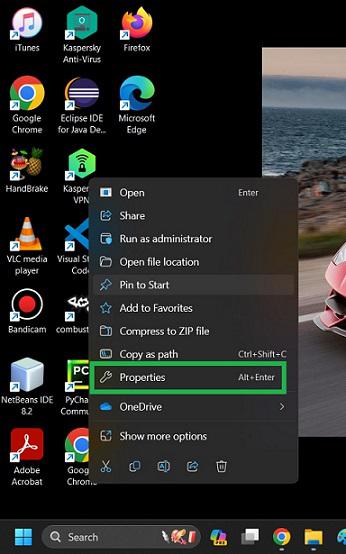
Right-click on the newly created shortcut for the Google Chrome icon. Select ' Properties ' in it. 👁 activate-full-screen-mode-automatic-chrome-pic8 Select 'Properties' in it Step 9:
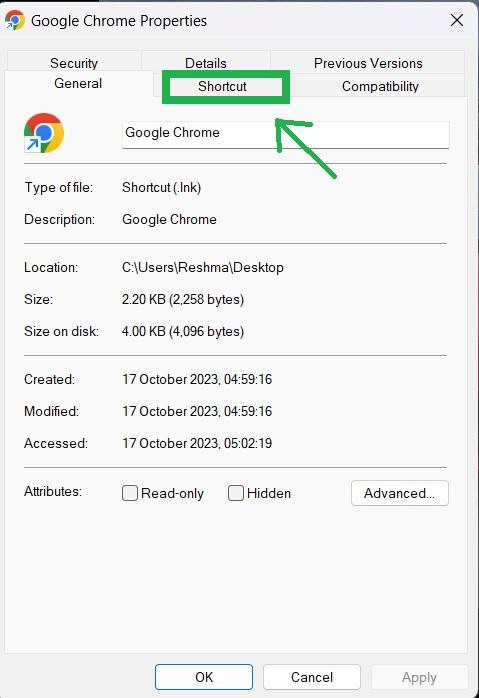
Now Properties dialog box will open and navigate to the 'Shortcut' tab and click on it. 👁 activate-full-screen-mode-automatic-chrome-pic9 Click the 'Shortcut' tab Step 10:
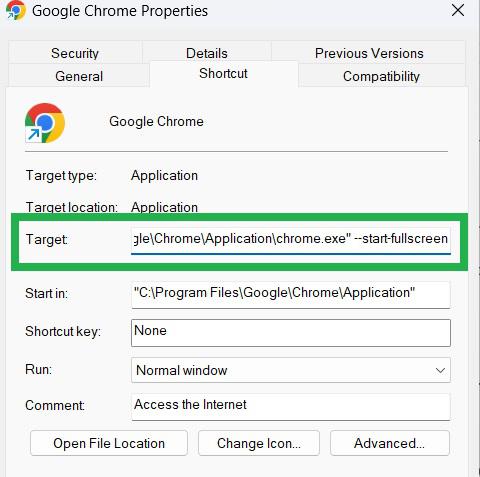
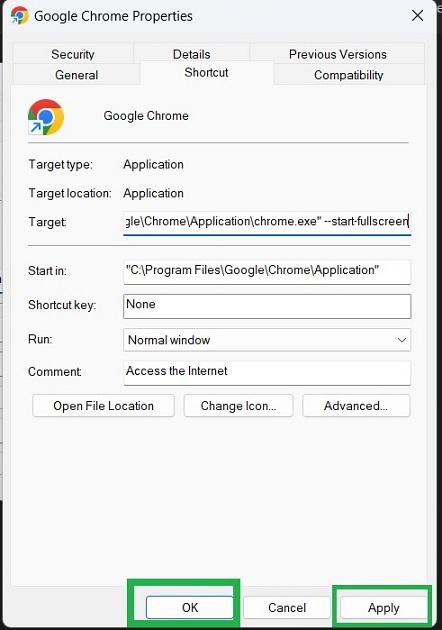
In the target, you can see the file location of the executable Google Chrome software. Add --start-Fullscreen after a space to the location of that executable file 👁 activate-full-screen-mode-automatic-chrome-pic11 Appending --start-Fullscreen in Target Step 11:
Click ' Apply ' and then click ' OK ' at the bottom of the Properties dialog window . The properties dialog box is closed now. 👁 activate-full-screen-mode-automatic-chrome-pic12 Click 'Apply' and then click OK Step 12:
Restart your computer to apply the changes made to the newly created Google Chrome icon on the Desktop. Step 13:
Now after restarting your computer, in the desktop icons, double-click the newly created Google Chrome icon to open it 👁 activate-full-screen-mode-automatic-chrome-pic13 Double-click the newly created Google Chrome icon Step 14:
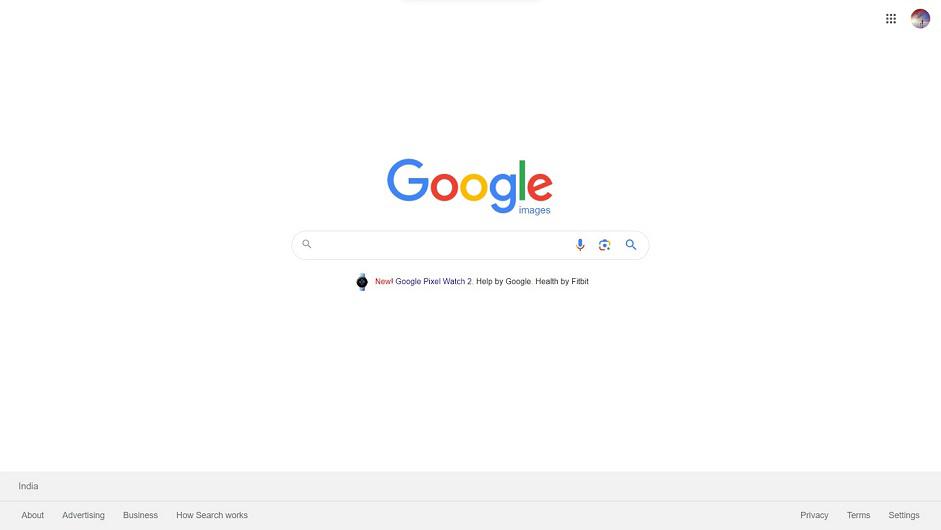
The Google Chrome web browser automatically opens in Full Screen mode on your computer showing the home page of your browser. Now we have set Google Chrome to automatically open with Full-Screen mode on your computer successfully. To exit from this Full-Screen mode back to Normal mode, press the 'F11' key on your keyboard. 👁 activate-full-screen-mode-automatic-chrome-pic14 Google Chrome browser opened automatically with Full-Screen mode How to Go Full Screen in Google Chrome on Mac Learn how to enable full-screen mode Mac in Google Chrome with these easy steps:
Step 1:
👁 activate-full-screen-mode-MacOS-pic1 Google Chrome browser opened on device running Mac OS Step 2:
Click the three dots (⋮) in the top-right corner. 👁 activate-full-screen-mode-MacOS-pic2 Click the three dots icon Step 3:
A dropdown appears. Click the Full-screen icon on it.
Keyboard Shortcut: Press Control + Command + F to activate full screen mode.
👁 activate-full-screen-mode-MacOS-pic3 Click the Fullscreen icon 👁 activate-full-screen-mode-MacOS-pic4 Full-screen mode activated in Google Chrome browser on Mac OS device How to Use Full Screen in Chrome on Mobile (Android & iOS) Chrome mobile does not support a full browser-wide full-screen mode, but you can still maximize content:
1. Rotate to Landscape Mode Most pages automatically expand to full width.
2. Use Full-Screen Video Mode When watching video:
Tap the full-screen icon inside the video player. Note: Chrome for Android/iOS doesn’t offer a true full-screen browser mode due to system UI restrictions.
How to Enable Full Screen on Chromebooks Open Google Chrome . Press the Fullscreen key (rectangle with arrows) located on the top row. Press the key again to exit. This is the fastest full-screen toggle on ChromeOS.
How to Exit Full-Screen Mode in Chrome Windows/Linux: Press F11 macOS: Press Control + Command + F or click the green window button Android: Tap the Exit full screen icon in videos iOS: Swipe up and tap Exit Full Screen Related Articles