|
VOOZH | about |
|
VOOZH | about |
Add a Missing Place to Google Maps -Quick Steps
- Open Google Maps > Search for the place.
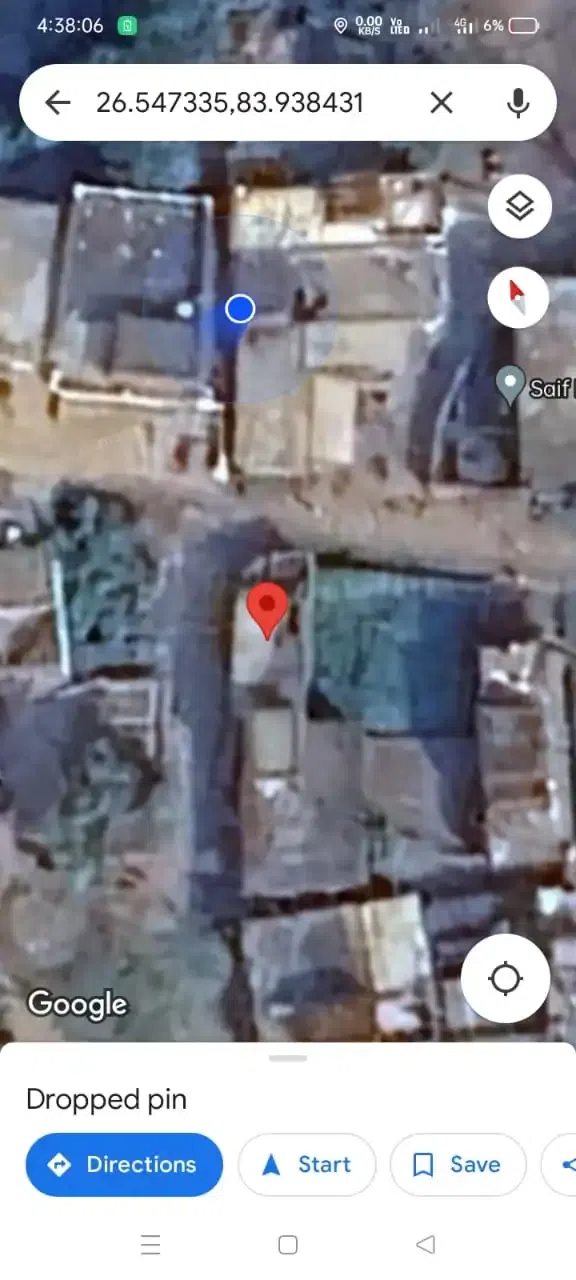
- Drop a pin on the exact spot.
- Tap on the name/address.
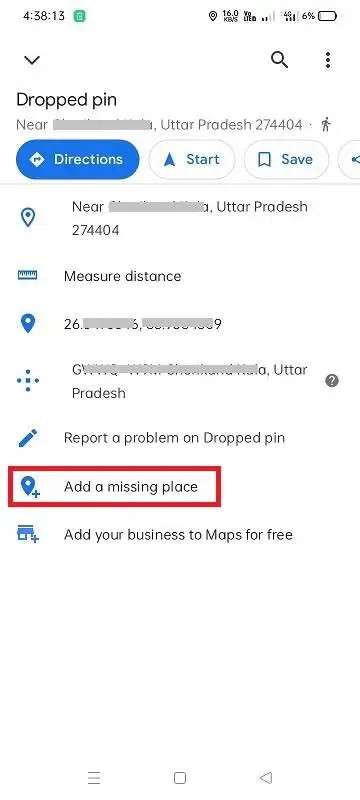
- Select "Add a missing place."
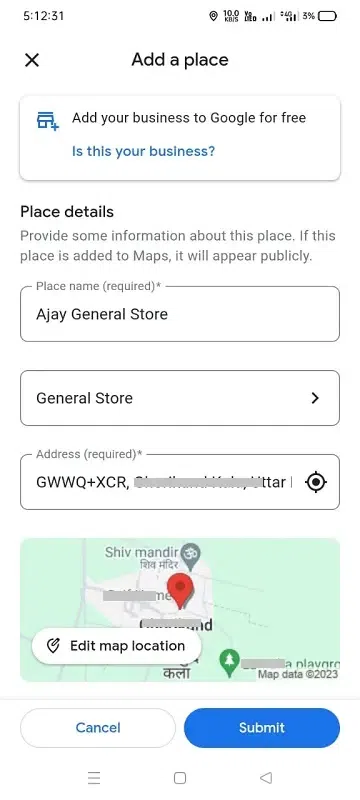
- Fill in details > Submit.
Ever wished your favorite local spot or a hidden gem was on Google Maps so others could find it too? Well, good news – you can make it happen! Adding a place to Google Maps is like giving it a spot on the world's map. It's super easy and means more people get to discover the awesome spots you love. So, let's learn the simple steps to make sure your favorite places don't stay hidden anymore!
👁 How-To-Add-Location-In-Google-Map
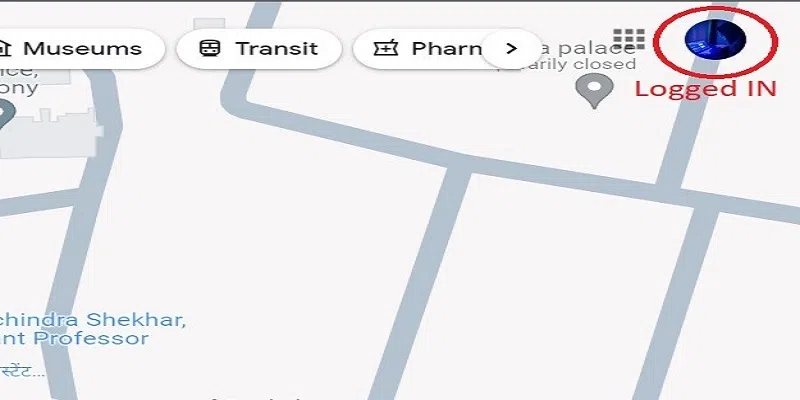
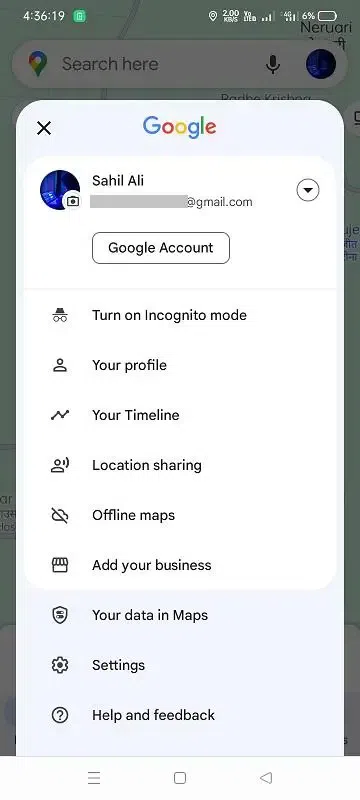
Open the Google Maps app on your smartphone or access the Google Maps website on your computer (Make sure you have logged in with your Google account).
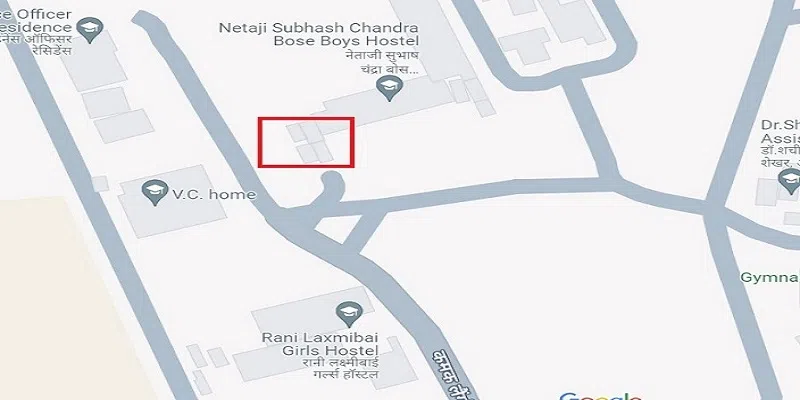
Find the location you want to add.
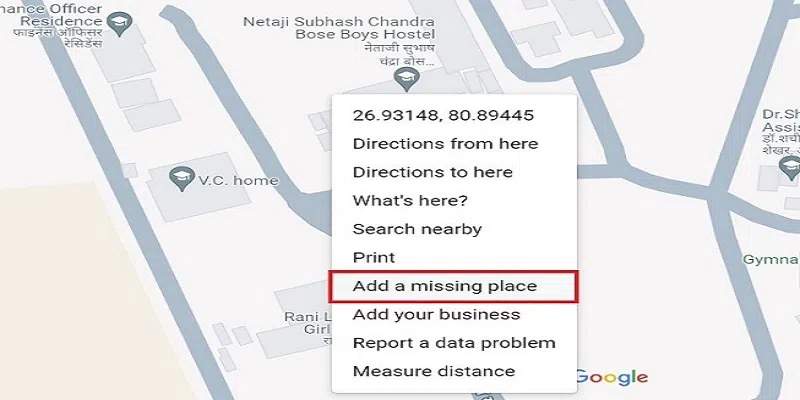
Once you've found the desired location, Right-click on that place and Click on "Add a Missing Place".
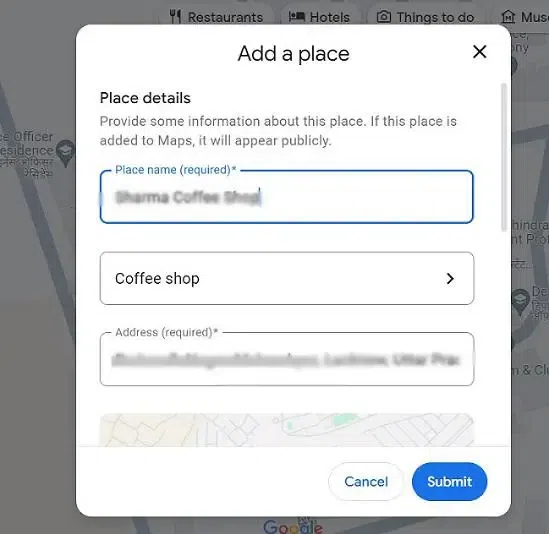
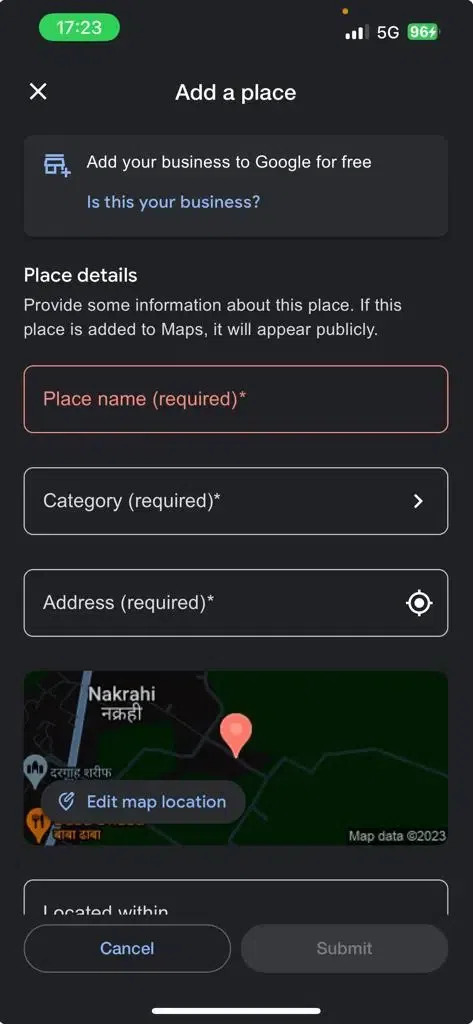
A form will appear, then provide details about the location. Include the name, category, and any additional information that can help others identify the place.
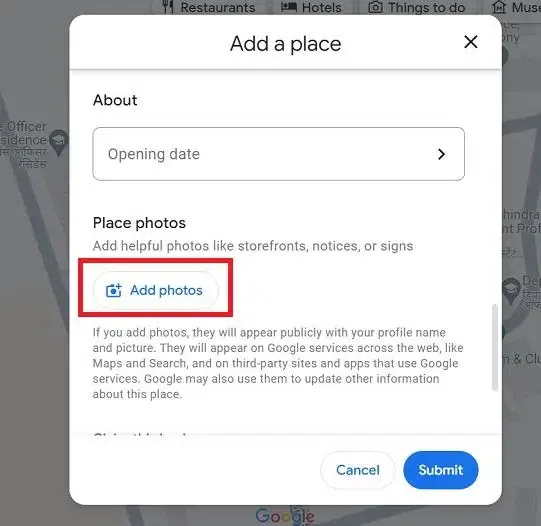
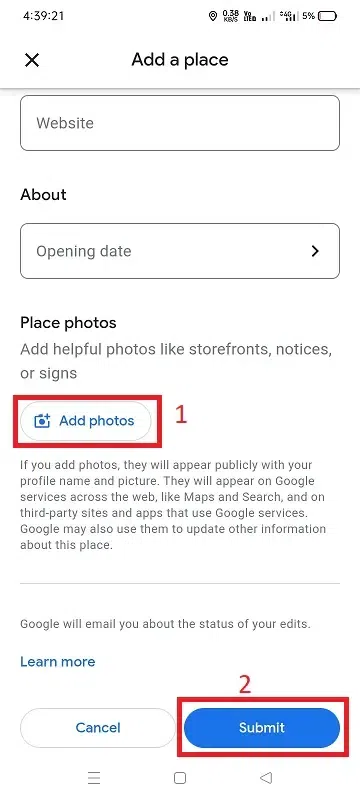
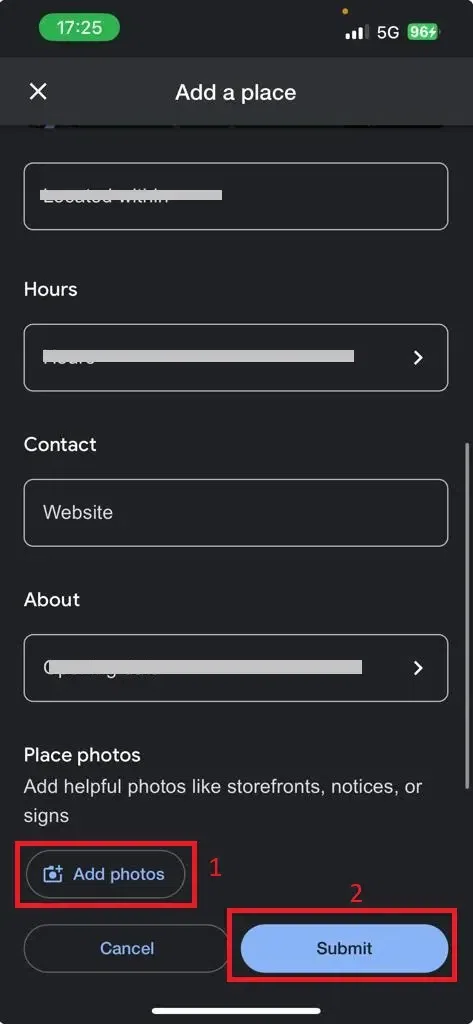
Now, attaching a photo to enhance the location. This can be an Outdoor nearby place shot, for example: a menu if it's a restaurant, or any relevant image that adds value to the location.
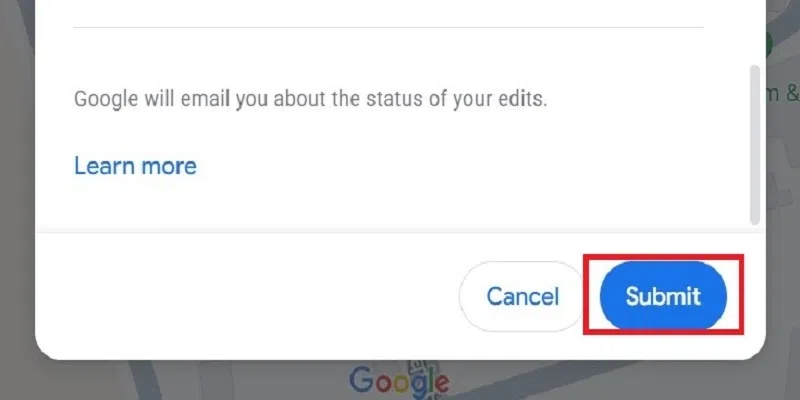
After filling in all details, click "Submit" to send the information to Google. The company will review the details, and once approved, the location will appear on the map.
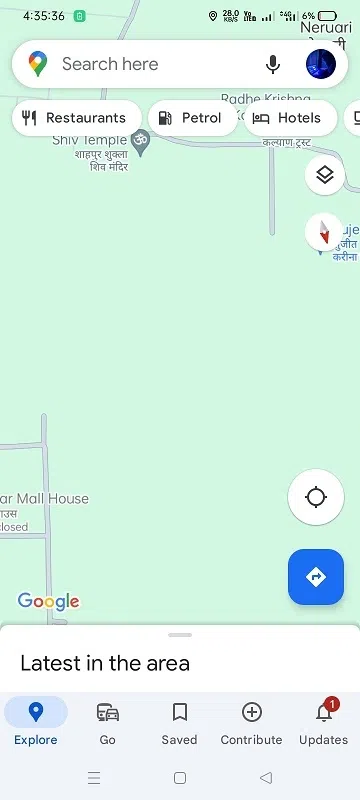
Open the Google Maps app on your Android device.
Make sure you are signed in to your Google account. (If not, sign in with your Google account).
Use the search bar to type the coordinates or address of the location you want to add. Or simply navigate the place you want to add.
Tap or long press on the marker or location name to open its details and Click on the "Add a Missing Place" button
Fill in the all required place details like place name and category, address, and click on Add more details.
For additional personalization, you can add details such as I) adding about opening hours, contact, and Photos. Click on the "Submit" button
Open the Google Maps app on your iPhone. (Make sure you have logged in).
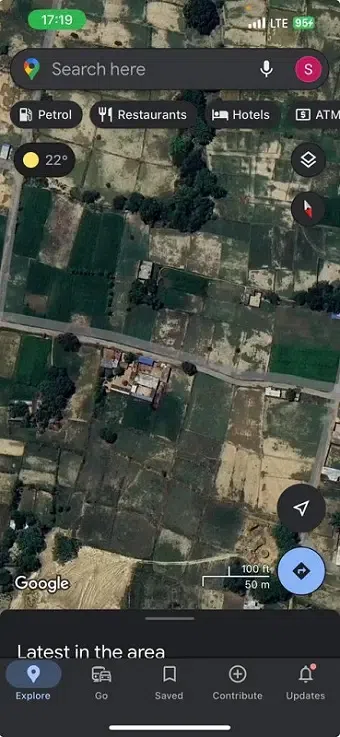
Type the name or address of the location in the search bar that you want to add.
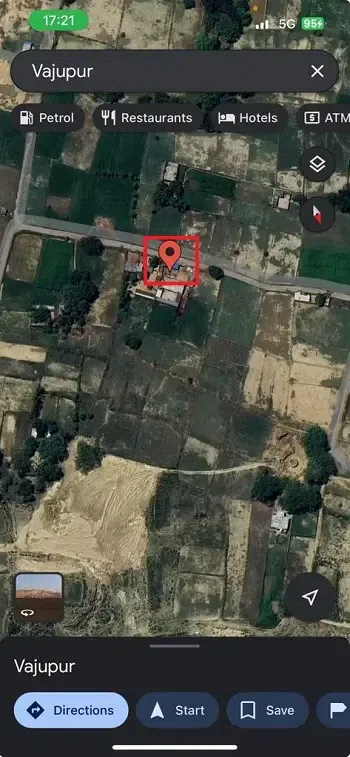
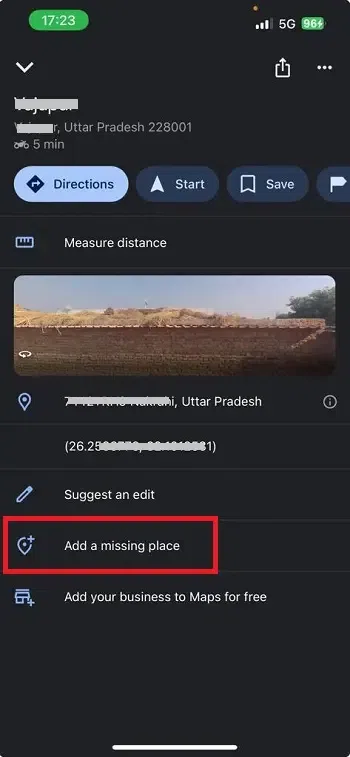
Tap on the marker or location name to open its details. and click on the "Add a missing place"
Fill in the required place details such as place, category, address, etc.
Add optional details like website, hours, and opening date. And then Add a photo of the place. Click on the "Submit button".
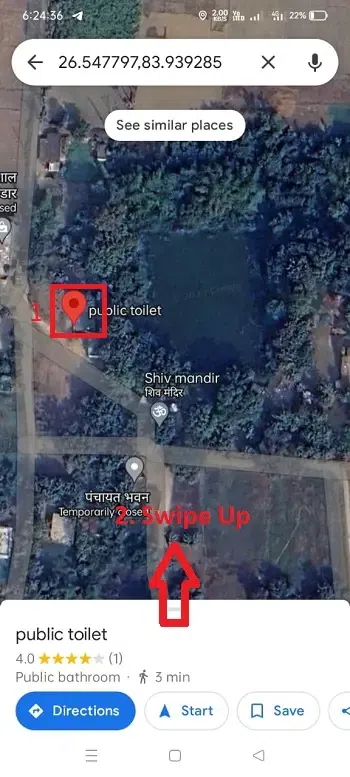
Search for an address you want to fix. and tap on that location and swipe up.
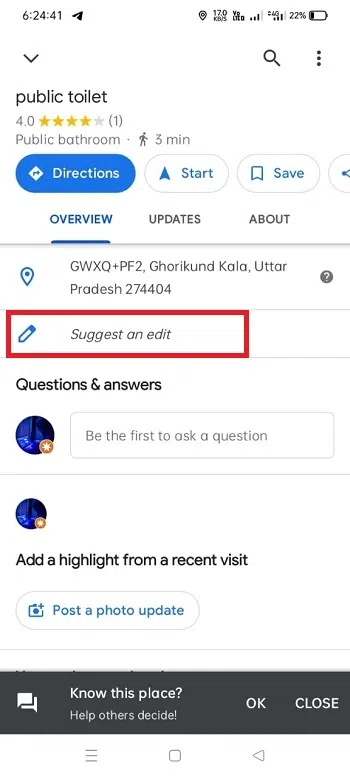
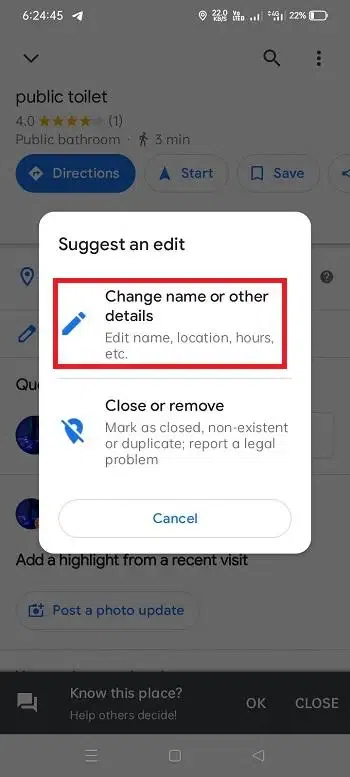
Tap on " Suggest an edit"
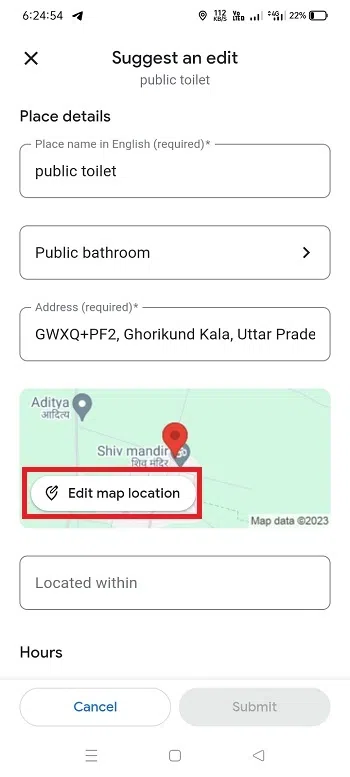
Click Change name or other details".
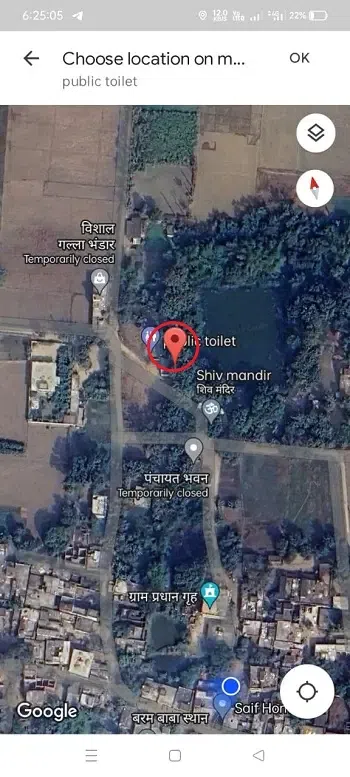
Click on "Edit map location".
Move the map to the center of the building. and click on the "OK" button.
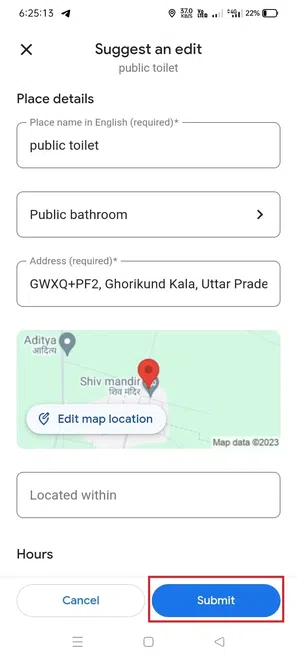
After that, Simply click on the "Submit button"
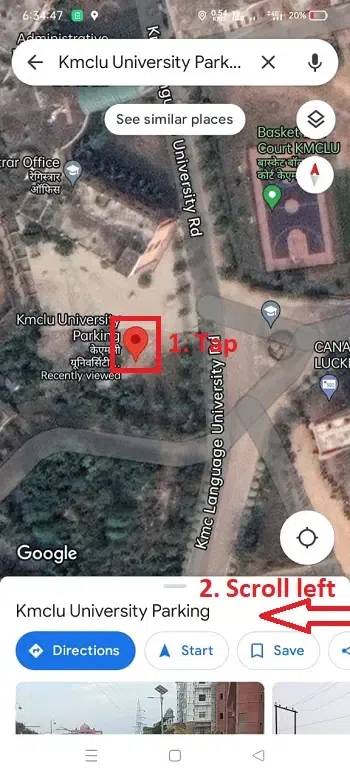
Search for an address that you want to edit. and tap on location and scroll left.
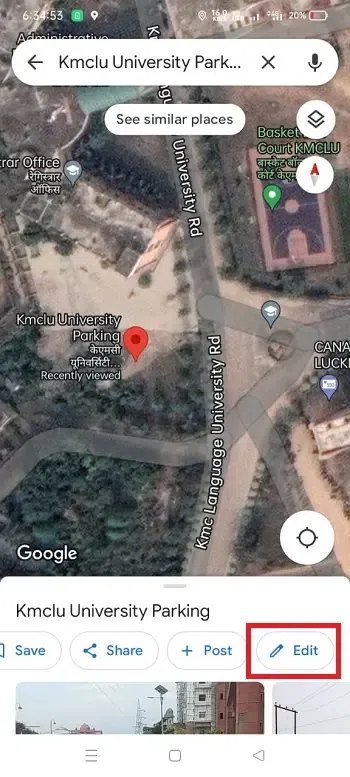
Now tap on "Edit".
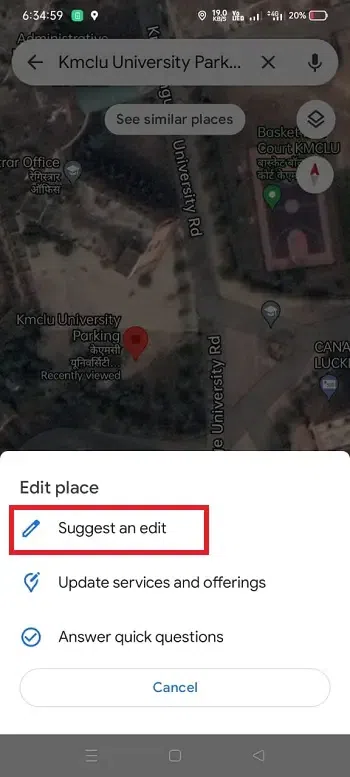
Click on "Suggest an edit".
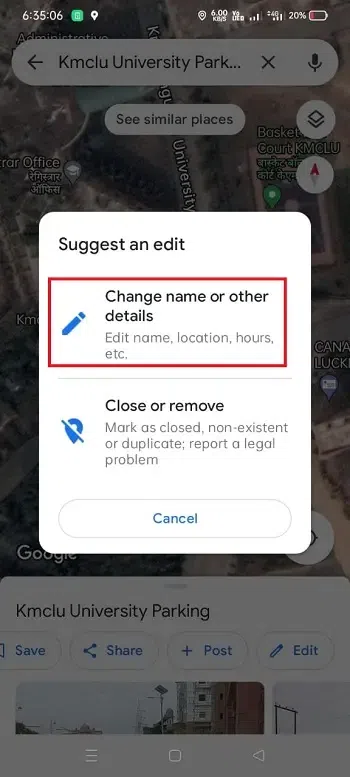
Click on Change name or other details.
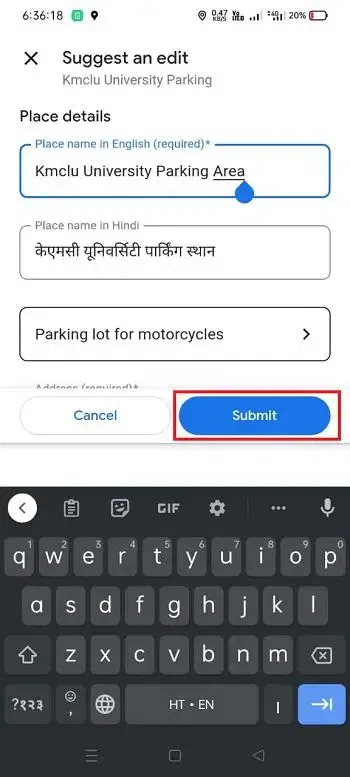
Now edit the details that you want to change. Then, the tap submit button.
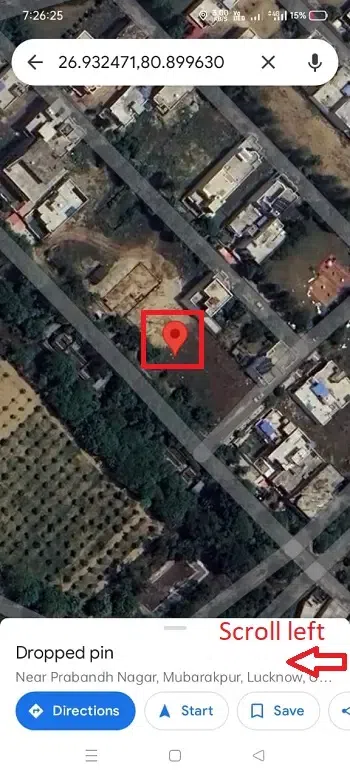
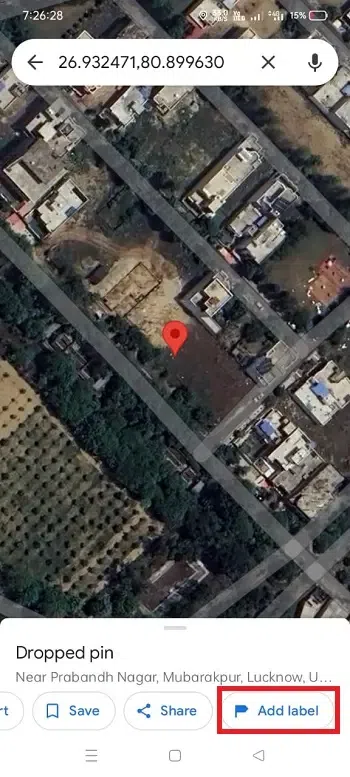
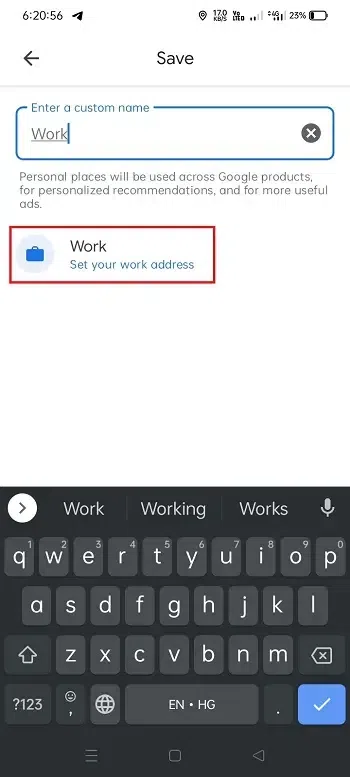
Navigate the location you want to label. and tap on location. then, Scroll left.
After that click on "Add label".
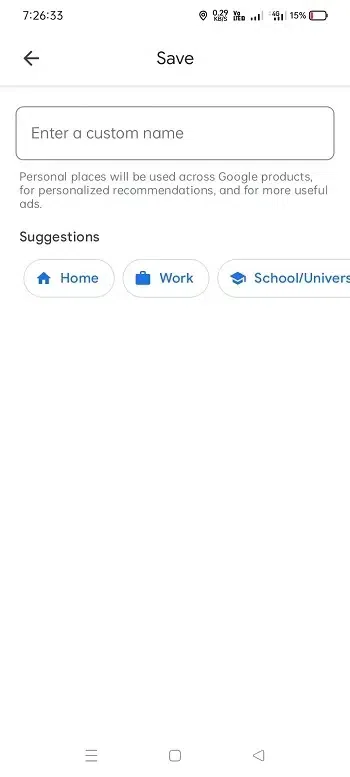
Now enter a custom name that you want to label.
After that, click on "Set your address".
Adding a location in Google Maps is a user-friendly process that allows you to contribute to the accuracy and richness of information available to users worldwide. Whether you're promoting your business or helping others discover hidden gems, these simple steps make you an active part of the Google Maps community.
How do I correct an incorrect street name on Google Maps?
To correct an incorrect street name, right-click on the location, choose "Report a problem," and select the "Wrong information" option.
Can I add a location without an exact address?
While an exact address is preferred, you can still add locations using general information. Just provide as much detail as possible.
Can I edit the information after submitting a location?
Yes, you can edit the information about a location after it has been submitted. Simply go to the location on Google Maps and click on "Suggest an edit."