|
VOOZH | about |
|
VOOZH | about |
When buying or upgrading a PC or laptop, upgradeability is a key factor. Not all systems offer extra RAM slots, SSD slots, or HDD bays especially laptops. Knowing how many RAM slots are available helps you future-proof your system and improve performance without unnecessary hardware changes.
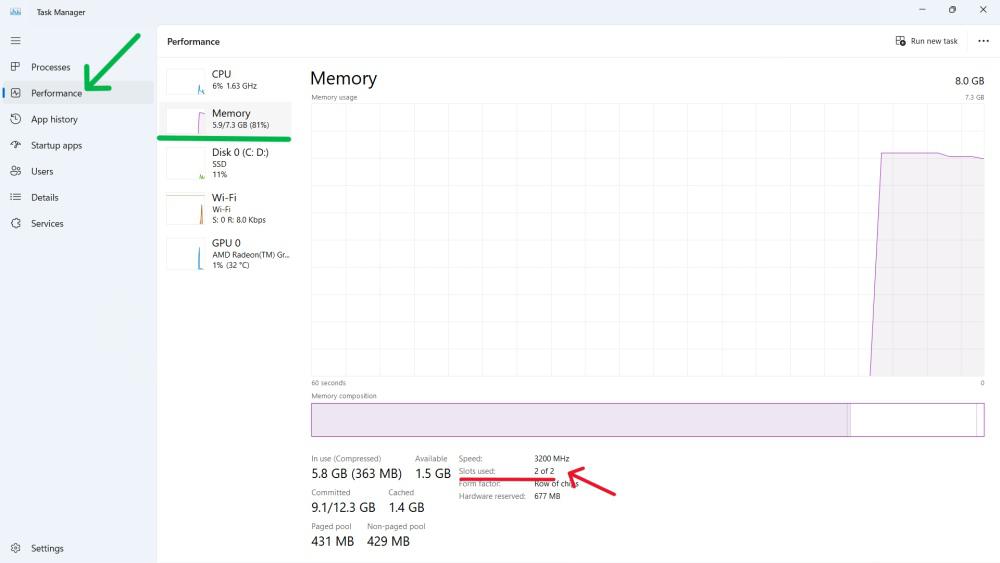
Step 1:
👁 How-to-Find-Available-RAM-Slots-on-Windows-11-Using-Task-Manager
Step 2:
Step 3:
👁 How-to-Find-Available-RAM-Slots-on-Windows-11-Using-Task-Manager-1
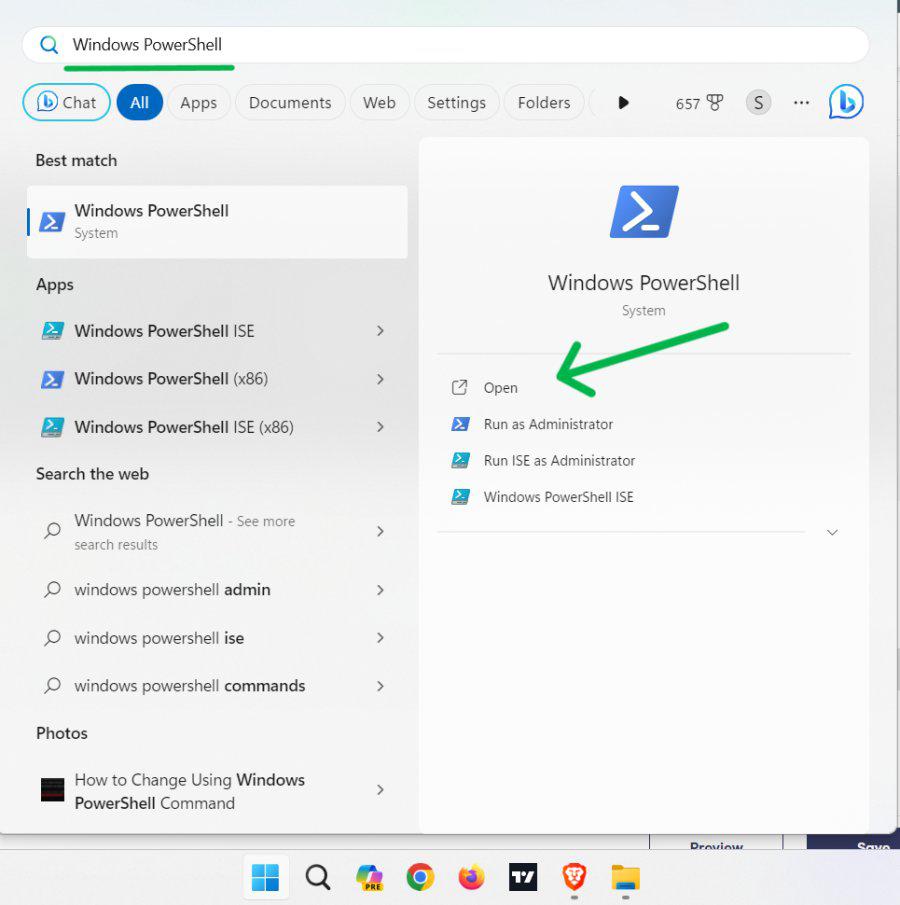
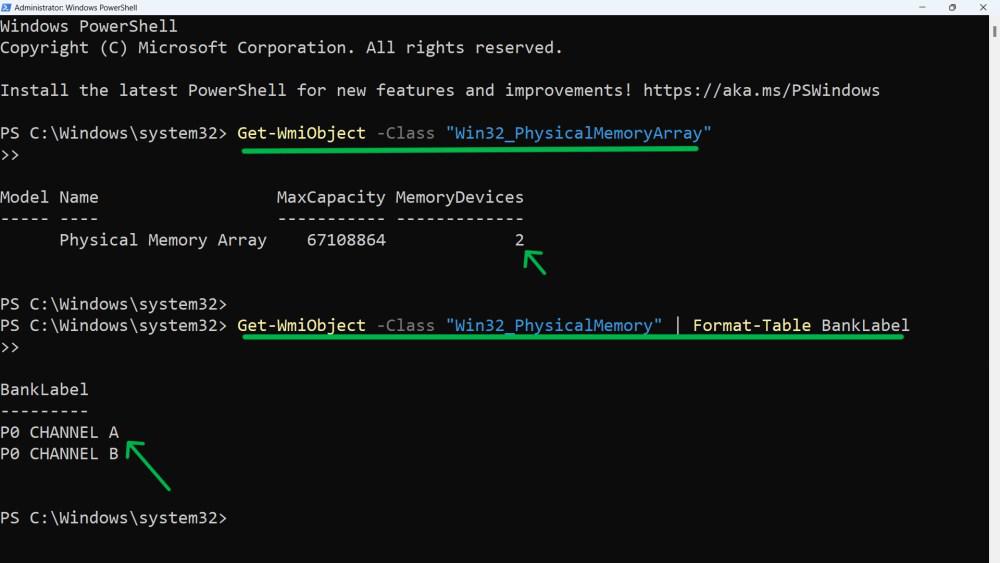
PowerShell provides detailed hardware information.
Step 1:
Step 2:
Get-WmiObject -Class "Win32_PhysicalMemoryArray
Step 3:
Get-WmiObject -Class "Win32_PhysicalMemory" | Format-Table BankLabel
👁 How-to-Check-Available-RAM-Slots-using-PowerShell
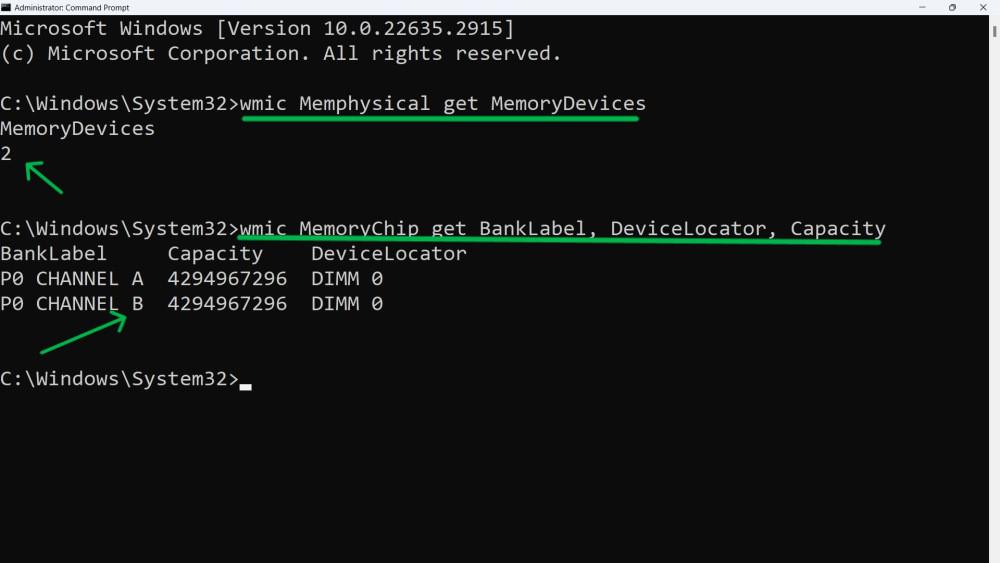
Step 1:
Step 2:
wmic Memphysical get MemoryDevices
Step 3:
wmic MemoryChip get BankLabel, DeviceLocator, Capacity
👁 How-to-Check-Available-RAM-Slots-using-Command-Prompt
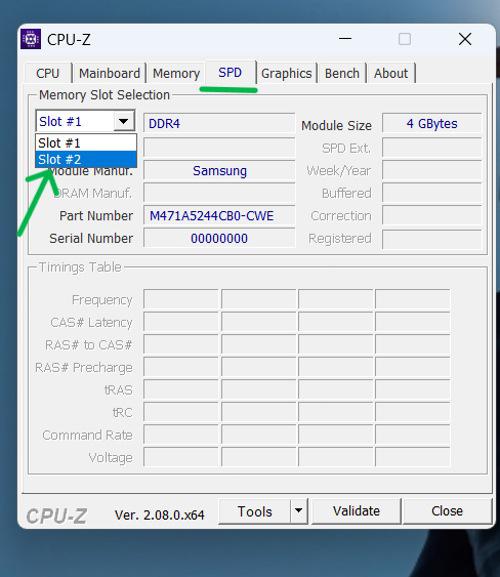
CPU-Z is a free third-party tool that provides deep hardware insights.
Step 1:
Step 2:
Step 3: