|
VOOZH | about |
|
VOOZH | about |
Configuring DNS (Domain Name System) on Linux is a key step in managing how your system connects to the internet and resolves domain names into IP addresses. Whether you’re setting up a local server, troubleshooting network issues, or optimizing your system’s performance, understanding DNS configuration can make a significant difference.
In this blog post, we’ll guide you through the process of configuring DNS on Linux, covering everything from installing necessary tools like BIND to editing configuration files and testing your setup By the end of this article, you’ll have the knowledge to set up a reliable DNS server tailored to your needs—whether for personal use or enterprise-level environments
To know more about the DNS Theory & Working Process check the article What is Domain Name System(DNS)?
Command: sudo apt updateCommand: sudo apt install bind9So, you have to perform these steps to Install BIND on Linux, if you have not performed it beforehand. Then, the following configuration process is stated.
To enable DNS Server on Linux, there are two methods first one is the following configurations should be performed. We will start with configuring Named Config Files.
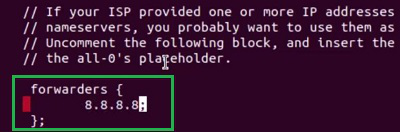
Command: sudo nano /etc/bind/named.conf.optionsCommand: sudo nano /etc/bind/dbCommand: sudo systemctl restart bind9Command: sudo systemctl status bind9At last, the configuration with Uncomplicated Firewall (UTF) should be done. We will enable the UTF with BIND. For that purpose, the below command will be used.
Command: sudo utf allow bind9Now, if we are going to check the Status of the Firewall, we will find the BIND is added to the firewall which implies the end of the configuration.
Command: sudo utf statusAlso Read