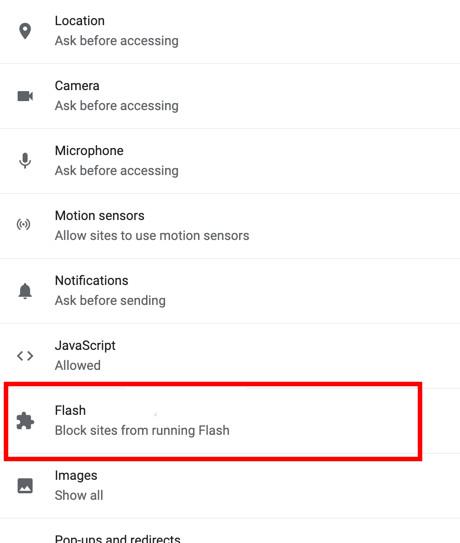
Google Chrome is a web browser developed by Google. It requires a flash player to watch videos, play high-resolution games, etc. Flash player supports all high resolutions media/graphics. It is an essential plugin for the Google Chrome Web browser as well as other browsers too to work with high-end graphics. There are three methods to disable flash in the Chrome browser.
Method 1: Using Chrome
Step 1: Go to chrome settings.
Step 2: Click on the Show advance option (Available on the left side panel)
Step 3: In the advance option click on Privacy
Step 4: Then Click on Content Settings
Step 5: There is an option to disable Flash (Or Block sites from running flash)