|
VOOZH | about |
|
VOOZH | about |
Getting a refund from the iTunes App Store can sometimes feel like a daunting task, but it doesn't have to be. Whether you've purchased an app by mistake, encountered a problem with your purchase, or simply changed your mind, Apple provides a straightforward process for requesting refunds.
You can install any paid or free application with the Apple App Store. If the item does not match what you are searching for or if it is an accidental purchase on Apple iTunes, you can easily claim a Refund for iTunes App Store Purchases.
In this guide, we will walk you through the step-by-step process of obtaining a refund from the iTunes App Store, ensuring you can resolve any issues quickly and efficiently. By following these simple steps, you can navigate the refund process with ease and get your money back without hassle.
Apple understands that there are many scenarios where a purchase is being done accidentally or by any Child or Minor. That is the reason, the Apple Refund Process is there. But you have to keep in mind that, you can't use the Refund Process on iTunes or App Store as a Free Trial for any Paid Service.
Please remember that Acceptance of a claim Request is a long process. Apple has the authority to reject the request if there is no proper reason provided. You have to note that the Refund Request on Apple is not done automatically. Also, there is a proper time frame present.
If you think, you have made a wrong purchase, claim for its Money Back immediately. As late as you place the request, there will be more chances to get back the rejection. So, always be honest while applying for a Refund & be sure Apple will assist you every time.
Here, we'll discuss how to get refunds from the iTunes App Store on MacOS efficiently. Follow the below-mentioned steps to control the overall process -
Step 1: To get a Refund, open iTunes & click on the Accounts option. Now, go for the View My Account option.
Step 2: Now, on the opened page, you will find Purchase History. Go for the See All option under that.
Step 3: After that, select the Item that should be Refunded & click on the More option. Now, you will find the Report A Problem option. Click on that.
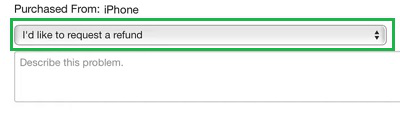
Step 4: Now, the Apple Problem Screen, will be in front of you. Select the I'd Like To Request A Refund option. And provide an Honest Description of the problem you are facing. Go for the Submit button.
Now, we'll see some easy steps to get refunds from the iTunes App Store on iOS efficiently. After following the below-mentioned steps, you can simplify all your requirements.
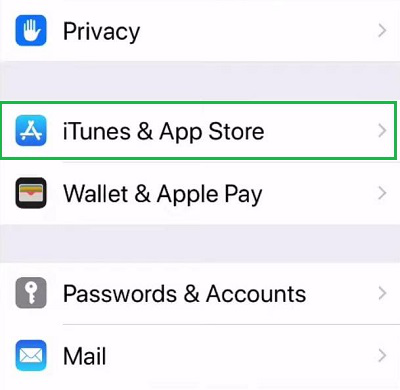
Step 1: Open Settings & go for the iTunes & App Store option.
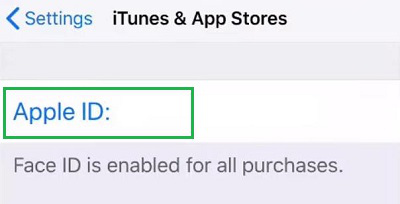
Step 2:Verify the Apple ID. To do so, click on the Apple ID option.
Step 3: Go for the Purchase History option to get all the Purchase Details.
Step 4: Now find out the purchase that you want to get a Refund. Click on the Total Bill option under the certain purchase.
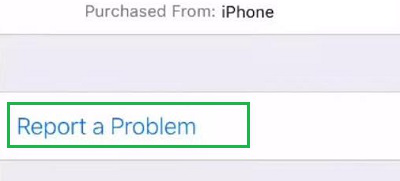
Step 5: Now, if you click on the App Icon you will get a new option. Go for the Report a Problem option.
Step 6: Now, you will get the Same Dropdown &Description Box. Select the dropdown & go for the I'd Like To Request a Refund option. Also, describe the problem there. Click on Submit.
From the above discussion, we can conclude that the iTunes or App Store Refund Process is not a challenging task. Remember to check Apple's refund policies to understand the eligibility criteria and ensure a smooth experience. With this guide, you can confidently navigate the refund process and address any concerns regarding your iTunes purchases.