|
VOOZH | about |
|
VOOZH | about |
Suppose you are working on the Web Browser on your Desktop & Laptop & now want to get all the browser data on your Mobile Application as well. In such cases, if there is a sync data mechanism present, your job will reduce to some folds. Fortunately, Firefox comes with the sync Firefox data Technique between different devices.
If you are using Firefox on a Desktop or Laptop with any kind of Operating System & now want to get All Bookmarks, History, and Saved Data in the Firefox Application, then you have to Sync Data on Firefox. To get all the data on your new Firefox Application, you have to perform some steps on the new device as well as for the old device Firefox.
In this article, we will highlight the steps needed to Sync Data of Mozilla Firefox between a Mobile Device & Desktop or Laptop.
To sync all the Firefox Data like Bookmark, History, and saved data on Mobile from Desktop, the following guidelines should be used properly. We will start with the steps needed on the Desktop first.
Step 1: Open Firefox & go to the Accounts. Now, click on Connect Another Device.
👁 1--Connect-Device - Sync Firefox Data Between Devices
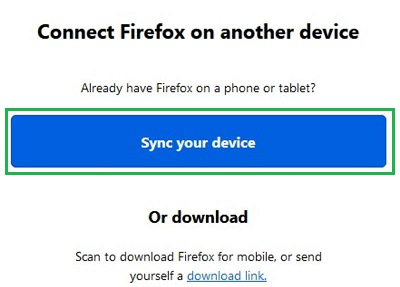
Step 2: Now, click on the Sync Your Device option. A QR Code Page will be visible.
👁 2--Sync-Device - Sync Firefox Data Between Devices
Step 1: On Mobile Firefox, open the Three Dot Menu. Go for the Sync & Save Data.
👁 3--Sync-&-Save-Data - Sync Firefox Data Between Devices
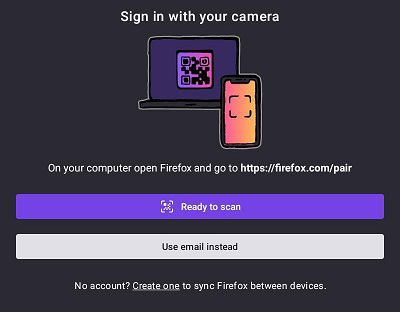
Step 2: Here, you will find two options to sync the data of Web Browser. The two ways to sync data are the following.
- One is the QR Code Scanner option. For that click on the Ready to Scan. Here, you have to Scan the QR Code on the Desktop.
- Another is with Email Address. For that click on Use Email Instead. Provide the Email & Password of Firefox to sync data.
👁 4--Sync-Data - Sync Firefox Data Between Devices
So, as we can see Syncing Firefox Data Between Two Devices is not at all a complicated task. The best way to get Firefox Data Synced on Mobile is by using the QR Code Scanner. In this case, the individual need not enter the Email Address on which the Firefox Data is getting saved.