|
VOOZH | about |
|
VOOZH | about |
Upgrading a Windows 10 Virtual Machine (VM) to Windows 11 allows you to experience the latest interface, enhanced performance, and stronger security—without modifying your primary system. A VM acts as a software-based computer that runs an operating system inside another OS, making it ideal for testing, development, and multi-OS workflows. Before upgrading, it’s essential to understand how Windows 11 improves user experience, virtualization support, and long-term compatibility over Windows 10.
Why Upgrade Windows 10 VM to Windows 11:
Below is a table that indicates the major differences between the two operating systems, which could help you to appreciate the upgrade to Windows 11 better.
| Feature | Windows 10 VM | Windows 11 VM |
|---|---|---|
| User Interface | Classic UI | Modern centered UI, rounded corners |
| Performance | Good for general use | Optimized with better resource management |
| Security | Standard protection | TPM 2.0, Secure Boot, stronger Defender |
| Virtualization Support | Basic | Enhanced and optimized |
| DirectStorage | Not supported | Supported |
| TPM | Often requires manual setup | Mandatory for installation |
| Updates | Support ends Oct 2025 | Continuous updates |
| Window Management | Multiple desktops | Snap Layouts/Snap Groups |
| Gaming | Regular performance | Auto HDR + DirectStorage |
You can use the PC Health Check tool from Microsoft to find out whether your VM is compatible.
Confirm CPU, RAM, TPM, and Secure Boot compatibility. If any requirement fails, adjust VM settings accordingly.
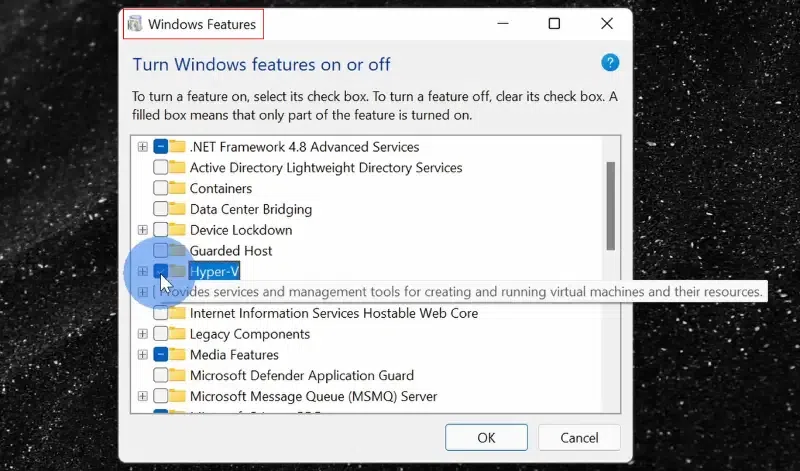
TPM 2.0 is one of the installation requirements for Windows 11. Here’s how you can enable TPM for your Virtual Machine:
Now, for VM's initial upgrade, it's time to meet the upgrade requirements:
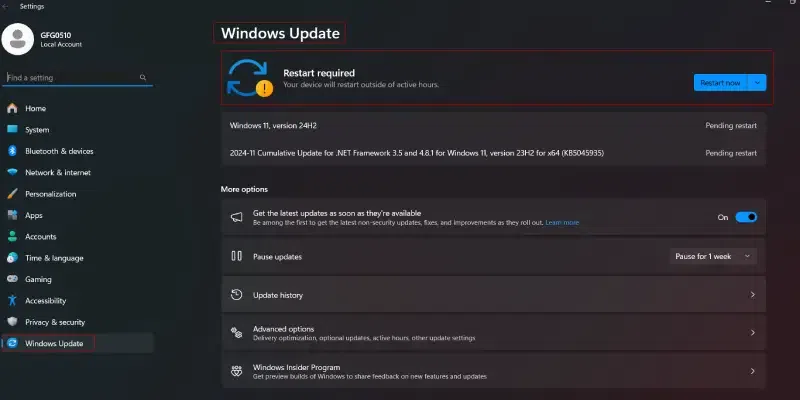
Option 1: Windows Update
You will see a button that says Download and Install if your VM is eligible for upgrade to Windows 11. Just follow the on-screen prompts to complete upgrade process.
Option 2: Install Using Windows 11 Installation Assistant
Option 3: Clean Install (Recommended for Fresh Start)
Once installed, enjoy: