How to use a Twitter bookmarklet for sending Tweets?
Last Updated : 23 Jul, 2025
A bookmarklet for Twitter is, in general, a piece of JavaScript code that allows users to tweet from any webpage without being directed to the website itself. It makes tweeting easier and quicker for users who wish to share certain content instantly.
What is Twitter?
By its latest version, Twitter remains a social networking website that allows users to send messages, or “tweets,” that can be no longer than 280 characters. It enables users to share fleeting thoughts, news, and media (images and videos), and communicate with other people. As it rolls out with its new branding, “X,” adding in features such as Twitter Spaces live audio conversations Twitter Communities, and Super Follows for premium content, Twitter remains one of the most vital platforms for real-time interactions and trending discussions.
What is a Bookmarklet?
On recent web browsers, such as Chrome, Firefox, Safari, and Edge, a bookmarklet is an active bookmark that is a small piece of JavaScript. It provides a means for users of these browsers to directly execute functionality within a browser without requiring an extension to be installed or needing to navigate away from the currently open web page. Compared to browser extensions, bookmarklets have a rather limited scope but are simple, customizable, and used frequently to perform small tasks like sharing content or changing webpage elements.
Why Do We Need a Twitter Bookmarklet?
A Twitter bookmarklet automates sharing web pages on Twitter. It saves time by pre-filling the tweet with the title and URL of the page. Users can tweet directly from any webpage with just one click. It negates the need to open a Twitter window and paste the URL manually. Bookmarklets are poised to work in modern browsers and have streamlined access, thus being very easy to use. Ideal for heavy Twitter users to share content in no time
How to use a Twitter bookmarklet for sending Tweets?
Bookmark a new one > Write the JavaScript Code >> Save the Bookmarklet >>> Bookmarklet Usage >> Bookmarklet Customize
Step 1: Bookmark a new one
Open your web browser (Chrome, Safari, Firefox, etc.)
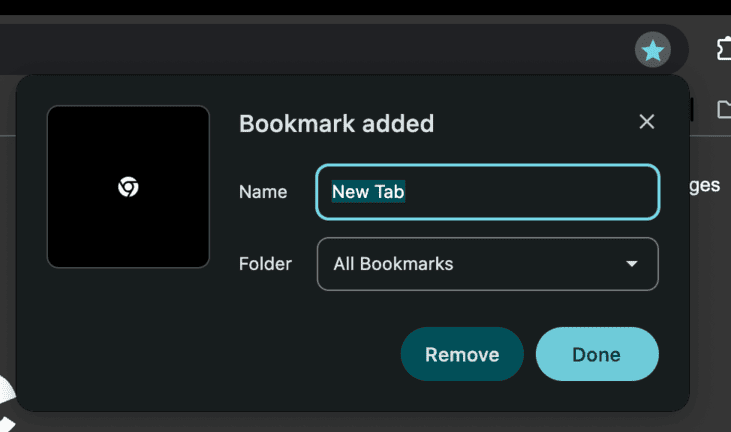
Click the Bookmarks section.
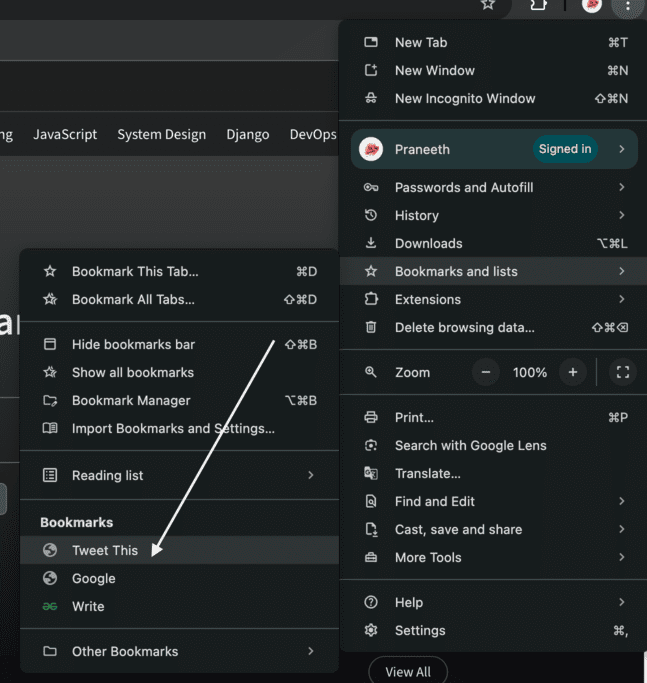
First, in Chrome, click the three dots in the upper right corner and hover down to Bookmarks-hit Bookmark Manager.
In Safari, click Bookmarks then Add Bookmark under the top menu
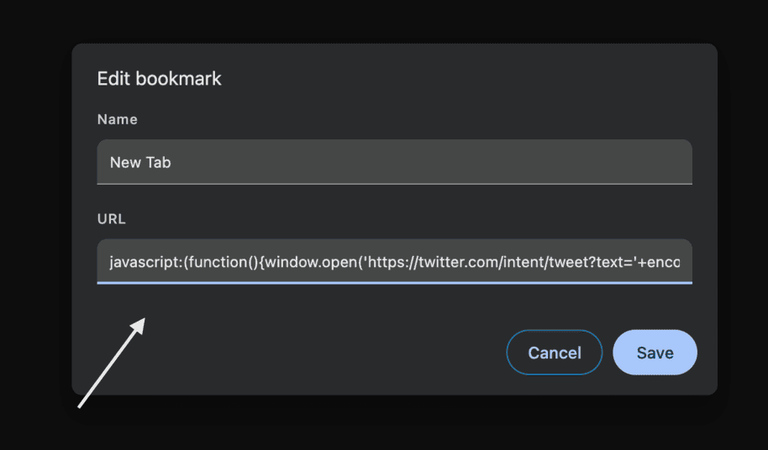
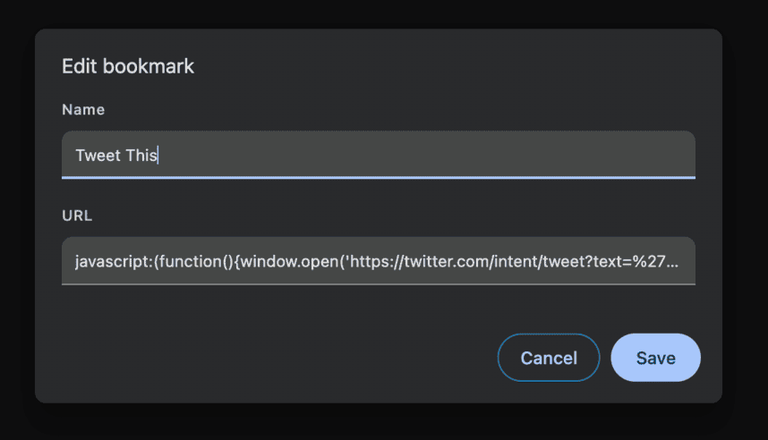
Click Add new bookmark or drag an empty bookmark to your bookmark bar
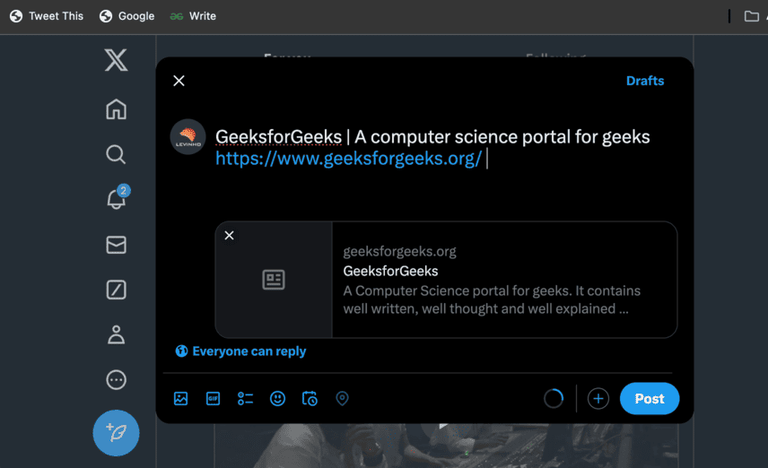
Click your “Tweet This” bookmarklet from the toolbar
A new Twitter window will open, Already complete with the title of the page and the link. Just add or edit the text to your liking and send out the tweet
You can alter the JavaScript code to pre-populate different tweet content.
Static text: replace document. title with your message
Hashtags: The ability to add hashtags by appending them after text to the URL
Things to Remember while Sending Tweets using Twitter Bookmarklet
Make sure you’re always logged into Twitter before you use the bookmarklet
Bookmarklets work across different browsers but may be a bit quirky depending on various browser security settings
You can modify the pre-filled text to your liking
First, test the bookmarklet to make sure the right URL and the right title are being captured.
Bookmarklets work only in the case of sharing public-accessible pages
Points to avoid while Sending Tweets using Twitter Bookmarklet
Try not to write sensitive information or private data in the bookmarklet code
Do not use the bookmarklet on any sites that prevent JavaScript execution
Do not use modified versions of bookmarklet code from sources you do not trust since this will compromise your privacy
Don’t spam Tweets from the bookmarklet; otherwise, Twitter may flag too many Tweets
Make sure the JavaScript code is right; making any mistakes in the code may lead to broken functionality of it
Conclusion
Twitter Bookmarklets make it easier to share web content on Twitter without necessarily having to open the Twitter website. Most bookmarklets can be installed in your browser, and thus, you can share articles, videos, or any web page with your followers instantaneously. It is a productivity tool that helps streamline your Twitter sharing process.