|
VOOZH | about |
|
VOOZH | about |
Windows 11 offers new features that are designed to improve user experience and productivity to implement any ideas and system configurations. The Widgets panel is one of these elements that jump out as being very useful to the users for delivering personalized content—like news, weather, calendar events, and more supports. Small cards known as widgets are used to provide dynamic content directly on the taskbar by an automatic memory management system. To use the widgets board in the Windows operating system effectively, you need to be signed in with your official Microsoft account.
In this article, we'll explore the new features of Widges and How to Use Widgets in Windows 11.
Table of Content
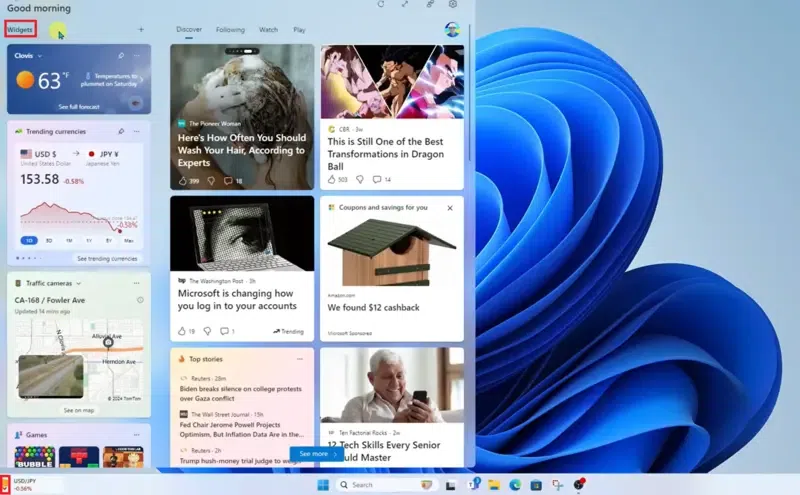
Small, interactive displays to monitor the overall process called widgets show current information. In Windows 11, take the following actions to open the Widgets panel by implementing system software -
Your official Microsoft account is linked with Windows 11 Widgets, enabling a smooth experience across all of your internal devices. You may synchronize your widgets automatically and preferences by logging in with a Microsoft account, making your customized information accessible on any Windows 11 device processor. To view all the essential widgets for the weather application, calendar, Microsoft To-Do list, news app, stocks prediction model, photographs, and other items, open the widgets board manually.
Now, follow the below steps and implement them to Use Widgets in Windows 11 effectively.
Even if you've configured the Windows 11 taskbar to conceal the widgets button functionally, the keyboard shortcut remains functional for the overall system operation.
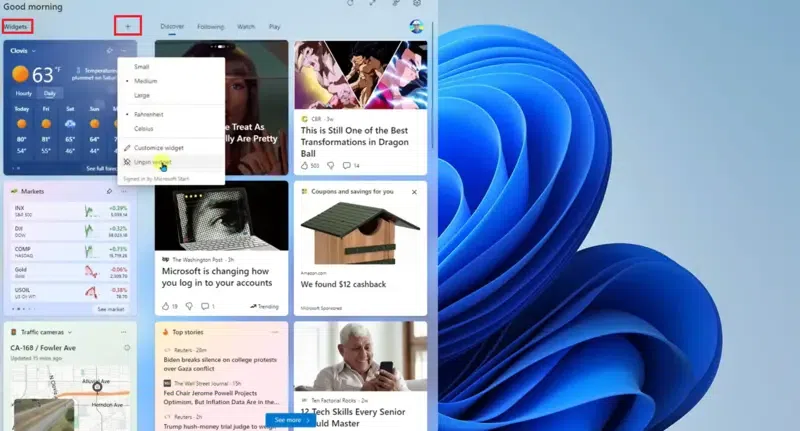
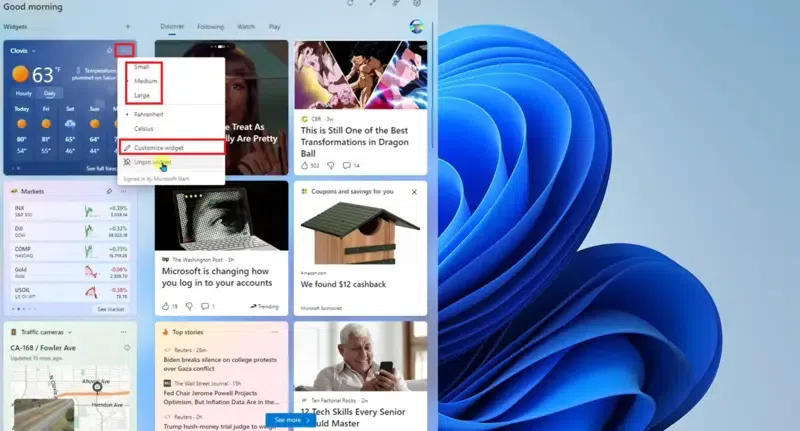
Depending on the information a widget has, you can do different operations with it by following the steps. For example, you can check completed activities within the system without accessing the main program by using the Microsoft To-Do widget setup.
To view the service powering the information on the widget panel system, open the widget's menu by selecting More Options (three dots) in the upper-right corner of your screen.
Windows 11's widgets are an effective tool for maintaining the overall management of the organization and knowledge distribution system. You may design a unique area that provides the essential information by spending some time customizing your Widgets panel on the device location. Follow the methods to use Widgets in Windows 11 by maintaining a Microsoft account. With Windows 11 and an official Microsoft account, Widgets make it simpler than ever to stay connected and productive by following the system, whether you're checking the weather, reading the news, or organizing your daily activities.
Also Read