|
VOOZH | about |
|
VOOZH | about |
Layout is a plan, arrangement, overall structure, blue print of advertising copy. It arranges headlines, sub-headlines, slogans, illustrations, identification marks, text body etc., in a systematic manner.
Layout is the essential thing for any website, apps and for other tools wether it is physically present or saved any other place.In similar way, Browsers provide the facility to their users to interact with layout, and make other things productive.
The Layout Tab in Chrome web browsers is a developer tool that allows you to see how a web page is laid out in terms of its HTML elements, CSS styles, and positioning. This can be helpful for debugging layout problems, learning how web pages are structured, and optimizing the layout for performance.
The Layout Tab in Chrome web browsers offers a number of features that make it a powerful tool for developers:
1. Element Inspector: The Element Inspector allows you to select an element on the page and inspect its properties, such as its position, size, and style.
2. Rule Inspector: The Rule Inspector allows you to inspect the CSS rules that are applied to an element.
3. Grid Inspector: The Grid Inspector allows you to inspect the grid layout of a web page
4. Flexbox Inspector: The Flexbox Inspector allows you to inspect the flexbox layout of a web page
5. Viewport: The Viewport allows you to simulate different screen sizes and resolutions
There are a number of benefits to using the Layout Tab in Chrome web browsers:
The Layout Tab in Chrome web browsers can be used for a variety of purposes, including:
Step 1: Open the Chrome web browser.
Step 2: Open the web page that you want to inspect.
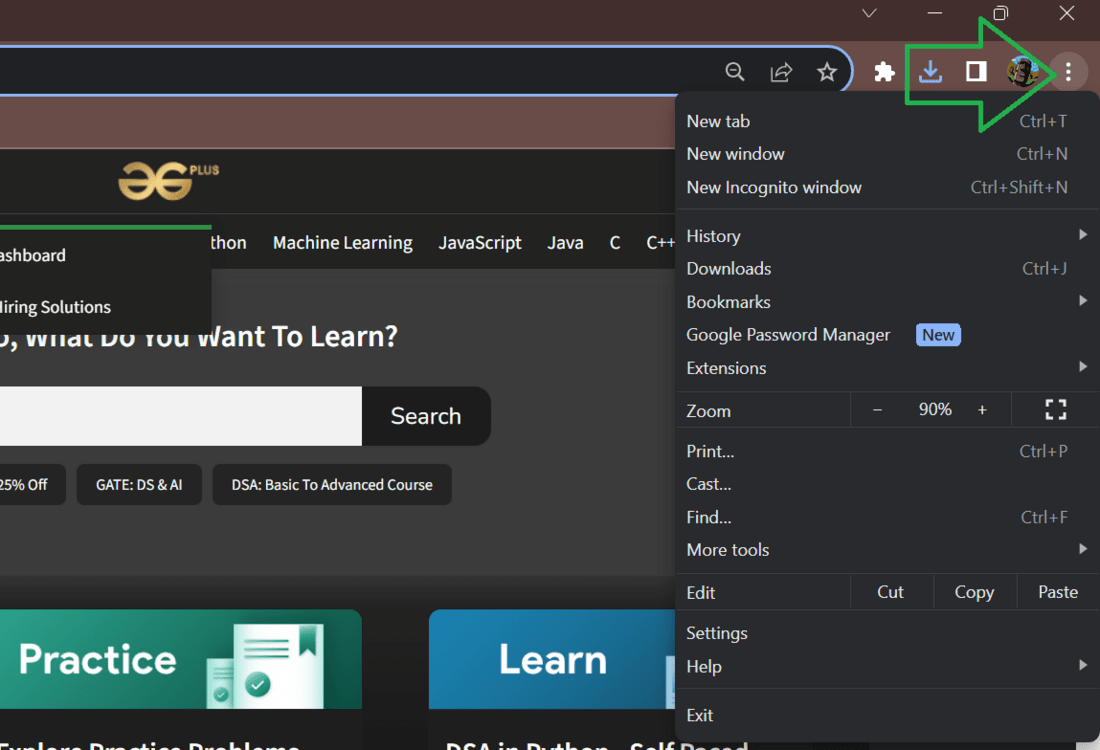
Step 3: Click the three dots in the top right corner of the browser window.
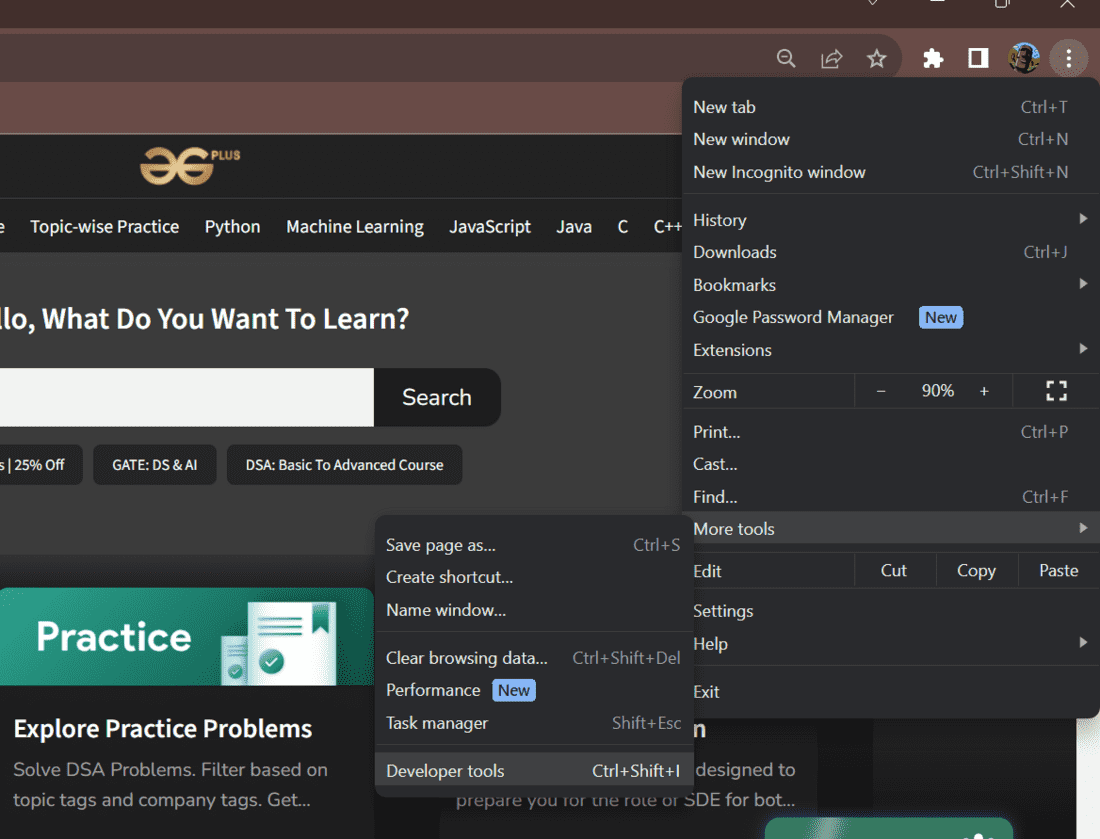
Step 4: Select "More tools" > "Developer tools".
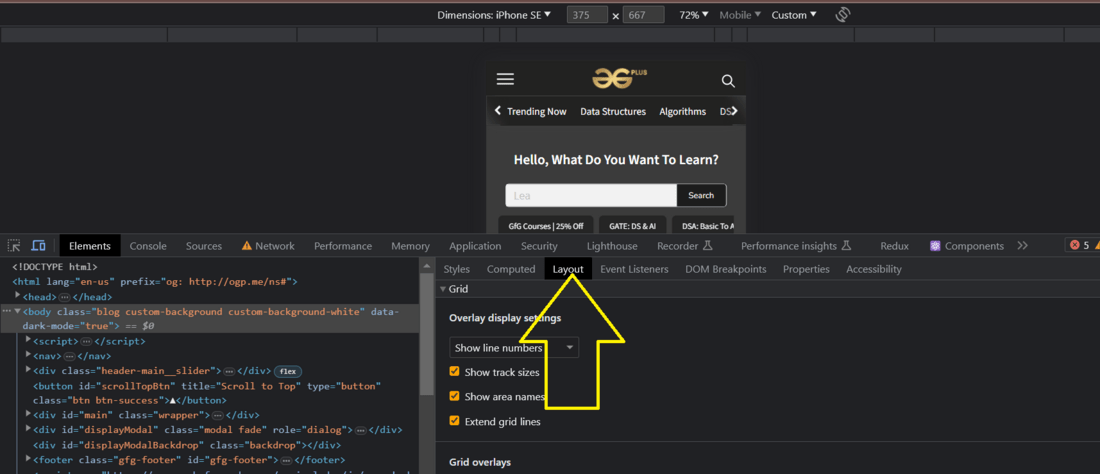
Step 5: Click the "Layout" tab.
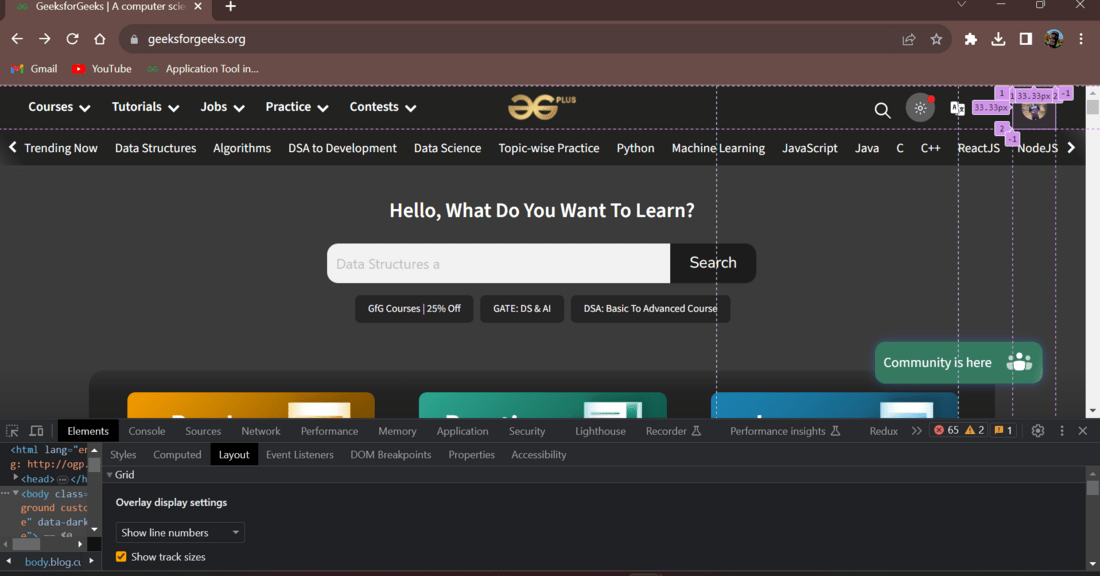
The Layout Tab will be displayed. You can now use the various features of the Layout Tab to inspect the layout of the web page.
let us now learn how to use the Layout Tab in an efficient way to help in developement.
Using the Layout Tab helps you quickly identify and resolve layout problems in web development, ensuring a better user experience across various devices and browsers.
This is the overall about layout tab in Chrome browser. This tool is very useful as it helps in managing the tabs by providing a view for title,page source and other website elements. It has features such as grid layout, element inspector, gird inspector, rule inspector and flexbox inspector which helps in easy debugging and optimization of the website



.png)

.png)