|
VOOZH | about |
|
VOOZH | about |
Losing your iPhone can be stressful, but there are effective ways to track and recover it. Apple provides powerful tools like Find my iPhone to help locate, lock, or even erase your device. So, we’ll explore 10 proven methods to find your lost or stolen iPhone and protect your personal data.
Below are the methods given for tracking and recovering Your Lost/Stolen iPhone.
The following article provides an extensive guide on tracking and recovering your lost or stolen iPhone.
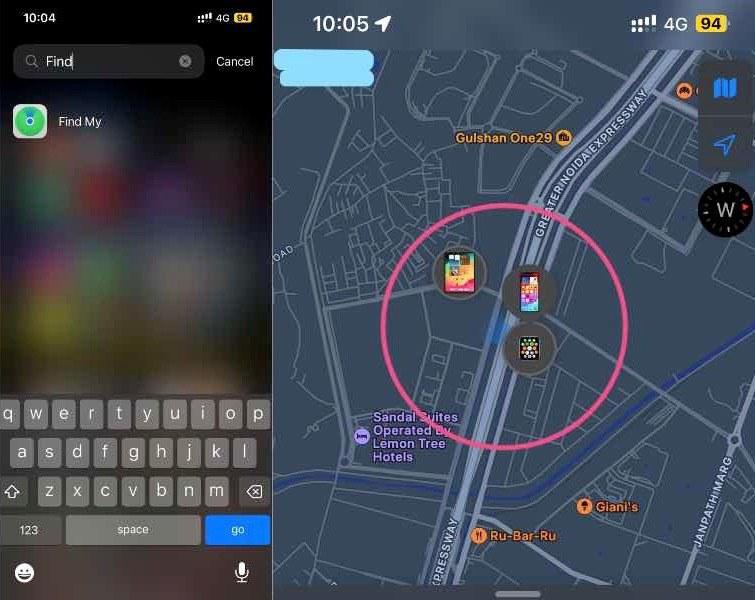
The Find My iPhone feature is the most efficient method for tracking an iPhone. This tool allows you to track it in real time.
Note : This method works only if Find My iPhone was enabled before the device was lost.
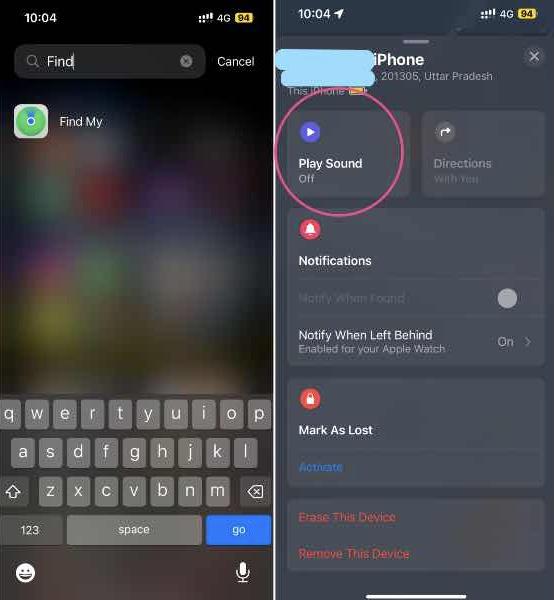
Find My iPhone can help you hear a sound from your nearby iPhone and locate it quickly.
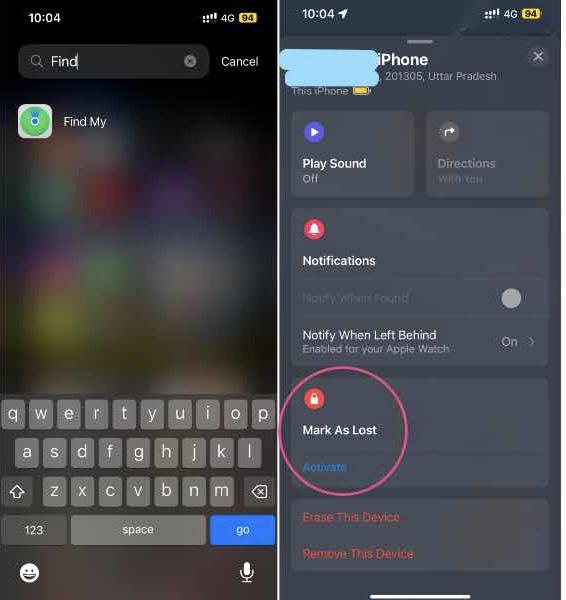
Use Lost Mode to lock your device remotely, display a custom message with your contact number, and continue tracking its location.
Note: This can help someone return your phone if they find it.
Find My iPhone can give you the last known position of your iPhone if its battery is running low.
Call your mobile carrier (e.g., Airtel, Jio, Verizon) to report your iPhone as lost or stolen. They can:
Note: Keep your IMEI number handy when calling.
If you are convinced that retrieving the gadget is impossible, you can remove all information inside to prevent the details from falling into the wrong hands.
Note: This is irreversible and should only be done if recovery is impossible.
If your iPhone is lost or stolen, inform law enforcement officers in that area. Give them both their serial number and IMEI number so that they can be recorded.
While using other methods, such as mSpy, highlights its possibility in hypothetical cases, some 3rd party programs can assist in locating where users placed their phones. It enhances options like tracking devices remotely and controlling them on the go, e.g. the Prey Anti-Theft app.
For iPhones left behind at the restaurant you dined at last night, check out any lost and found organizations in the locality. People mostly hand over items found lying around, so much so there.
Always be careful about phishing scams that might have caught your iPhone. It is essential to verify the truth of the emails before acting on them.
By following these methods, you significantly increase your chances of recovering your lost iPhone. To stay protected in the future, always keep Find My iPhone enabled and use a strong passcode. Being proactive can save you from a lot of trouble.