Direct message is another feature of Twitter, which has the benefit of enabling one conversation. However, it is still found that you are even able to send a direct message to yourself! This feature is rather convenient for such purposes as making personal notes, links, and others or even creating reminders. Let me explain to you how to send a DM on Twitter to yourself in this guide you are going to read.
Tweeting to oneself on social media is like having a personal note pad and it is a common practice. At the very least, an idea, link, or draft of the tweet can be saved in the users’ private messages. It is easy, fast, and efficient for what you need to put something away for a moment without having to switch to another application.
Step-by-Step Guide to Sending a DM to Yourself on Twitter
Step 1: Open Twitter
Navigate to the official Twitter site and either log in to your account via the site’s webpage using a computer or use the Twitter mobile application on your smartphone.
Step 2: Navigate to Direct Messages
On mobile: Click on the envelope icon at the bottom right-hand corner of the screen.
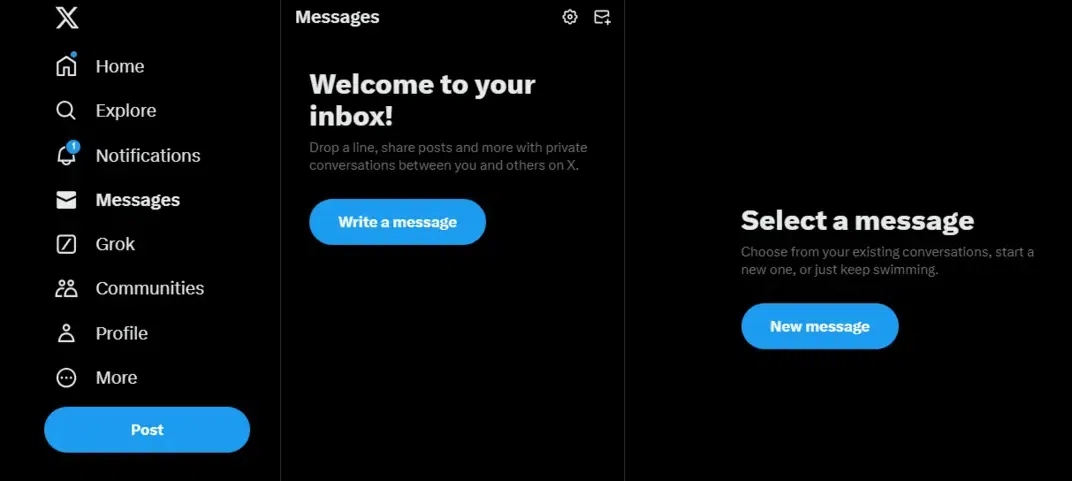
On desktop: The next step is to go to the left sidebar and select the “Messages” option as a tab.
👁 800 Left side bar and select the “Messages” option as a tab.
Step 3: Create a New Message
In the message window, look for the button to compose a new message:
Mobile: Click the “+” button located in the right upper corner of the application.
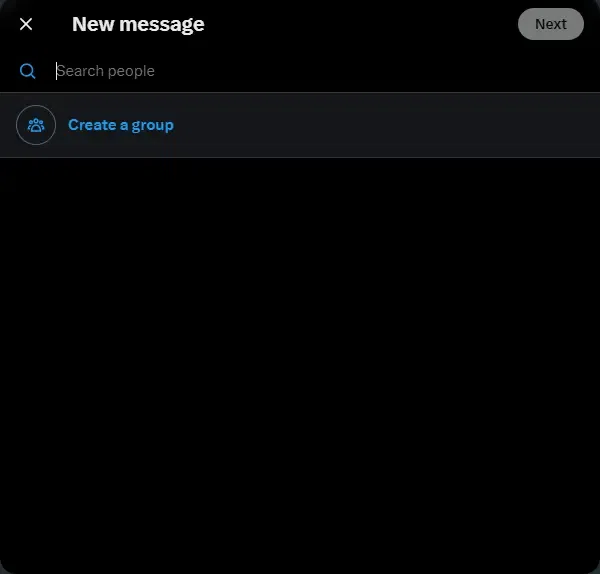
Desktop: Next, click on the ‘New Message’ button that has just been created.
👁 801 The ‘New Message’ button has just been created.
Step 4: Search for Yourself
In the Search Recipient, enter the username of your own Twitter account (For example @YourUsername). The list of options is computed from the number of existing users and your account will be listed in this drop-down list.
Twitter is particularly useful in sending a direct message to yourself in case you want to store a few notes, links, or ideas in a particular instance. It’s a very useful tip that allows you to get more out of the Twitter platform without involving additional instruments. No matter if you are using the reminder or draft feature of Zen, this tip will help you.