|
VOOZH | about |
|
VOOZH | about |
WAV (Waveform Audio File Format) is a popular audio file format used to store high-quality sound data. It preserves original audio quality by storing audio in an uncompressed and lossless format.
The WAV file format is an audio file format used for multiple purposes. Here are a few common uses of the WAV sound format:
Opening a WAV file is a direct process. There are different methods by which one can open the WAV file:
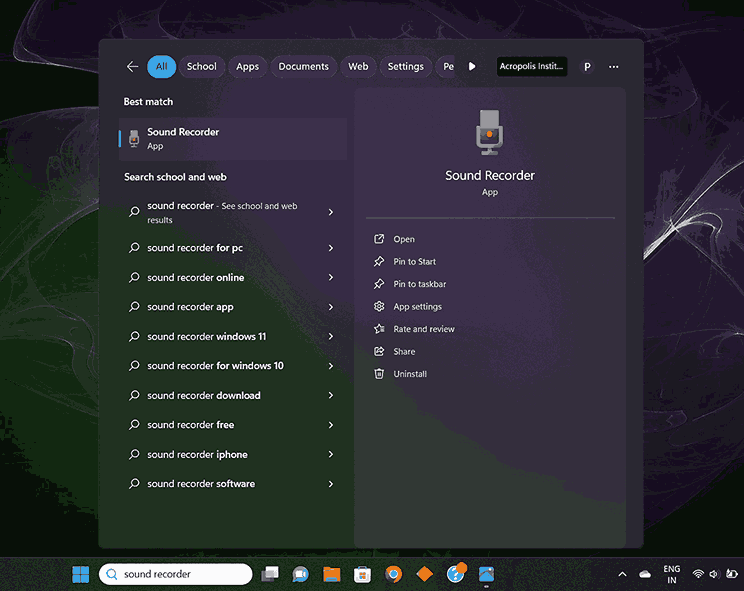
To make a WAV file there are some steps that need to be followed. Below are some necessary steps, this is for Windows 11:
Step 1: Go to the search bar or click on the Windows button on your keyboard. Search for a sound recorder and click on it.
Step 2: The sound recorder will open. On the top right corner of this window click on the three dots, a drop-down window will open. Here click on Settings.
Step 3: Here you can see that the settings window has been opened and the default file format is AAC.
Step 4: Select WAV(lossless) as the file format.
Step 5: To check whether the file format is WAV or not, you can record an audio and save it.
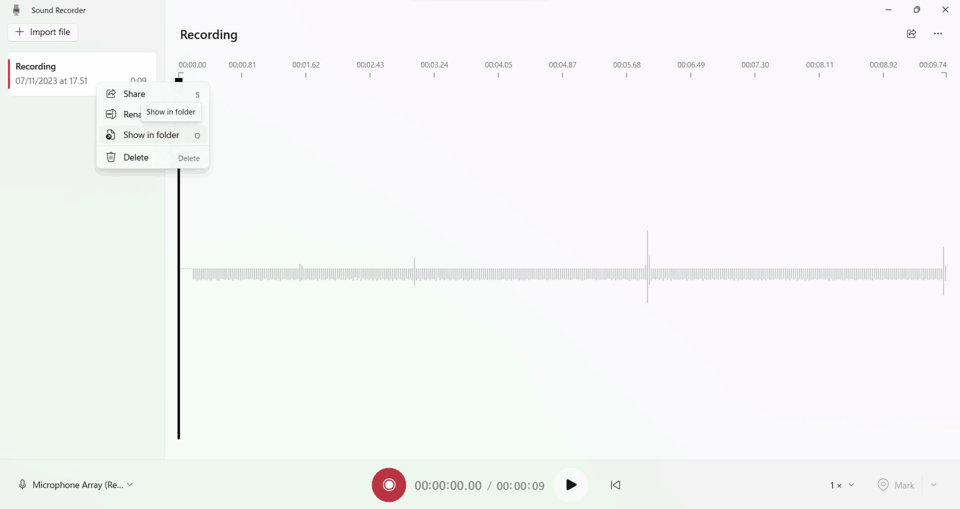
Step 6: After recording a menu will appear on the left side of the window, where you can see your recorded audio. Right-click on that audio and click show in a folder or directly you can select the file and press O on your keyboard.
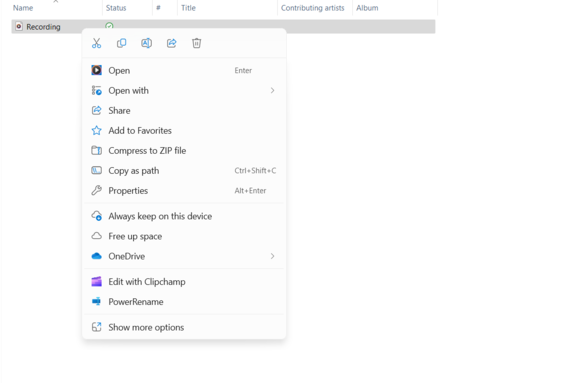
Step 7: You will reach to the destination where your recording has been saved. Right-click on the file and click on Properties.
Step 8: Here you can see, that you have created a file that is of WAV file format.
There are many benefits of using WAV file format, which makes it a suitable choice for specific applications: