|
VOOZH | about |
|
VOOZH | about |
Chrome Flags also called Experiments are the experimental features that are provided by the Chrome browser but are not a part of the default chrome experience. Anyone can use them by following some simple steps and transform their chrome browsing experience.
Some flags eventually become a part of the default public release once they are tried and tested completely. For example, the Tab Groups feature was first introduced as a Chrome flag before it was rolled out as a default feature.
Proceed with Caution
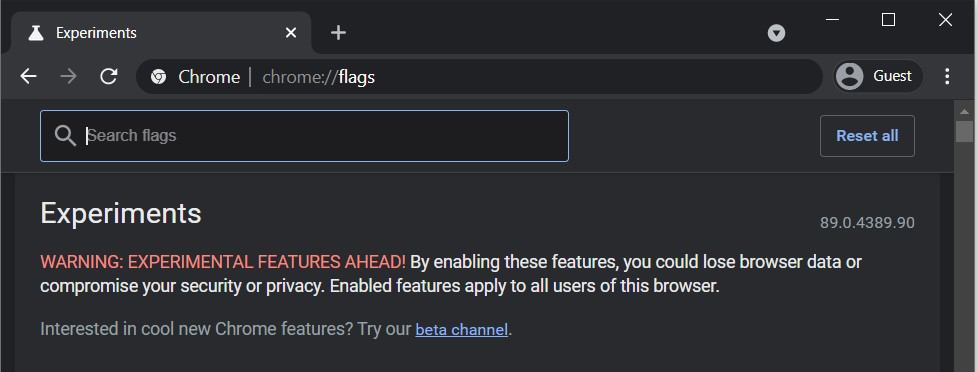
WARNING: EXPERIMENTAL FEATURES AHEAD!
By enabling these features, you could lose browser data or compromise your security or privacy.
Enabled features apply to all users of this browser.
Chrome flags can be accessed on this URL on any chrome browser be it Windows, Chromebook, MacOS, iPhones, or Android.
chrome://flags/
This will take you to the home page of Chrome Experiments where all the chrome flags are available along with their status (Default/Enabled/Disabled).
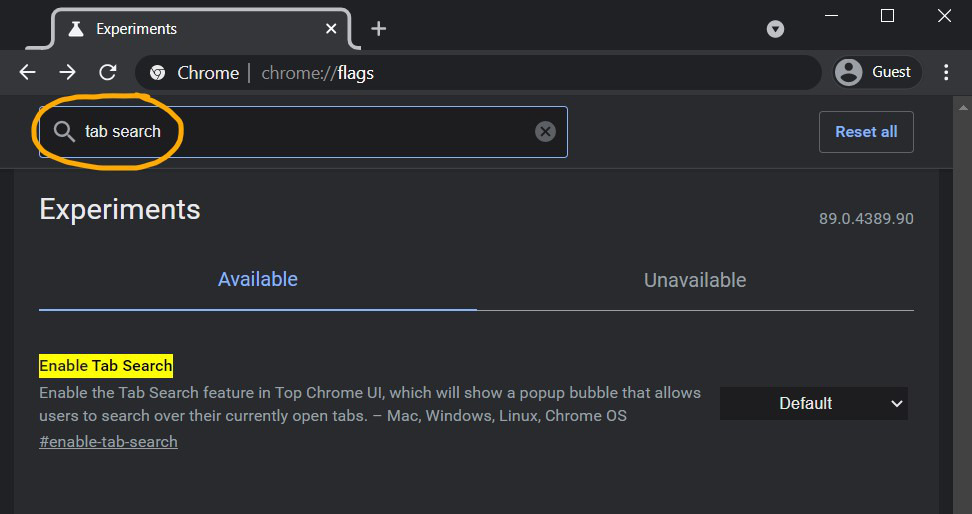
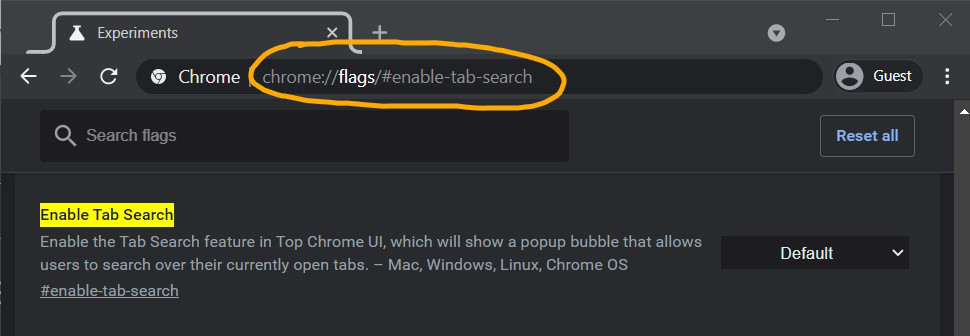
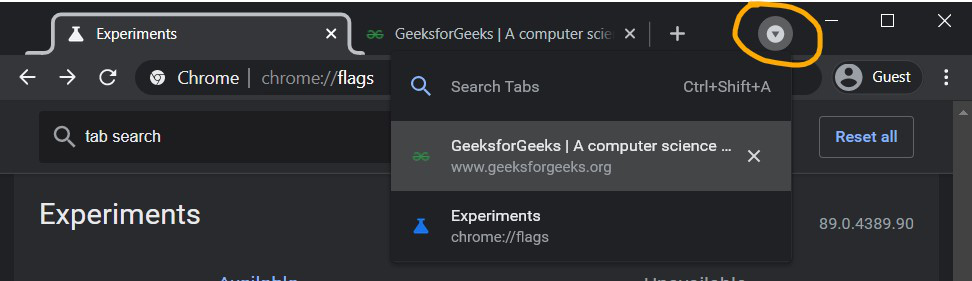
Let us consider the chrome flag Enable Tab Search.
There are two ways to access it:
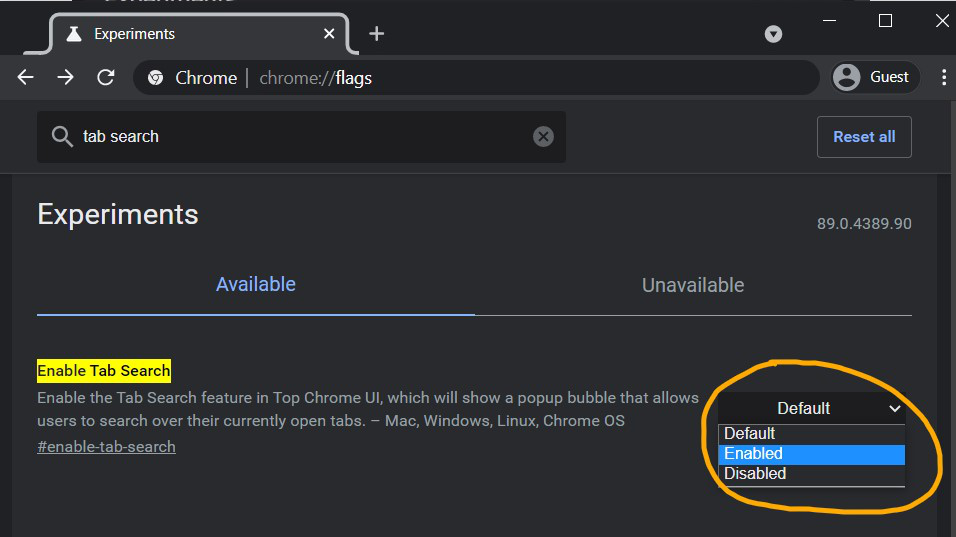
Then just enable it and relaunch the browser.
You can now see the Search Tabs icon on the right side of the title bar. With just a few clicks you can enable a very useful feature.
👁 ImageIndividual flags can be reset similarly by changing their state to Default or Disabled. The Reset all button will bring everything back to the default state. In either case, chrome needs to be relaunched to apply the changes.
Here is a link to a list of some chrome flags mentioned on the Google Chrome Github page.