Vibe coding is a new approach to programming where you collaborate with AI to build software using plain language. Instead of writing every line of code yourself, you describe what you want the program to do, and the AI generates the code for you.
Core Components of Vibe Coding
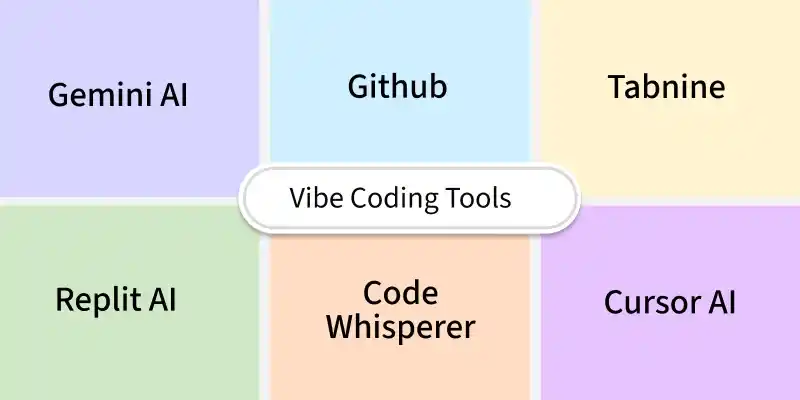
AI Coding Assistants – Platforms like GitHub Copilot, CodeWhisperer, Tabnine, and Replit generate code snippets in real time.
IDEs & Extensions – Editors such as VS Code, IntelliJ, PyCharm, and Replit integrate vibe coding through plugins and extensions.
NLP Models – Advanced models like GPT-4 and Codex understand plain language and turn it into functional code.
APIs & SDKs – Some tools offer customization options, letting teams adapt AI coding to domain-specific projects.
1. Vibe Coding Workflow: A Simple Expense Tracker Example
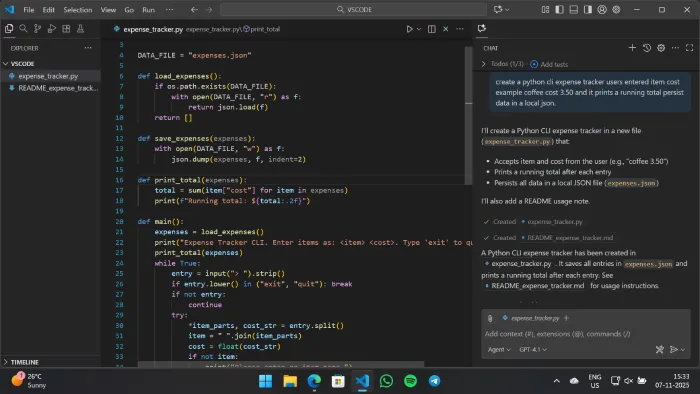
Imagine you want a basic expense tracker but have no prior coding experience. Using GitHub Copilot in VS Code:
Prompt: "Create a Python CLI expense tracker. Users enter 'item cost' (e.g., 'Coffee 3.50'), and it prints a running total. Persist data in a local JSON file."
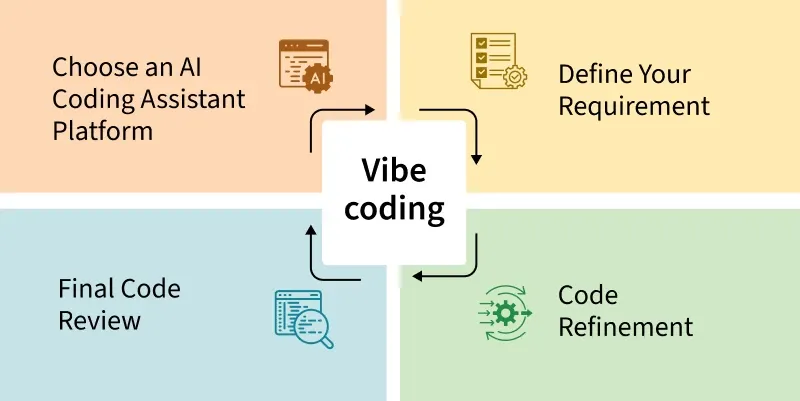
Select an AI powered coding tool that fits your technical needs, performance expectations and budget.
For example: Cursor AI and GitHub Copilot is a popular AI pair programmer and coding assistant tools.
Note: For this guide on Vibe Coding we are using GitHub Copilot.
Step 2: Define Your Requirement
Write a clear and detailed prompt describing exactly what you want to build.
The more specific and goal oriented your prompt the better the AI’s output will be.
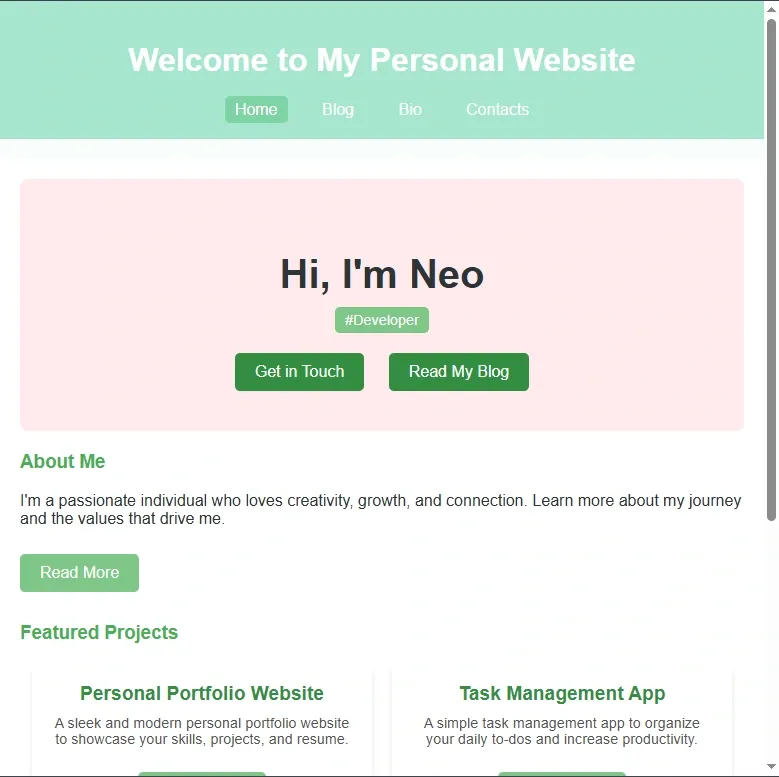
Prompt: Can you create a beautiful personal website using HTML JS, and CSS? The website contains 4 pages: Home, Blog, Bio, Contacts make sure the website using spring color and make it professional.
Once the initial code is generated from your prompt test it as a basic prototype and treat this first version as a foundation.
Identify gaps, bugs or enhancements you want then refine your prompt or adjust the code to improve functionality, visuals or interactivity. This iterative process helps maintain the vibe you envisioned.
Step 4: Final Code Review and Shipping
Finally review the refined code thoroughly and test all features to ensure the experience is smooth, visually engaging and works as intended.
Once you’re satisfied deploy the project whether it’s a live website, an interactive installation or a small app and share it with your community.
Note: In the Vibe coding you will not get the final product in the first prompt, so you need to do multiple iteration.
3. Vibe Coding vs. Traditional Coding
Let's now look at the comparison between Traditional and Vibe Coding:
Aspect
Vibe Coding
Traditional Coding
Approach
You describe what you want in plain language and the AI generates code snippets for you.
You manually write every line of code using your own logic, syntax and structure.
Flow of Work
Feels more conversational and collaborative, like pair programming with an AI partner.
Requires full focus on writing, debugging and researching solutions on your own.
Error Handling
AI generated code might have subtle bugs or inefficient parts so you need to review carefully.
You have direct control so you’re more aware of potential bugs and can address them early.
Suitability
Works best for general purpose tasks and when you need inspiration or quick drafts.
Works best for complex, domain specific logic or highly customized solutions.
Privacy and Security
Risk of sensitive code being processed by external models if not managed properly.
Fully local as you control all your code and its exposure to third party tools.
4. Vibe Coding – Key Features
Natural Language Coding – Describe in plain English, AI writes code.
Instant Generation – Full apps/prototypes from one prompt.
Iterative Refinement – Fix bugs or add features by chatting.
No Syntax Needed – Zero coding knowledge required.