
When I got my first Synology DS920+, it started off as a simple storage system. I didn't have big plans for it. I just wanted it to become a backup destination for my devices and store the data that had been spread across multiple drives until then. Every other trick it had up its sleeve was a bonus to me. The fact that it could stream my movies and run Docker containers meant that I had bought myself flexibility for the future.
And it actually made sense back then. Consolidating everything into a single machine instead of three was a much more efficient use of hardware and other resources. So if I could run a handful of self-hosted tools on my NAS, why wouldn’t I?
The problem wasn’t that it couldn’t do those things, but what I expected of it. My mistakes made me realize what the main purpose of a NAS really is.
I thought low CPU usage meant room to grow
This stable dashboard made me overconfident
For months, I glanced at the resource monitor and saw CPU usage sitting comfortably under 20 percent. RAM usage hadn’t maxed out either. The NAS was far from being stressed, so I kept adding services because it looked like I could.
What I didn’t pay attention to were the times when multiple background tasks overlapped. A library scan would kick in just as a backup task started. These tasks weren’t heavy on their own, but together they made the system feel overloaded and inconsistent. It showed up in small moments, like when a shared folder took slightly longer to open. That was the first sign that something was off and needed my attention.

8 NAS specs you should never skimp on (even if you only care about storage)
Your NAS isn’t a dumb hard drive
I mixed experimental services with critical storage
Every single workload has different stakes
My NAS held family photos, archived projects, and device backups. At the same time, it also hosted containers I was actively experimenting with — frequently pulling new images, tweaking configurations, and occasionally trying beta releases because that’s part of the fun of self-hosting.
Nothing catastrophic happened. That almost made it worse because it led me to believe things would never go wrong. The downfall wasn’t dramatic, but it was a slow burn where things gradually became uncomfortable. And this was the storage device that held data I genuinely cared about.
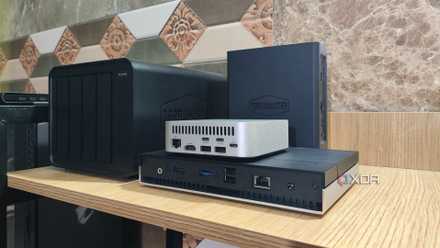
Looking back now, I realize that blurring priorities doesn’t work well for anyone. That’s why I now have two separate NAS systems — one for my personal data and the other for experiments.
I stopped backing up everything and picked an efficient storage strategy
There's no point in backing up non-essential data
I assumed Docker meant actual isolation
Logical separation doesn’t always mean hardware separation
Running everything in containers felt reasonable because it gave each service its own environment and configuration. The setup looked clean and felt like a safe choice. But I overlooked one connecting bridge between all those containers — the shared hardware.
They share the same disks, memory pool, and CPU resources. When one service decides to index thousands of files or rebuild a database, disk activity and CPU usage spike, affecting the entire system. I hadn’t set strict limits on resource utilization because I assumed Docker would automatically keep things contained. It doesn’t, at least not in the way I imagined.

Why I always test self-hosted services on my main PC before moving them to my NAS
As a self-hosting newbie, I've created a process that makes testing my apps easier for me
I ignored the RAM ceiling
Memory pressure doesn’t announce itself
Since I never intended to go beyond basic storage when I first got the NAS, I thought the RAM that came out of the box would be enough. But as more services were added and application pressure mounted — with multiple databases and indexing services running concurrently — things began to change, though not dramatically at first.
The system didn’t crash under load, but it started using swap memory, which meant relying on slower disks as compensation. Like the boiling frog analogy, I adjusted to the gradually declining performance. That’s why it took me so long to realize that memory had become the bottleneck, not storage capacity.

6 NAS upgrades I didn’t think I needed until I installed them
Once the storage part is sorted, here’s what comes next
I never defined the NAS’s primary job
Just because it can doesn’t mean it should
What my NAS was originally meant to do kept evolving over time. It started as a file server, then became my media server, and eventually turned into a home lab for self-hosted tools. Technically, it was capable of handling all those roles, and that flexibility was part of the appeal.
But it took me time to understand how one workload affects another. Buffering during Plex streaming can be mildly annoying, but performance issues during important backups can be catastrophic. Those workloads aren’t equal, and they affect overall reliability in very different ways. The hardware itself wasn’t the issue — the lack of clarity about its role was. My two NAS systems now breathe more freely because they have distinct responsibilities.

6 ways my NAS became the best backup system for every device I own
One NAS, backups for every device at home
All-in-one servers make sense — sometimes
Having everything consolidated can make sense in smaller setups where experimentation is limited and expectations are modest. I don’t regret pushing my NAS because that’s how I learned its limits. If I were building a NAS setup today, I’d start by defining roles first and letting that guide the hardware decisions.
Primary storage should be designed to protect important data. Experiments should live somewhere they can fail without taking the entire system down.
TerraMaster F4-424 Pro
- CPU
- Intel Core i3-N300
- Memory
- 32 GB DDR5
- Drive Bays
- 4
- Expansion
- 2x M.2 PCIe NVMe
TerraMaster's F4-424 Pro is one of the brand's most powerful servers for the home and office in a compact package. Inside is an Intel Core i3-N300 processor, plenty of RAM, super-fast networking, and the ability to run an OS of your choosing.