|
VOOZH | about |
|
VOOZH | about |
In a microservices architecture, managing configuration properties across multiple services can become challenging, especially when these configurations need to be updated frequently. Spring Cloud Config provides a centralized configuration management solution, allowing you to manage external properties for applications across all environments. One of the key features of Spring Cloud Config is its ability to dynamically update configurations without the need to restart services.
This article will guide you through the process of setting up dynamic configuration updates with Spring Cloud Config. We will explore how to create a Spring Cloud Config Server, connect it with a client application, and demonstrate how configuration changes can be dynamically applied to a Spring Boot application.
Spring Cloud Config Server provides a centralized configuration service that is distributed and versioned, with support for dynamic updates. It typically fetches configurations from a Git repository and serves them to client applications.
To enable dynamic updates, Spring Cloud integrates with Spring Cloud Bus, which provides a simple way to refresh configurations across multiple instances of microservices. When a configuration is updated in the Git repository, the Config Server detects the changes, and Spring Cloud Bus triggers a refresh event across all connected clients.
Create a Git repository to store configuration files. For example, create an application.yml file with the following configuration:
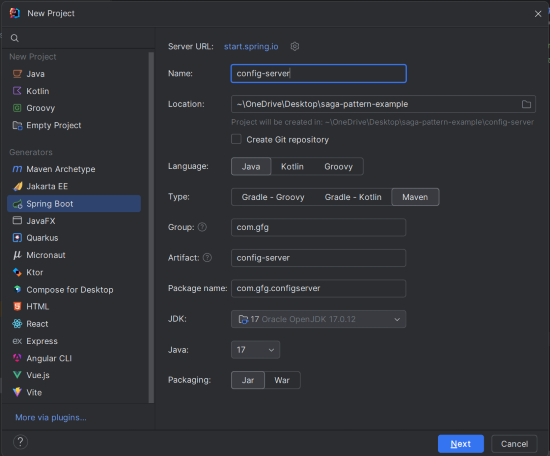
Message: Default MessageCreate a new Spring Boot project using IntelliJ IDEA with the following options:
Click on the Next button.
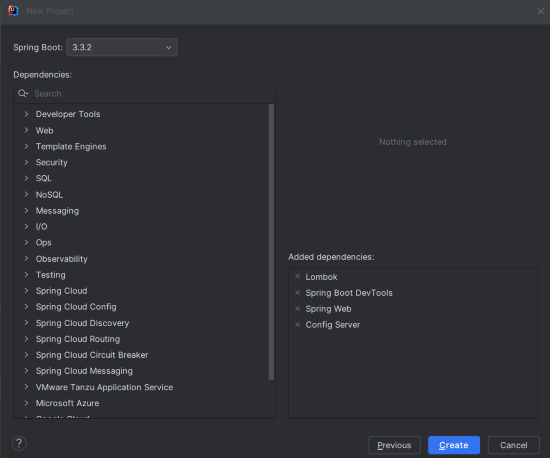
Add the following dependencies into the Spring Boot project.
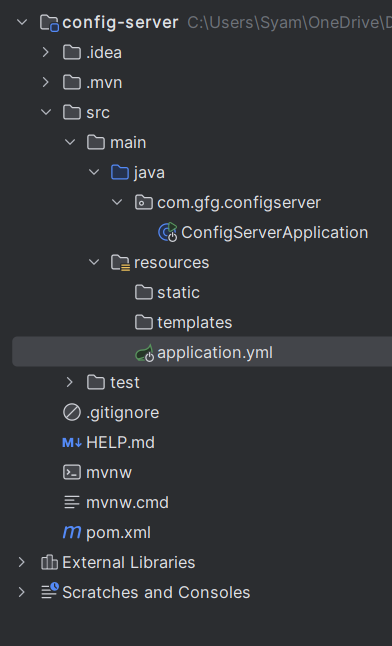
Once the project creation done, the file structure will look like the below image.
Rename application.properties to application.yml and add the following configuration:
spring:
 cloud:
 config:
 server:
 git:
 uri: https://github.com/iammahesh123/config-repo
 clone-on-start: true
server:
port: 8888uri specifies the location of the Git repository containing the configuration files.clone-on-start ensures that the repository is cloned every time the server starts, ensuring the latest configurations are loaded.This is the entry point of the application. Add the @EnableConfigServer annotation to enable the Config Server functionality.
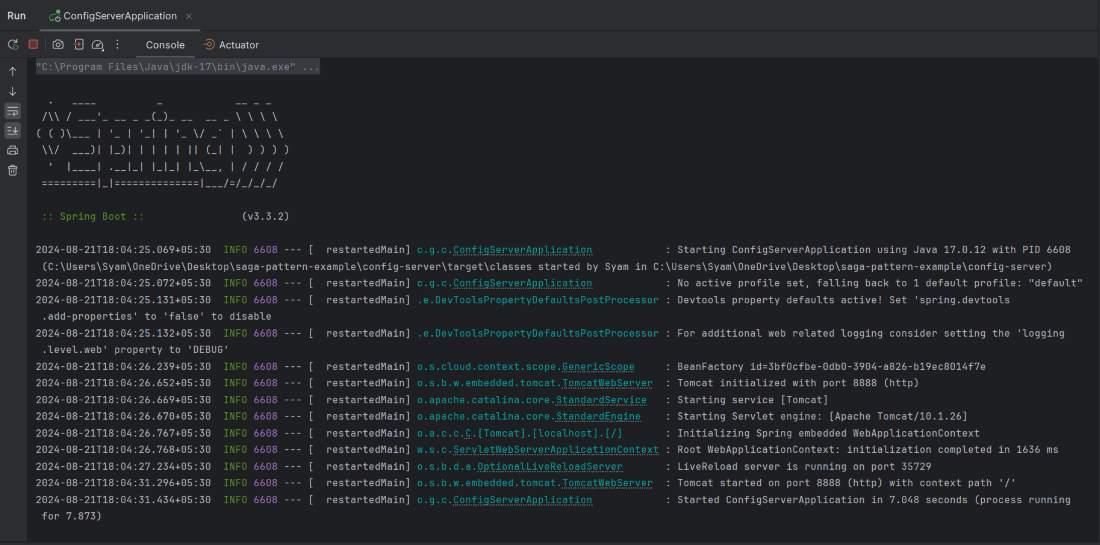
@EnableConfigServer annotation activates the Config Server in the Spring Boot application.SpringApplication.run starts the application.Run the application. It will start and listen on port 8888.
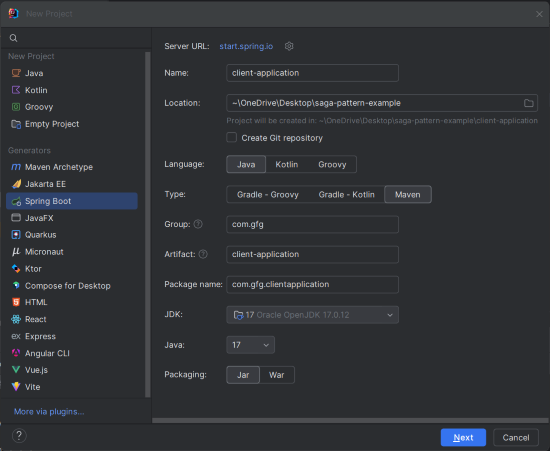
Create a new Spring Boot project using IntelliJ IDEA with the following options:
Click on the Next button.
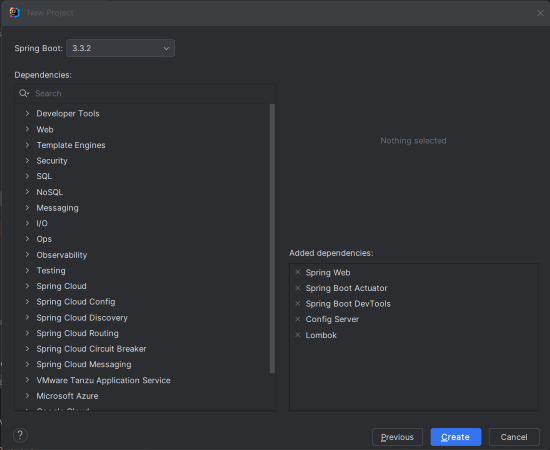
Add the following dependencies into the Spring Boot project.
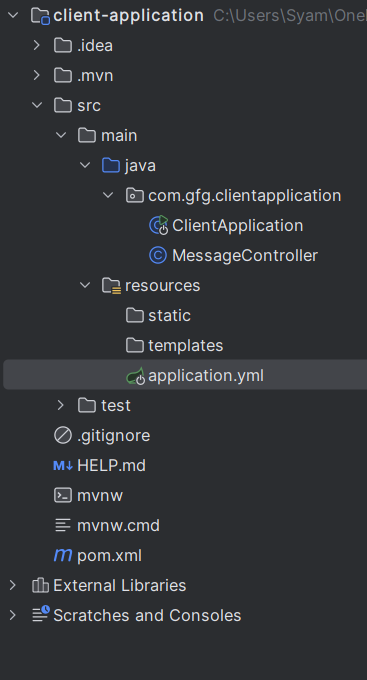
Once the project is created, then the file structure will look like the below image.
spring-boot-starter-actuator is included to monitor and manage the application.spring-boot-starter-web sets up a web application, while lombok and spring-boot-starter-test provide code reduction and testing support.Rename application.properties to application.yml and add the following configuration:
spring:
 cloud:
 config:
 uri: http://localhost:8888
The uri specifies the location of the Config Server.
MessageController ClassCreate a new class MessageController.java in the com.gfg.clientapplication package to handle incoming HTTP requests.
@RestController marks the class as a REST controller.@Value annotation injects the message property from the configuration, and @GetMapping maps the /message endpoint to the getMessage method.No changes are required in the main class, but for reference:
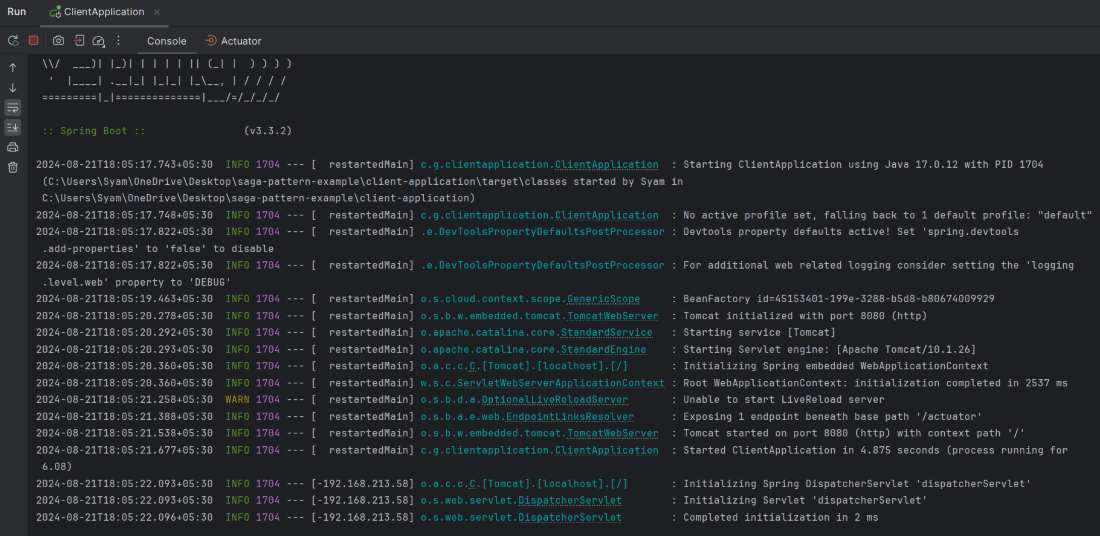
Now run the application, and it will start at port 8080.
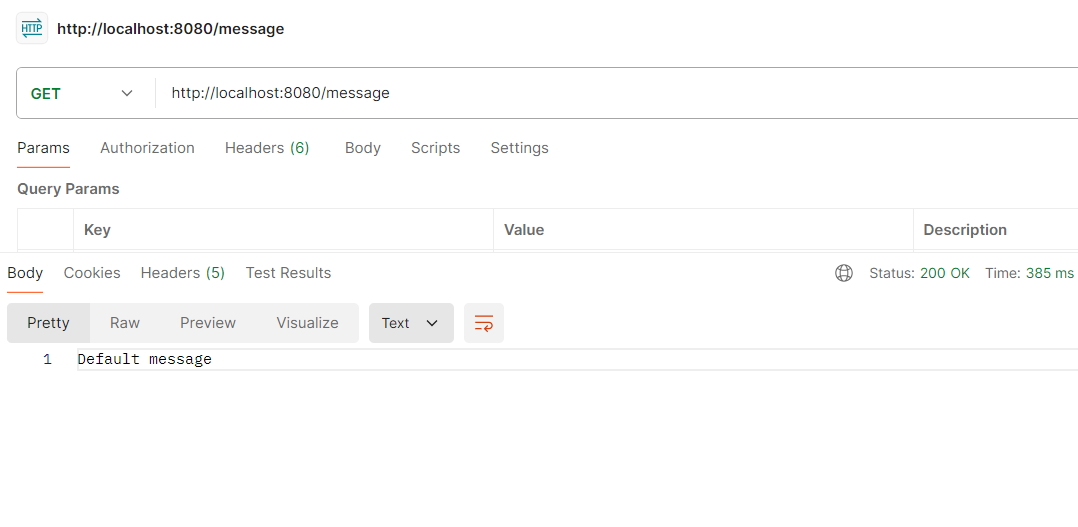
test the /message endpoint by sending a GET request to http://localhost:8080/message. It will return the default message from the configuration.
GET http://localhost:8080/messageTo see dynamic updates in action, update the message property in your GitHub repository to something like:
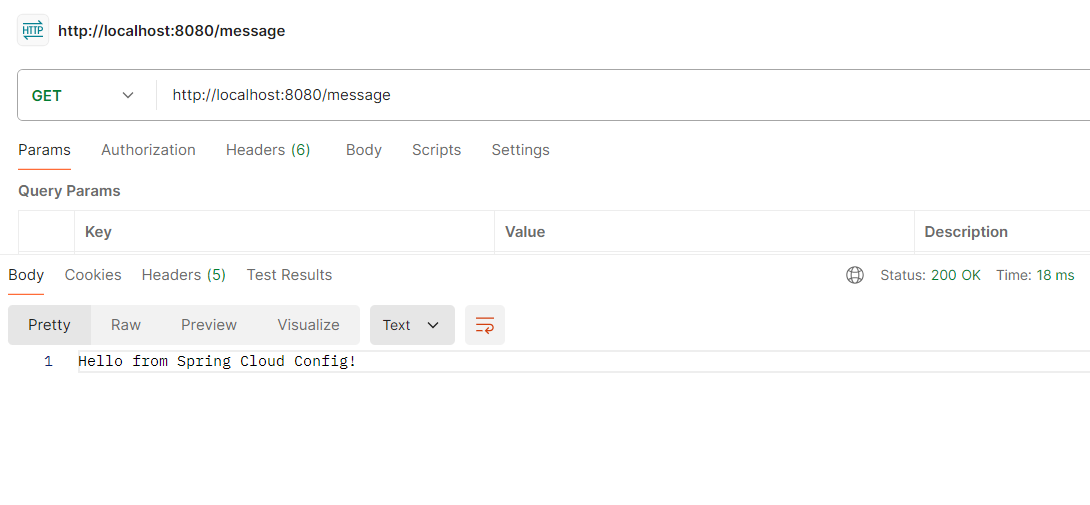
Message: Hello from Spring Cloud Config!Then, you can trigger the refresh event and verify that the client application reflects the updated configuration without a restart.
Again, run the endpoint,
GET http://localhost:8080/messageThis example project demonstrates the dynamic configuration with Spring Cloud Config of Spring Boot Project.