|
VOOZH | about |
|
VOOZH | about |
Handling HTTP GET and POST requests in Java Servlets is essential for building dynamic and interactive web applications. Servlets provide a powerful way to process client requests, send responses, and maintain control over how data is exchanged between the client and server.
This article explains how to handle GET and POST requests in servlets, their key differences, implementation steps, and best practices for writing maintainable code.
Before implementing servlet request handling, ensure the following setup:
HTTP defines several methods for communication such as GET, POST, PUT, and DELETE. Among them, GET and POST are most commonly used in servlet-based applications.
Note: If the method attribute is not specified in an HTML form, it defaults to GET.
HTML Form for GET Request
Create an HTML form to send data to the server using the GET method. Save the file as index.html:
Servlet to Handle GET Request
Create a servlet class named AddServlet to handle GET requests.
Servlet Mapping in web.xml
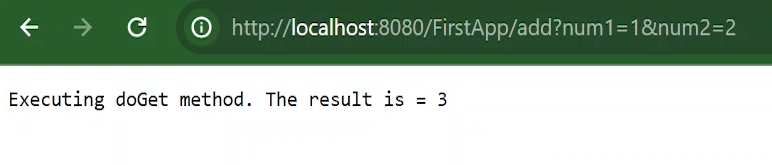
Testing the GET Request
index.html in your browser.Output:
To send sensitive data securely, switch the form method to POST.
HTML Form for POST Request
If the servlet only has a doGet() method, submitting this form will return a 405 HTTP Method Not Allowed error because the servlet does not handle POST requests yet.
Updated Servlet to Handle POST
Add the doPost() method to process POST requests:
Testing the POST Request
Behavior:
You can also test the POST method using tools like Postman.
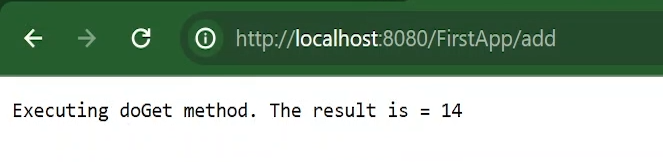
To avoid code duplication, define a shared method for the core logic and invoke it from both doGet() and doPost().
Output:
This ensures both GET and POST requests are handled by a single method, improving code readability and maintainability.
| Criteria | GET | POST |
|---|---|---|
| Data Visibility | Parameters visible in URL | Parameters hidden in request body |
| Use Case | Retrieving or reading data | Submitting or updating data |
| Caching | Supported by browsers | Not cached |
| Security | Less secure | More secure |
| Idempotent | Yes | No |