|
VOOZH | about |
|
VOOZH | about |
Rate limiting is a crucial technique to control the amount of incoming traffic to the server. This prevents abuse, ensures fair resource usage, and protects against potential Denial of Service (DOS) attacks. In the Spring WebFlux, rate limiting can be implemented effectively using the Spring Cloud Gateway. This article will guide setting up the rate limiting in the Spring WebFlux application.
Rate limiting restricts the number of requests the client can make to the server within the specified period. In Spring WebFlux, it can be achieved using Spring Cloud Gateway with Redis as the backing store to track the request counts and limits of the Spring application.
Create a new Spring Boot project using spring Initializr and add the below dependencies.
Dependencies:
After creating the project, the folder structure will be like below image in the IDE.
Now, configure the application property of the project by the adding the below properties:
spring.application.name=example-ratelimit
server.port=8081This code defines a Spring WebFlux REST controller that handles HTTP GET requests to the /greet endpoint. It returns a greeting message and adds custom headers to the response for rate limiting information, such as the request limit, remaining requests, and the reset time.
No changes are required in the main class.
pom.xml file:
Now, run the application and it will start at port 8081 of Netty server.
Create a new Spring Boot project using spring Initializr and add the below dependencies.
Dependencies:
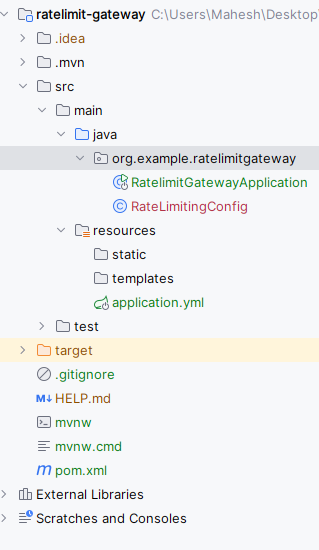
After creating the project, the folder structure will be like below image:
spring:
 cloud:
 gateway:
 routes:
 - id: greeting_route
 uri: http://localhost:8081
 predicates:
 - Path=/greet
 filters:
 - name: RequestRateLimiter
 args:
 key-resolver: "#{@userKeyResolver}"
 redis-rate-limiter.replenishRate: 1
 redis-rate-limiter.burstCapacity: 1
 data:
 redis:
 port: 6379
host: localhostThis code defines a configuration class for rate limiting in a Spring Cloud Gateway application. It includes a KeyResolver bean that resolves the key for rate limiting based on the client's IP address. The resolved key is used to track and limit requests from individual clients.
No changes are required in the main class.
pom.xml file:
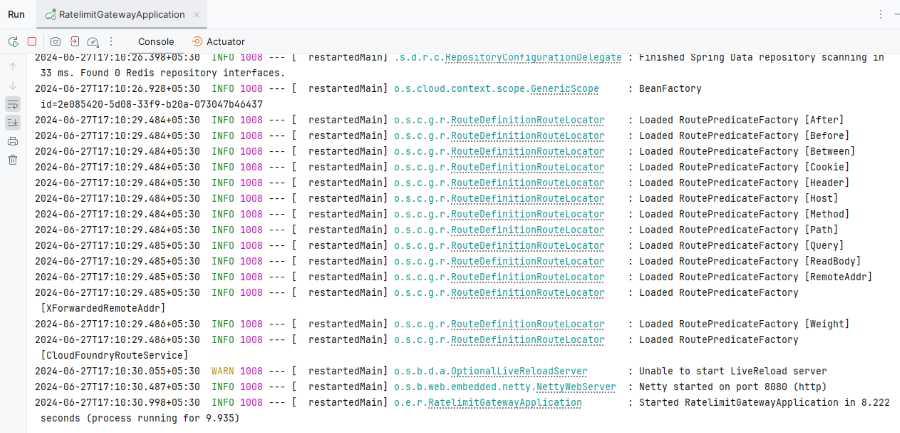
Now run this and it will start at port 8080 in Netty server.
Note: When the rate limit is exceeded then the server responds with the 429 Too Many Requests status code.
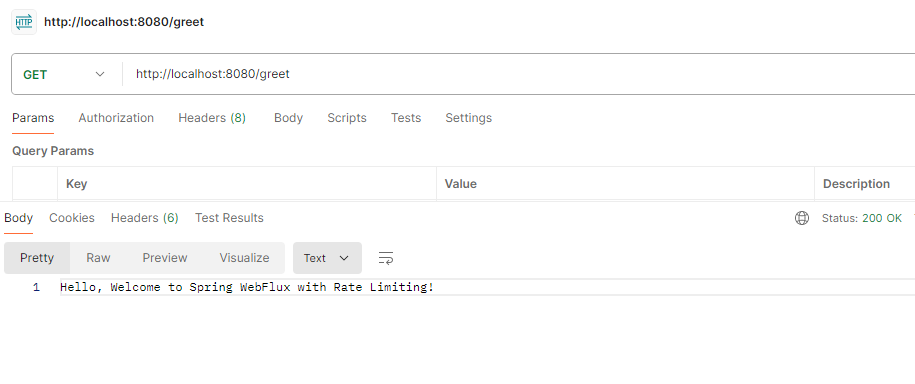
GET http://localhost:8080/greetBy using Spring Cloud Gateway and Redis, we can easily set up and configure the rate limiting based on the client IP addresses or other criteria.