|
VOOZH | about |
|
VOOZH | about |
Apache Kafka is a widely used distributed streaming platform that enables the development of scalable, fault-tolerant, and high-throughput applications. In this article, we'll walk you through the process of integrating Kafka with a Spring Boot application, providing detailed code examples and explanations along the way. By the end of this article, you'll gain a strong understanding of how to seamlessly incorporate Kafka into your Spring Boot projects, enhancing your application's performance and capabilities.
Kafka Streams is a client library built on top of Apache Kafka. It enables the processing of unbounded streams of events in a declarative manner. Streaming data examples include stock market prices, system logs, or the number of users on a website at any given moment.
Kafka Streams provides a connection between Kafka topics and relational database tables. It enables operations such as joins, grouping, aggregation, and filtering on streaming events. A key concept in Kafka Streams is processor topology, which outlines the operations performed on one or more event streams. This topology consists of a directed acyclic graph (DAG), where nodes are categorized as:
addSource method, and a processor node named "Process" with predefined logic is added using the addProcessor method.The topology is constructed as an acyclic graph, which is then passed to a KafkaStreams instance for consuming, processing, and producing records.
The Processor API offers flexibility for defining and connecting custom processors to the processing topology. It allows the creation of stream processors that handle one record at a time and supports both stateless and stateful operations. Stateful operations connect stream processors to state stores.
Dependencies are libraries that provide specific functionalities for use in your application. In Spring Boot, dependency management and auto-configuration work together seamlessly. To integrate Kafka Streams with Spring Boot, add the following dependencies in your pom.xml file:
<dependency>
 <groupId>org.springframework.kafka</groupId>
 <artifactId>spring-kafka</artifactId>
 <version>3.1.2</version>
</dependency>
<dependency>
 <groupId>org.apache.kafka</groupId
 <artifactId>kafka-streams</artifactId>
 <version>3.6.1</version>
</dependency>
Spring Boot's auto-configuration feature automatically configures your Spring application based on the jar dependencies you've included. Now, let's define the Kafka Streams configuration in a Java configuration class:
Let us define the Kafka stream configuration in a Java config class:
Before diving into Kafka Streams, it’s essential to understand how to integrate basic Kafka producers and consumers with Spring Boot.
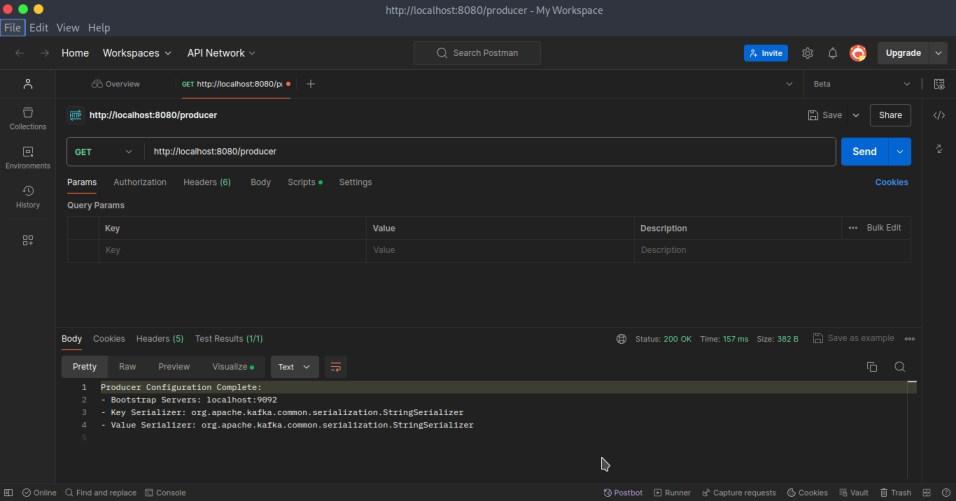
To configure a Kafka producer in Spring Boot, specify the Kafka server addresses and serialization settings in the application.yml file. Include the necessary dependencies in your pom.xml file.
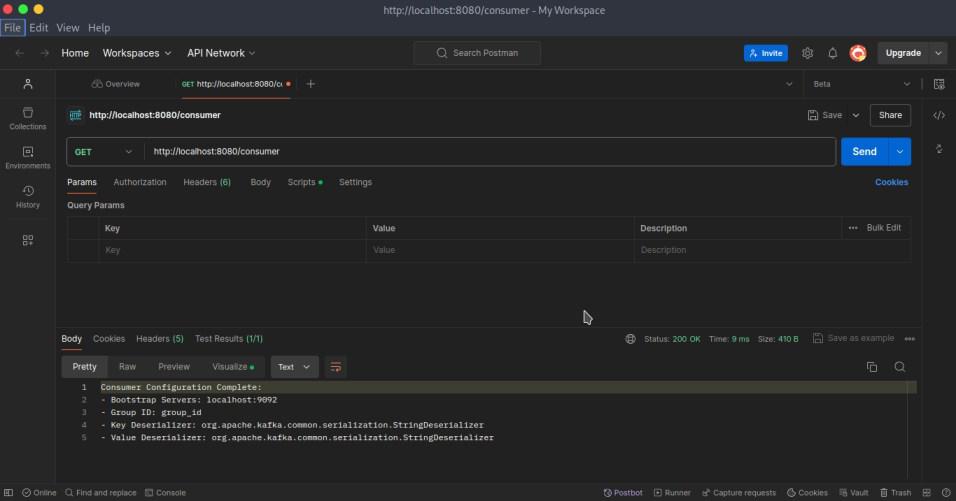
Similarly, to configure a Kafka consumer in Spring Boot, you need to specify settings for bootstrap-servers, key-serializer, and value-serializer in the application.yml file. Add the required dependencies in your pom.xml file. The consumer configuration generally includes properties such as group-id, key-deserializer, and value-deserializer.
Code Example:
To demonstrate Kafka producer and consumer functionality, first configure a Kafka producer to send messages to a Kafka topic. Then, configure a Kafka consumer using a Kafka listener.
Code Example:
KafkaProducerService: When you call sendMessage("Hello Kafka"), you will see:
Message sent: Hello KafkaKafkaConsumerService: When the Kafka consumer receives the message "Hello Kafka" from the topic, you will see:
Consumed message: Hello KafkaYou can test the producer and consumer setup by using a REST controller to trigger the producer and view the output from the consumer in the console.
Code Example:
Now that we have set up the configuration, let’s build the topology for our application to keep a count of the words from input messages:
@Component is an annotation that allows Spring to automatically detect and manage custom beans in the application contextAfter defining our pipeline with the declarative steps, create the REST controller. This provides the endpoints to POST messages to the input topic and GET the counts for the specified word.
This article walked you through how to integrate Apache Kafka for streaming in a Spring Boot application. We explored the basics of Kafka producers and consumers, configured Kafka Streams, built a simple topology, and set up REST endpoints for interacting with the stream data. By following these steps, you can enhance your Spring Boot applications with the robust capabilities of Apache Kafka for handling streaming data.