|
VOOZH | about |
|
VOOZH | about |
Spring Boot Security Auto-Configuration automatically sets up basic security features in a Spring Boot application without requiring much manual configuration. It provides default authentication, authorization, and protection against common security threats. This helps developers quickly secure applications with minimal setup.
Add the Spring Boot Security Dependency
<dependency>
<groupId>org.springframework.boot</groupId>
<artifactId>spring-boot-starter-security</artifactId>
</dependency>
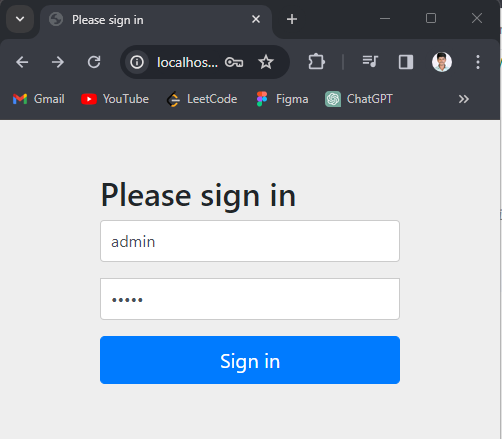
By the default, Spring Boot Security Auto configuration secures all the endpoints of the application. Try to accessing any endpoint in the application. Display the prompted to the login in with the default username and password.
Below are the steps to implement Security Auto-Configuration in Spring Boot.
Create a Spring Boot project using Spring STS or Spring Initializr.
Add the Following Dependencies:
Once we complete the project creation then the file structure looks like the below image.
👁 Folder StructureOpen the application.properties file and add the security configuration.
spring.application.name=spring-security-configuration
# Server port
server.port=8080
# Spring Security default user credentials
spring.security.user.name=admin
spring.security.user.password=admin
Create a package named config and add the WebSecurity class.
Create a package named controller and add the HomeController class.
Open the main class file and add the following code.
Run the Spring Boot application as a Spring project.
8080. Output:
GET http://localhost:8080/
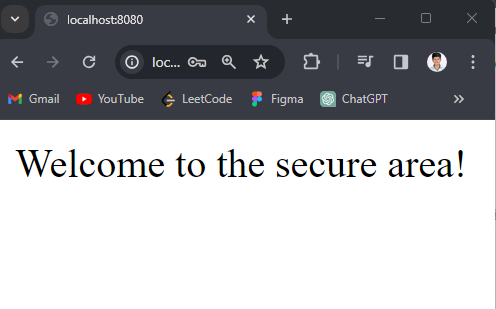
Once login with credentials then show the below output.