|
VOOZH | about |
|
VOOZH | about |
An AI Powered Chatbot using NodeJS and ExpressJS can be created using the free OpenAI's API Key that is provided for every user login. This article covers a basic syntax of how we can use ES6 (EcmaScript Version 6) to implement the functionalities of Node.js and Express.js including the use of REST APIs to send prompts and receive responses.
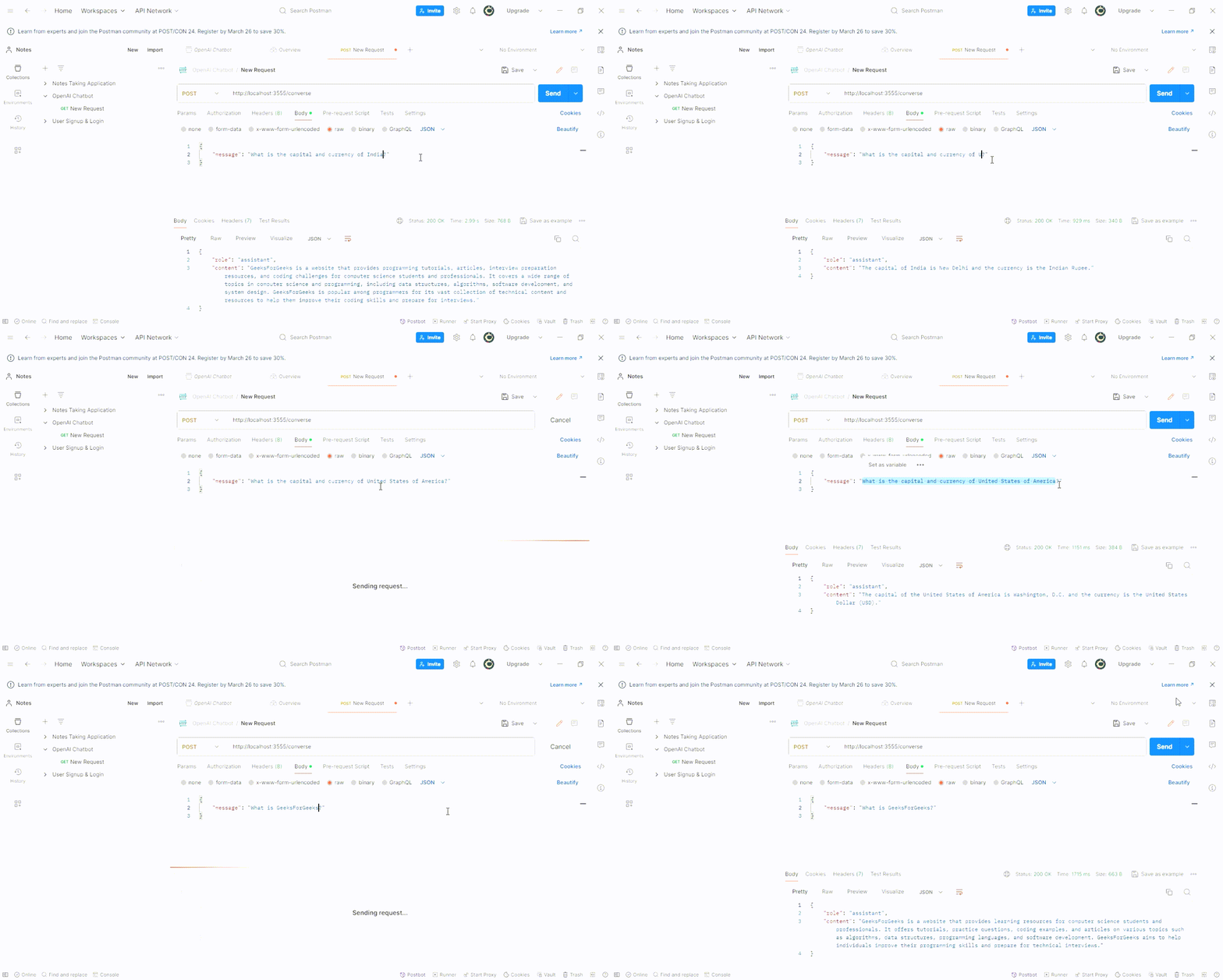
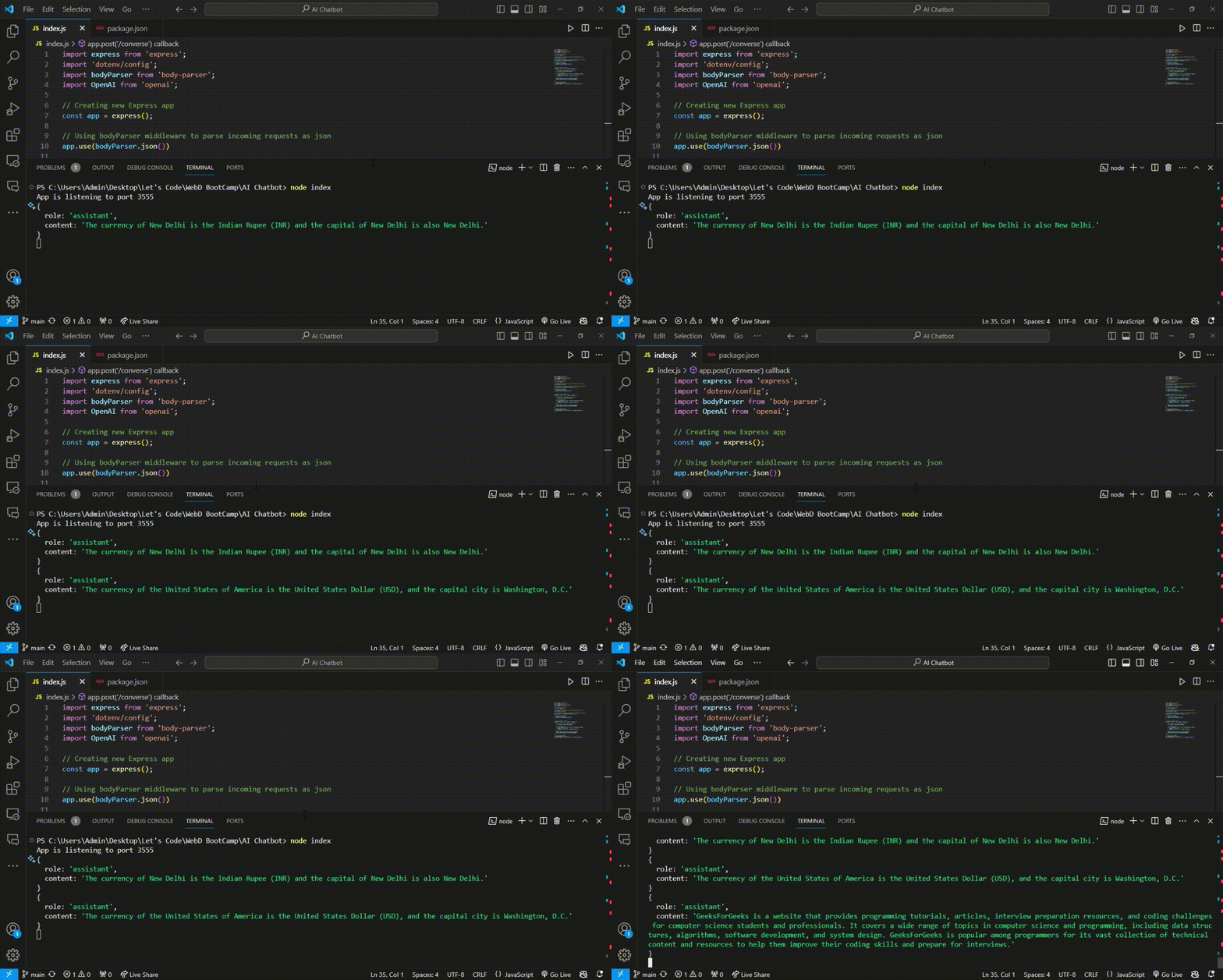
Output Preview: Let us have a look at how the final output will look like.
Step 1. Create a folder with the name AI-Chatbot using the following command.
mkdir AI-ChatbotStep 2. Go to the folder which you have just now created.
cd "AI-Chatbot"Step 3. Initialise the NodeJS Project
npm initStep 4. Install dependencies required for the project - Express.js, OpenAI and env(Optional).
npm install express openai body-parser dotenvStep 5. Create a file named index.js and add the boiler plate code for ExpressJS & NodeJS.
Step 6. Set up the OpenAI and it's key and handle incoming requests and responses.
Step 7. Create a file named .env and access the PORT number and OPEN_API_KEY through the .env file.
Step 8. Complete the functionalities to listen to the application on required PORT.
Example Code:
1. Proceed to the terminal window of VS Code and run the following command :
node index2. Your application is running successfully if you get the message mentioned below :
App is listening to port PORT_NUMBER3. To add a message to the chatbot login on Postman. Create a new collection and add a request POST.
4. Add a message in the form of JSON ( Javascript Object Notation) in the body and choose JSON format. You can add a message as follows :
{
 "message": "What is GeeksForGeeks?"
}
5. Click on Send to send your request and you will receive the response in the terminal windows of both VS Code & Postman.
{
 "role": "assistant",
 "content": "GeeksForGeeks is a website that provides learning resources for computer science students and professionals. It offers tutorials, practice questions, coding examples, and articles on various topics such as algorithms, data structures, programming languages, and software development. GeeksForGeeks aims to help individuals improve their programming skills and prepare for technical interviews."
}

.png)