|
VOOZH | about |
|
VOOZH | about |
In Node.js, blocking code waits for a task to complete before moving forward, while non-blocking code allows other operations to proceed without waiting.
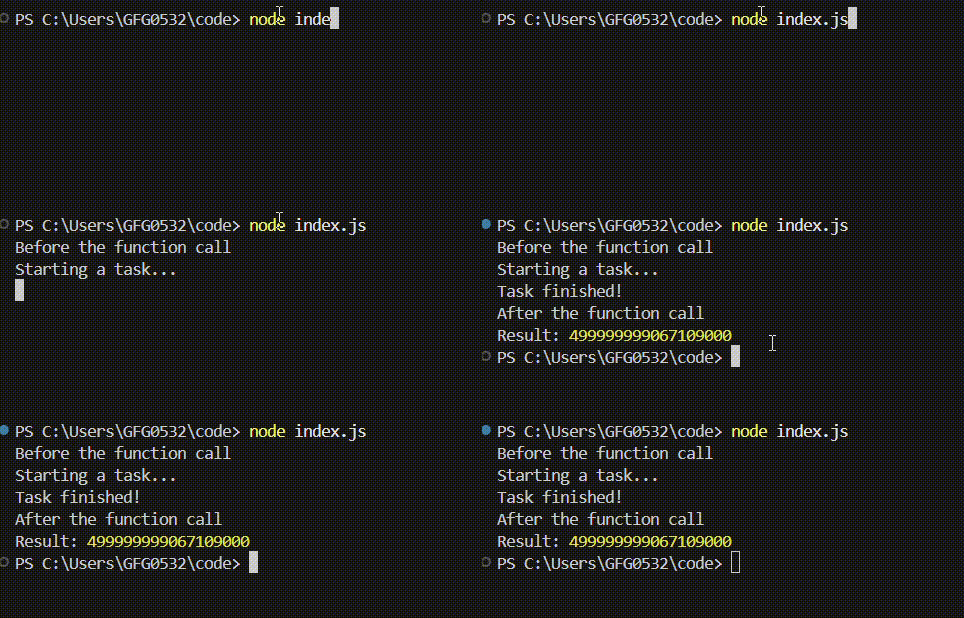
When your code runs a task, it stops and waits for that task to completely finish before moving on to the next thing. It's like reading a book one word at a time, never skipping ahead.
Output:
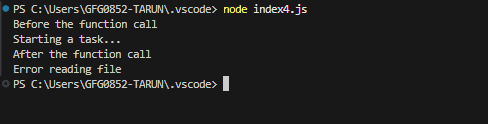
Non-blocking means your program can keep doing other things while a task is running in the background. It doesn't have to stop and wait for that task to finish before moving on.
fs.readFile operation runs asynchronously without blocking the program.Output:
Let's see how blocking and non-blocking I/O work with web servers. This will show why non-blocking is so much better, especially in NodeJS.
A blocking server handles one request at a time. If it's busy reading a file for one user, other users have to wait.
const http = require('http');
const fs = require('fs');
http.createServer((req, res) => {
 const data = fs.readFileSync('largeFile.txt', 'utf8'); // Blocking!
 res.end(data);
}).listen(3000);

console.log("Server running at http://localhost:3000/");
A non-blocking server can handle many requests at the same time. If it needs to read a file, it starts the read and then goes back to handling other requests. When the file is ready, the server is told about it and then it can send the data to the user.
const http = require('http');
const fs = require('fs');

http.createServer((req, res) => {
 fs.readFile('largeFile.txt', 'utf8', (err, data) => { // Non-blocking!
 if (err) {
 res.writeHead(500);
 res.end("Error reading file");
 return;
 }
 res.end(data);
 });
}).listen(3000);

console.log("Server running at http://localhost:3000/");
NodeJS handles non-blocking I/O using
Node.js is single-threaded but achieves concurrency using the event loop, which handles I/O operations efficiently and executes callbacks once tasks are completed.
Here's a table which shows the key differences between blocking and non-blocking operations
| Blocking Operations | Non-Blocking Operations |
|---|---|
| Waits until the operation completes. | Continues immediately; operation completes later. |
| Current thread is blocked during execution. | Current thread continues; operation handled separately. |
| Easier to implement. | Requires callbacks, promises, or async/await. |
| May waste resources while waiting. | Uses resources more efficiently. |
| Can cause delays if operations are slow. | Keeps application responsive during long operations. |
| Suitable for simple tasks where waiting is acceptable. | Suitable for high-responsiveness tasks like APIs and real-time apps. |
| Example: Reading a file completely before proceeding. | Example: Starting a file read and continuing without waiting. |
| Errors handled immediately after execution. | Errors handled later, often in callbacks or error handlers. |