|
VOOZH | about |
|
VOOZH | about |
EJS is a server-side JavaScript template engine for Node.js that enables dynamic HTML generation by embedding JavaScript directly within HTML.
EJS is a template engine that allows embedding JavaScript into HTML to generate dynamic web content.
Syntax:
<html>
<head>
 <title>EJS Syntax Example</title>
</head>
<body>
 <!--Using Variable-->
 <h1>Hello, <%= username %>!</h1>
 <!--Conditional Statement -->
 <% if (isAdmin) { %>
 <p>Welcome, Admin!</p>
 <% } else { %>
 <p>Welcome, User!</p>
 <% } %>
 <!-- Loop Statement-->
 <ul>
 <% for(let i=1; i<=5; i++) { %>
 <li>Item <%= i %></li>
 <% } %>
 </ul>
 <!-- Include other File-->
 <%- include('footer') %>
</body>
</html>
EJS provides powerful features that enable dynamic content generation and seamless integration with server-side JavaScript frameworks.
Step 1: Create a NodeJS application using the following command
npm init -yStep 2: Install required Dependencies
npm install express ejsStep 3: Set EJS as view engine
const express = require("express");
const app = express();

// Set EJS as view engine
app.set('view engine', 'ejs');
The updated dependencies in package.json file will look like
"dependencies": {
 "ejs": "^3.1.9",
 "express": "^4.18.2"
}
To run the application use the following command:
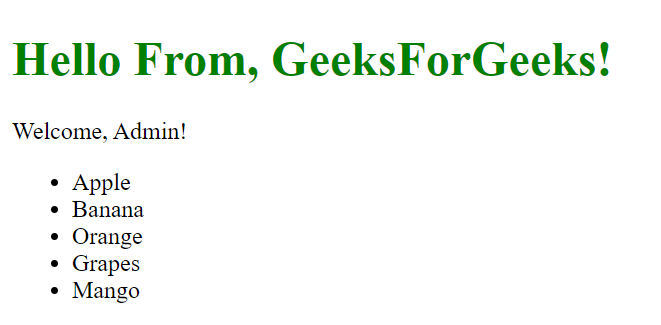
node index.js Output: Now go to http://localhost:3000 in your browser
👁 ejs-template-outputisAdmin. forEach(). <%- include() %>.