Ember.js is an open-source JavaScript framework used for developing large client-side web applications which is based on Model-View-Controller (MVC) architecture. Ember.js is one of the most widely used front-end application frameworks. It is made to speed up development and increase productivity. Currently, it is utilized by a large number of websites, including Square, Discourse, Groupon, Linked In, Live Nation, Twitch, and Chipotle.
ArrayProxy Class:
The ArrayProxy class acts as a wrapper object which forwards all requests to any other object that implements Array and/or MutableArray. The ability to change out the underlying array is advantageous in a variety of binding use cases, as well as in other situations.
Methods: The following is the list of methods for this class.
addObject: This method is used to push an object onto the end of the array if the object is not a present array.
addObjects: This method is used to add a number of objects to the array.
addObserver: This method is used to register an observer for a property.
any: This method is used to check if there are any objects in the target that matches the condition laid by the callback function.
cacheFor: This method is used to get the cached value for an already computed property if it exists.
clear: This method removes all the elements in the array
compact: This method is used to make a copy of an array without null and undefined elements.
decrementProperty: This method is used to set the value of the property to the current value minus some amount.
destroy: This method destroys an object by setting the isDestroyed flag and deleting its metadata.
every: This method is used to check if all objects in the array pass a specific callback function.
filter: This method is used to filter objects in the array according to a specific condition.
filterBy: This method is used to return an array with just the items with the matched property.
find: This method is used to find elements that match the given callback function.
findBy: This method is to get the first item with a property matching the passed value.
forEach: This method is used to run a function on every item of the array.
get: This method is used to retrieve the value of a property from the object.
getEach: This method is used to get all values in the array for a given key.
getProperties: This method is used to get the value of multiple properties at once.
includes: This method is used to check if a given object is present in the array or not.
incrementProperty: This method is used to set the value of the property to the current value plus some amount.
indexOf: This method is used to find the index of a given object in the array.
init: This method is called when objects are instantiated.
insertAt: This method is used to insert an object in a specific position in the array.
invoke: This method is used to call the passed method on every object in the receiver that implements it.
isAny: This method is used to check if for anyone the element in the array the passed property resolves to the desired value or not.
isEvery: This method is used to check if, for each element in the array, the passed property resolves to the desired value or not.
lastIndexOf: This method is used to find the last index of an object in the array.
map: This method is used to map all items in the array with a specific function.
mapBy: This method is used to get the value of the named property on all items in the list.
notifyPropertyChange: This method alerts the observer system that a property change has taken place.
objectAt: This method is used to retrieve the object at a given index.
objectAtContent: This method is used to retrieve the object at the specified index from the content.
objectsAt: This method is used to fetch items for the given array of indices.
popObject: This method is used to pop objects from an array.
pushObject: This method is used to push an object into an array.
pushObjects: This method is used to push multiple objects into an array.
reduce: This method is used to combine the values of the array into a single value.
reject: This method provides a list of all the enumerated elements for which the provided function returns false.
rejectBy: This method returns an array containing the objects for which the given key's value is false.
removeAt: This method is used to remove elements on a given index.
removeObject: This method removes all instances of the object from the array.
removeObjects: This method removes each supplied item from the given array.
removeObserver: This method removes any observers you have registered earlier for this object.
replace: This method is used to replace some of the elements in the array with the given objects.
replaceContent: This method in fact swaps out the designated objects on the content array.
reverseObjects: This method reverses the elements in the array.
set: This method is used to set the key and value to the object.
setEach: This method, for each member, sets the value of the named property.
setObjects: This method replaces the receiver's content with the argument's substance.
setProperties: This method sets a number of properties at once.
shiftObject: This method shifts nil, if there are no more, or an object from the array's beginning.
slice: This method is used to return a new array that is a portion of the receiver.
sortBy: This method is used to sort an array by the specified key.
toArray: This method just transforms the object into a real array.
toString: This method is to get the string representation of the object.
toggleProperty: This method is used to set the value of the boolean property to the opposite of its current value.
uniq: This method returns a brand-new array with just unique values in it.
uniqBy: This method is used to get objects which unique values for the given key.
unshiftObject: This method is used to add a single object to the start of the array.
unshiftObjects: This method is used to add objects to the front of the array.
willDestroy: This method tears down the object.
without: This method gives back a new array without the given value.
Properties: The following is the list of the properties of this class:
[]: This property is used to get or set the array content.
arrangedContent: This property defines the array the proxy represents itself as.
concatenatedProperties: This property specifies the characteristics from the superclass that will be concatenated
content: This property is used to forward the object property.
firstObject: This property is used to retrieve the first object of the array.
isDestroyed: This property is the destroy complete flag.
isDestroying: This property is the destroy scheduled flag.
lastObject: This property is used to retrieve the last object of the array.
length: This property is used to retrieve the length of the array.
mergedProperties: This property helps to merge the value of the subclass property’s value with the superclass property value of the ember class.
Step 1: To run the following examples you will need to have an ember project with you. To create one, you will need to install ember-cli first. Write the below code in the terminal:
npm install ember-cli
Step 2: Now you can create the project by typing in the following piece of code:
ember new <project-name> --lang en
To start the server, type:
ember serve
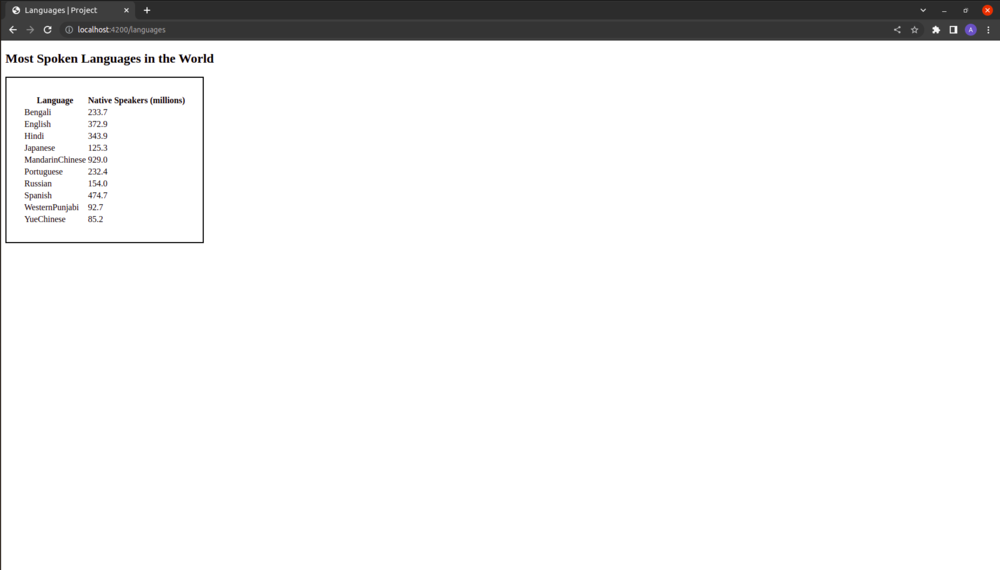
Example 1: In this example, I am going to demonstrate the use of the function sortBy of the class.
Type the following code to generate the route for this example:
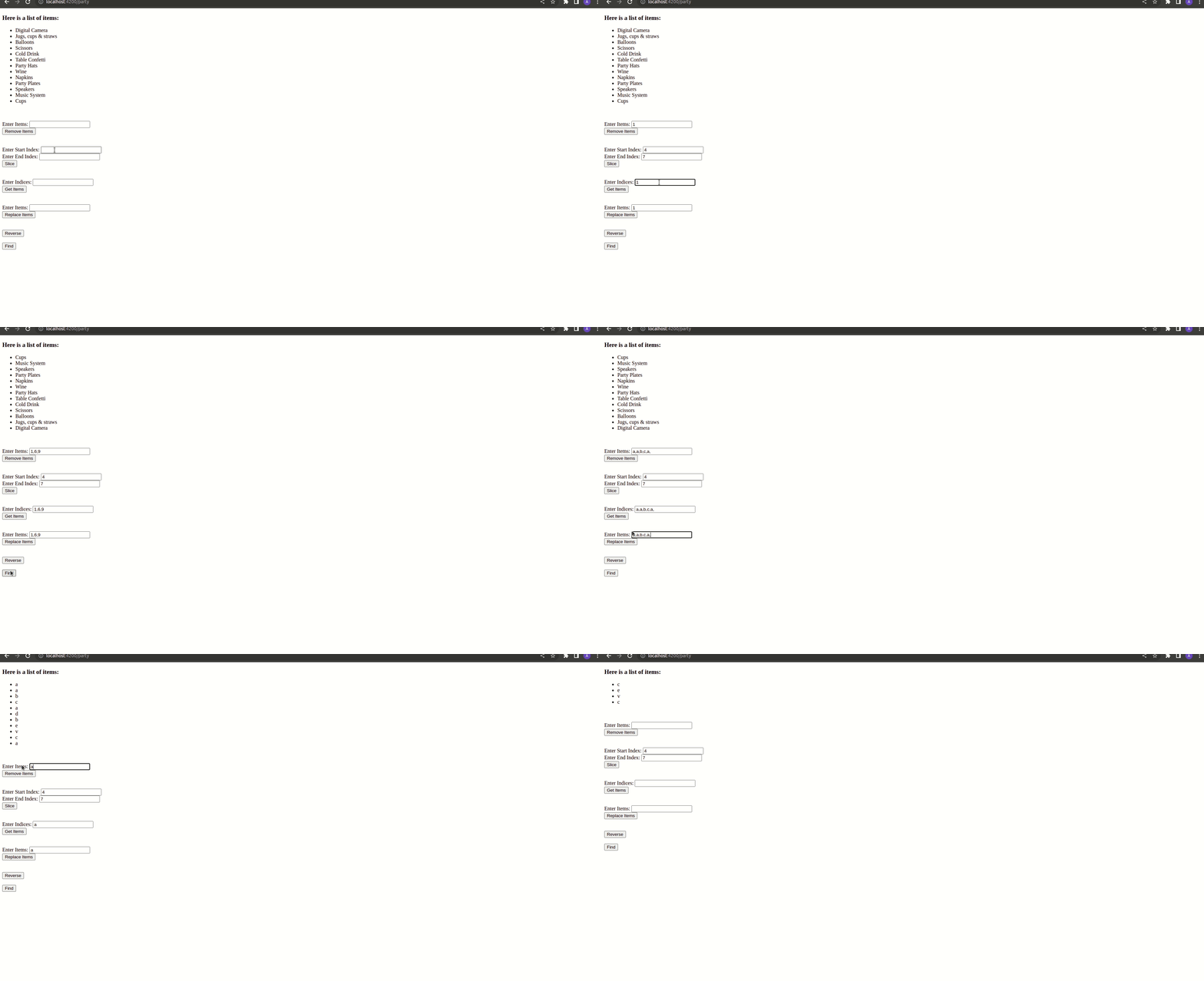
Example 2: In this example, I am going to demonstrate the use of the functions: objectsAt(), removeObject(), removeObjects(), slice(), reverseObjects(), setObjects() and reject().
Type the following code to generate the route for this example: