Node.js follows an event-driven architecture that allows it to handle multiple tasks efficiently without blocking execution. Instead of running operations in a strict sequence, it relies on events, event emitters, and listeners to manage asynchronous behavior, making applications fast and scalable.
Works by reacting to events such as user actions, I/O operations, or system messages
Uses event emitters to trigger events and listeners to handle them
Enables non-blocking execution, improving performance under heavy loads
Makes applications more flexible by decoupling logic from execution flow
Event-Driven Architecture Working
Node.js uses a single-threaded, non-blocking event loop to handle asynchronous operations. It treats application activities as events and executes corresponding logic through callbacks and listeners, allowing multiple tasks to progress without waiting.
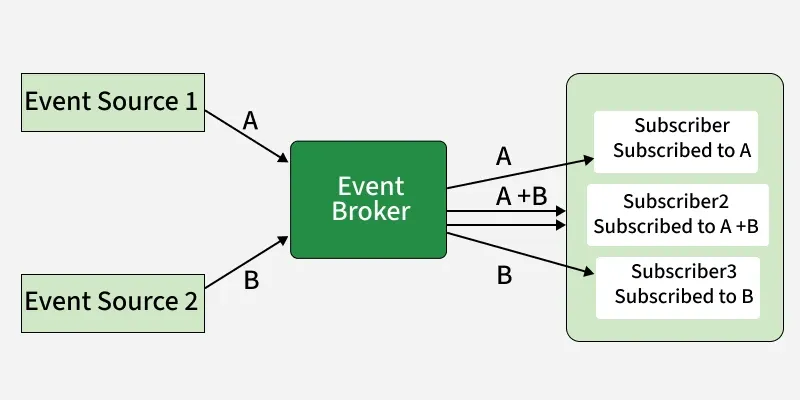
Producer emits an event: A service or component detects a change or action and publishes an event with relevant data to the event channel.
Event broker receives and stores: The message broker accepts the event, persists it, and makes it available for consumers to consume in order.
Router dispatches to consumers: The broker routes the event to all registered consumers or queues based on subscriptions or routing rules.
Consumer processes the event: Each subscribed service independently picks up the event, executes its business logic, and updates its own state.
Downstream event triggered if needed: If the consumer's processing produces a new outcome, it publishes a follow-up event, continuing the chain across the system.
Events are the signals that are emitted by event emitters. They represent something that has happened in your application, like data being received, a file being opened, or an error occurring.
Event Types: There are different kind of event that can be handled in Node.js - such as built-in events (data, end error on streams)or developer defined customer events
Event Naming: Event in Node.js are identified by string names.These names should be descriptive (e.g., userLoggedIn, fileUploaded) to make code Readable.
Event Payload: Event Payload is the data passed along with the event when it is emitted. Listeners recieved this payload as function arguments.
2. Listeners
Listeners are functions that are executed when a specific event is emitted. They are registered with an event emitter using the .on() method.
Listeners are functions that react to specific events.
They define the logic to be executed when an event occurs.
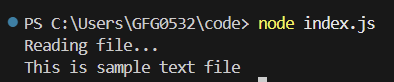
fs.readFile is a non-blocking operation. It starts reading the file and then immediately moves on to the next line of code.
The callback function we provide is a listener. It will be executed only when the file reading is complete (an implicit 'file read' event).
Event Binding: Means attaching a listener function to an event using methods like .on() and .once() . This tells
Execution of Listeners:
Listener Parameter:
3. EventEmitter Module
The EventEmitter module is a core part of NodeJS that provides a way to create and manage custom events. It's how you build things that can send and receive event signals.
Events are like signals that something has happened in your application.
Event emitters are objects that can trigger (emit) these signals.
1. Event Registration: Event Registration means attaching a listener(callback) to an event so it executes when that event occurs.
Syntax
emitter.on(eventName, callback);
2. Event Emission: It is the act of firing or triggering an event so that all registered events execute.
Syntax
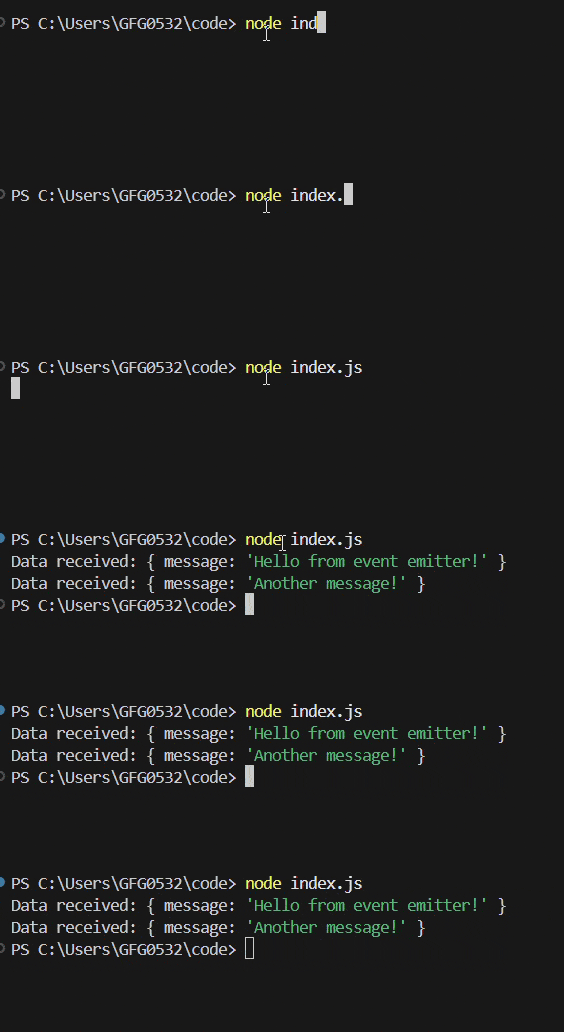
emitter.emit(eventName, [...args]);
3. Custom Events: It allows developers to define their own events so that all registered listeners execute.
It offers several advantages for building applications, making them efficient and maintainable.
Scalability: Handles many simultaneous tasks without performance degradation. It's like a traffic controller managing many cars smoothly.
Asynchronous Processing & Non-Blocking I/O: Taks that take time don't block other operations. The application remains responsive and can handle other requests while waiting.
Modularity: Code is organized into smaller, independent modules, making it easier to develop, test, and maintain. It's like building with Lego blocks.
Responsiveness: Enables real-time interactions and quick responses to user actions, leading to a better user experience