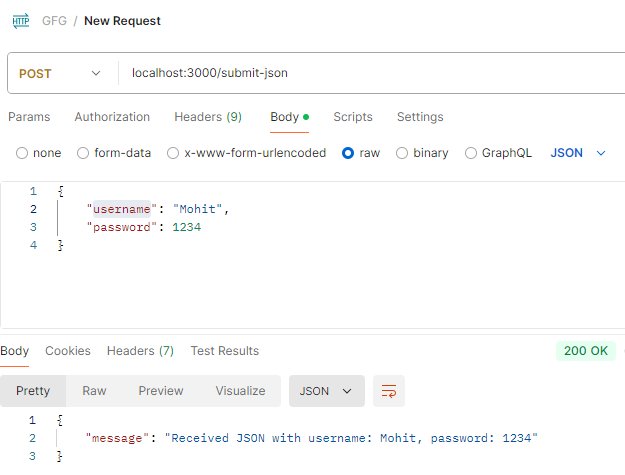
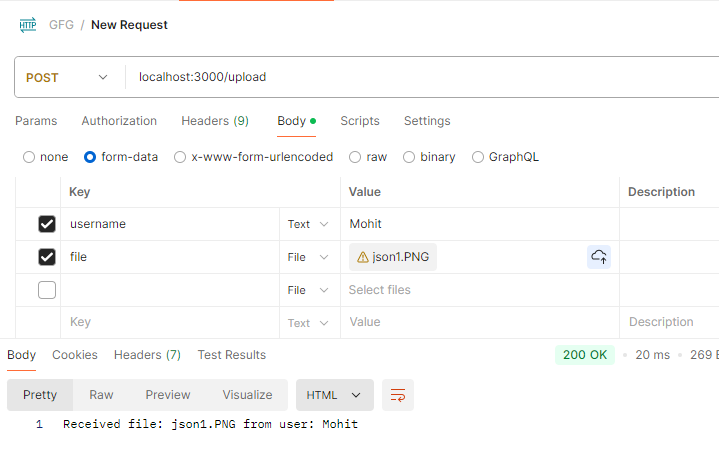
HTTP POST requests are widely used in web development to send data from a client to a server. Whether you're submitting a form, uploading a file, or sending JSON data via an API, understanding how parameters are sent in an HTTP POST request is important.
In this article, we’ll explore how are parameters sent in an HTTP POST request.
What Is an HTTP POST Request?
Before diving into how parameters are sent in an HTTP POST request, let’s first understand what an HTTP POST request is.
The HTTP POST method is used to send data to a server to create or update a resource. POST requests can carry significant amounts of data because the parameters are included in the body of the request, unlike GET requests, which include parameters in the URL.
The most common uses of HTTP POST requests include:
Submitting form data (e.g., login forms, registration forms)
Uploading files
Sending JSON or XML data to a web service API
The structure of an HTTP POST request includes:
Headers: Information like content type, authentication, etc.
Body: The actual data or parameters that need to be sent to the server.
When sending parameters in an HTTP POST request, it’s essential to follow security best practices to protect sensitive data and prevent common vulnerabilities:
Use HTTPS: Always use HTTPS instead of HTTP to ensure that the data sent in the request body (e.g., passwords, credit card information) is encrypted and secure.
Input Validation: Always validate and sanitize input on the server to protect against attacks like SQL injection or Cross-Site Scripting (XSS). Never trust data coming from the client.
Authentication and Authorization: Use authentication mechanisms like API keys, OAuth tokens, or JWT (JSON Web Tokens) to ensure that only authorized clients can access the server and send POST requests.
Avoid Sensitive Data in URLs: Avoid sending sensitive data in the URL (as with GET requests) because URLs can be logged in server logs or browser history. POST requests keep sensitive parameters in the body, which is more secure.