|
VOOZH | about |
|
VOOZH | about |
Request parameters are additional pieces of information sent along with a URL to a server. They provide specific details about the request, influencing the server's response. Parameters typically follow a 'Key=Value' format and are added to the URL in different ways depending on their type.
Table of Content
These parameter are appended to the URL after a question mark (?). Used for optional information or filtering results.
Example: Fetching a list of users with a specific age range:
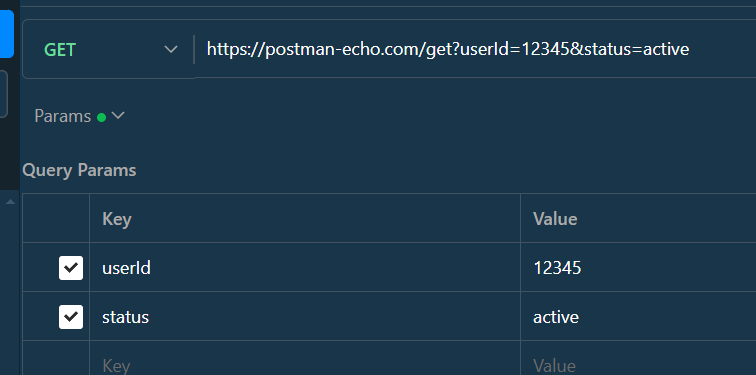
https://api.example.com/users?age_min=25&age_max=35userId=12345 and status=active are query parameters.
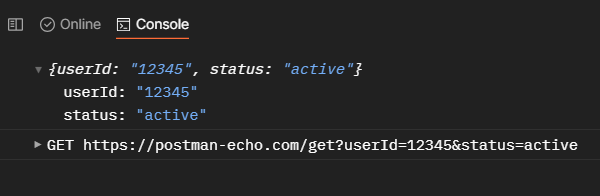
Code Snippet: Extracting in Express
Open Postman and create a new GET request:
Direct Way : Automatically Detect when write full URL or Write it yourself in block
Using Pre-request Script : Add this in ''the'test'portion.
create a server using express use of node js
App.js : having an endpoint ( GET )
That Video shows, how postman extract automaticaly parameters from URL
Embedded directly within the URL path, denoted by colons (:). Used to identify specific resources within a URL structure.
Example: Retrieving details of a user with a specific ID:
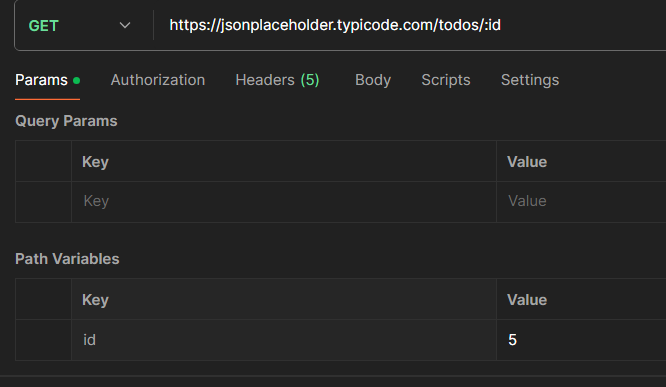
https://api.example.com/users/:id (where ":id" is replaced with the actual user ID)Code Snippet: Extracting in Express
Open Postman and create a new GET request:
Direct Way : Gave input when writing full URL with ' :id " , input id value
Using Pre-request Script : Add this in ''the'test'portion.
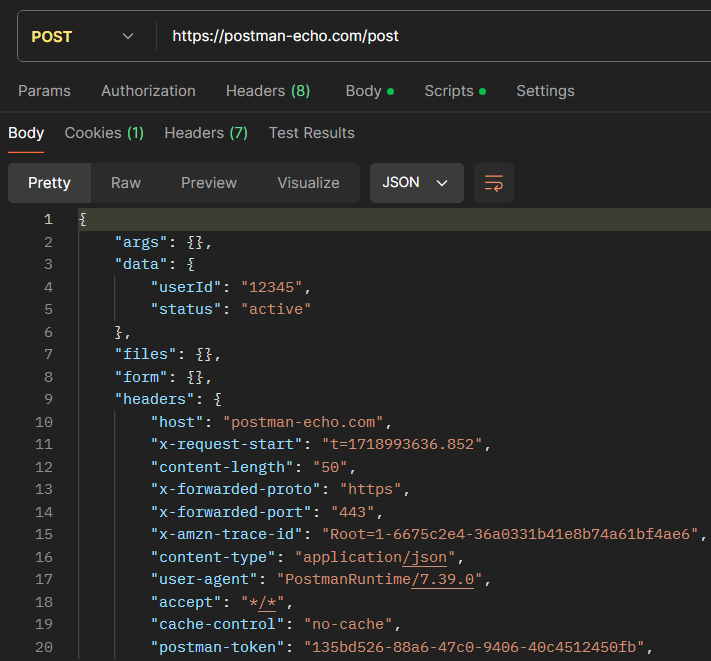
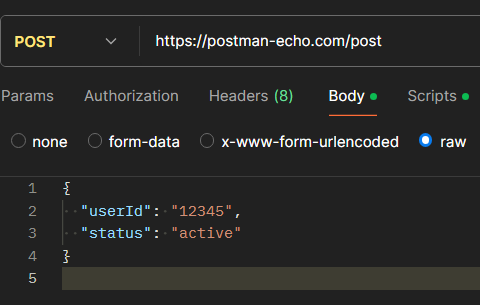
Body parameters are included in the body of an HTTP request, typically used with POST, PUT, or PATCH requests. For example, sending JSON data in a POST request. typically in formats like JSON or form data. Used for sending the main data payload of the request.
Example: Creating a new user with name and email details:
https://api.example.com/login/Body detail :
{
 "name": "John Doe",
 "email": "john.doe@example.com"
}
Code Snippet:
{
 "userId": "12345",
 "status": "active"
}
Direct Way : That's what we already provided as input
Using Pre-request Script : Add this in 'the test' portion.
Using pre-request scripts in Postman, you can access and manipulate request parameters before sending the actual request. This is useful for setting up test conditions, modifying requests dynamically, and performing pre-request validations. The examples provided show how to handle query, path, and body parameters, making your API testing more robust and flexible.