 |
VOOZH | about |
|
VOOZH | about |
Ethereum is a popular blockchain platform that allows developers to build decentralized applications (dApps). It uses a smart contract system that enables the execution of self-executing contracts with the terms of the agreement between buyer and seller being directly written into lines of code.
The article focuses on discussing the steps to build a Node.js API for Ethereum. We will be using the Web3 library, which is a JavaScript library that allows developers to interact with the Ethereum blockchain.
Node.js is an open-source JavaScript runtime environment that allows developers to run JavaScript code outside of a web browser. You can download Node.js from the official website https://nodejs.org/en/download/.
Truffle is a popular development framework for Ethereum that provides tools for building, testing, and deploying smart contracts. You can install Truffle using the npm package manager.
Ganache is a local blockchain for Ethereum development that allows developers to test their smart contracts and dApps in a simulated environment. You can download Ganache from the official website https://archive.trufflesuite.com/ganache/.
Web3.js is a JavaScript library that allows developers to interact with the Ethereum blockchain and smart contracts using JavaScript. You can install Web3.js using the npm package manager.
Postman tool is used to test the API endpoint. you can download this from the official website https://www.postman.com/.
First, you need to set up a new Node.js project. Open a terminal and create a new directory for your project. Then, initialize a new Node.js project using the following command:
mkdir contracts
cd contracts
npm init
Follow the prompts to create a new Node.js project.
Next, you need to install the required dependencies for your Node.js API. Use the following commands to install Truffle and Ganache.
npm install -g truffle
npm install -g ganache
You can also download the GUI version of ganache from their official website https://archive.trufflesuite.com/ganache/ Once you have installed Ganache, open the application and click the "Quickstart" button. This will start a new blockchain with 10 accounts, each with 100 ETH.
Next, you need to create a new Truffle project. Use the following command to create a new Truffle project:
$ truffle init
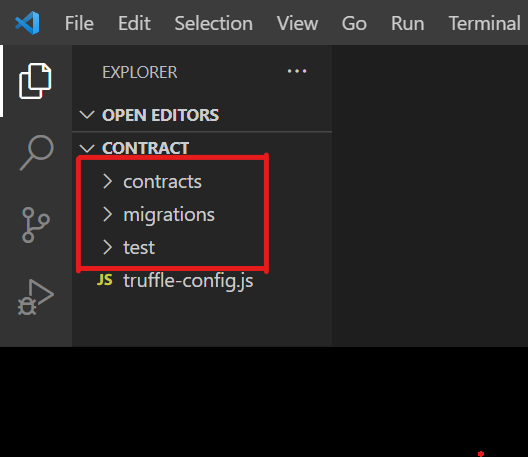
This command will create a new Truffle project with the following directories:
Here, you can see in below picture:
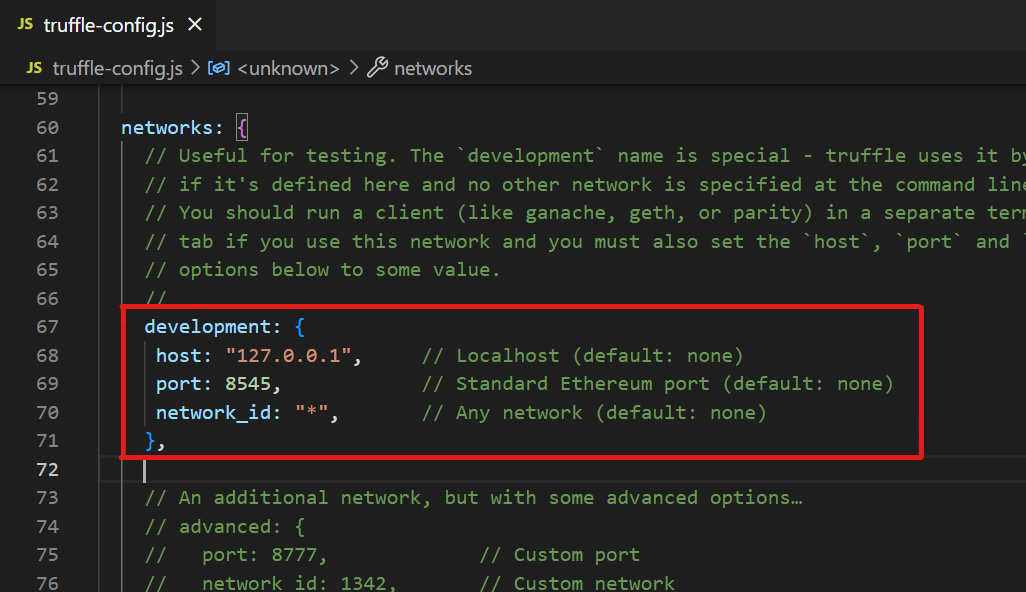
Now, open truffle-config.js file and uncomment the development section from the code and then save the file. Here, you can see it in the picture.
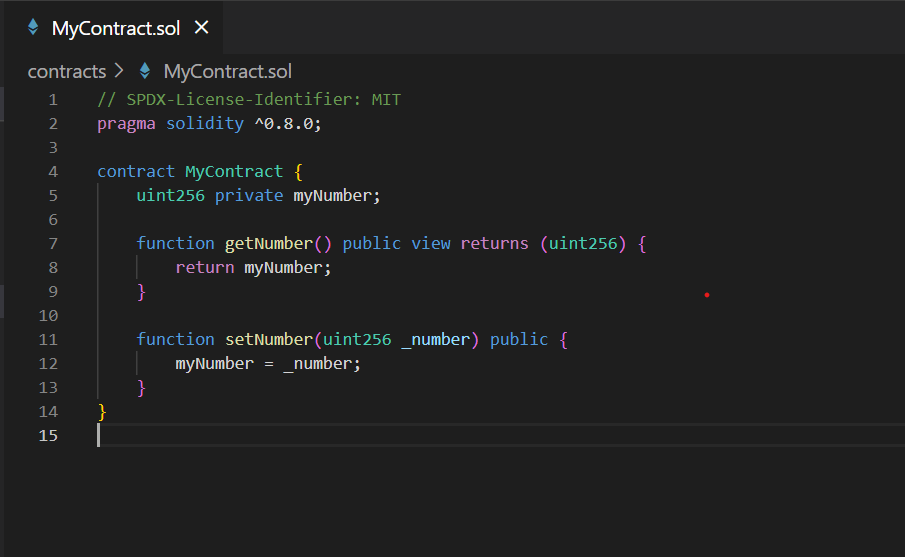
Next, you need to write your smart contract code. Open the contracts directory and create a new file called MyContract.sol. In this file, write the smart contract code using the Solidity programming language.
This smart contract has a public variable myNumber, and two functions setNumber and getNumber. The setNumber function sets the value of myNumber, and the getNumber function returns the value of myNumber.
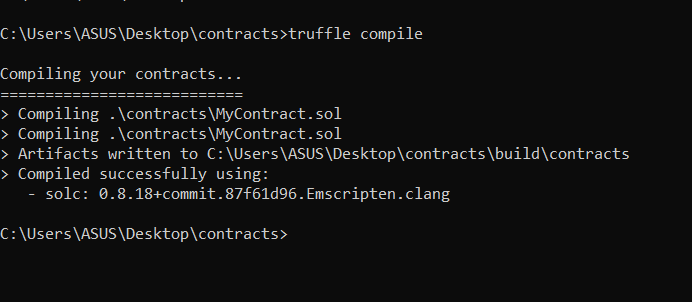
Next, you need to compile your smart contracts. Use the following command to compile your smart contracts:
truffle compile
This command will compile the smart contracts and generate JSON artifacts in the build/contracts directory.
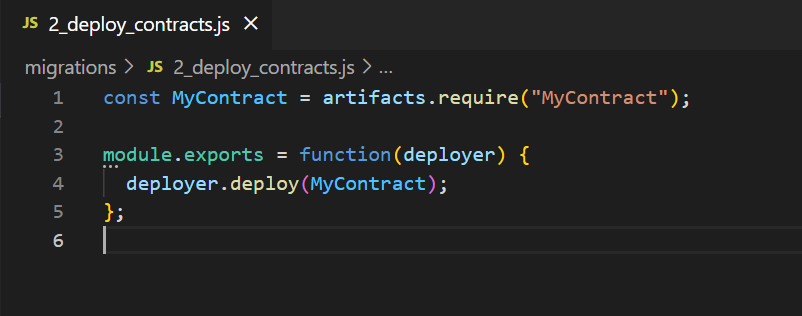
Create a new file named 2_deploy_contracts.js in the migrations directory and add the following code:
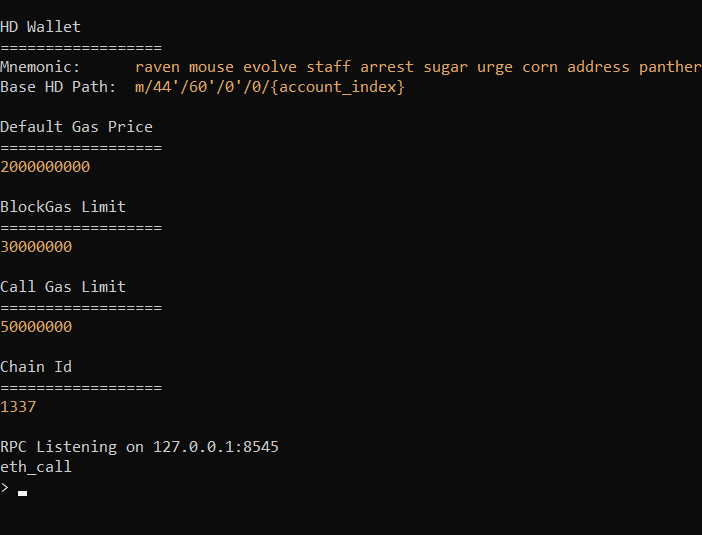
Next, we need to deploy the smart contract to the Ethereum blockchain using Ganache CLI. To do this, open a new terminal window and run the following command
Run the following command to migrate the smart contract:
ganache-cli
This command will start a local blockchain that you can use for testing your smart contracts.
Now, back in the original terminal window, run the following command to deploy the smart contract:
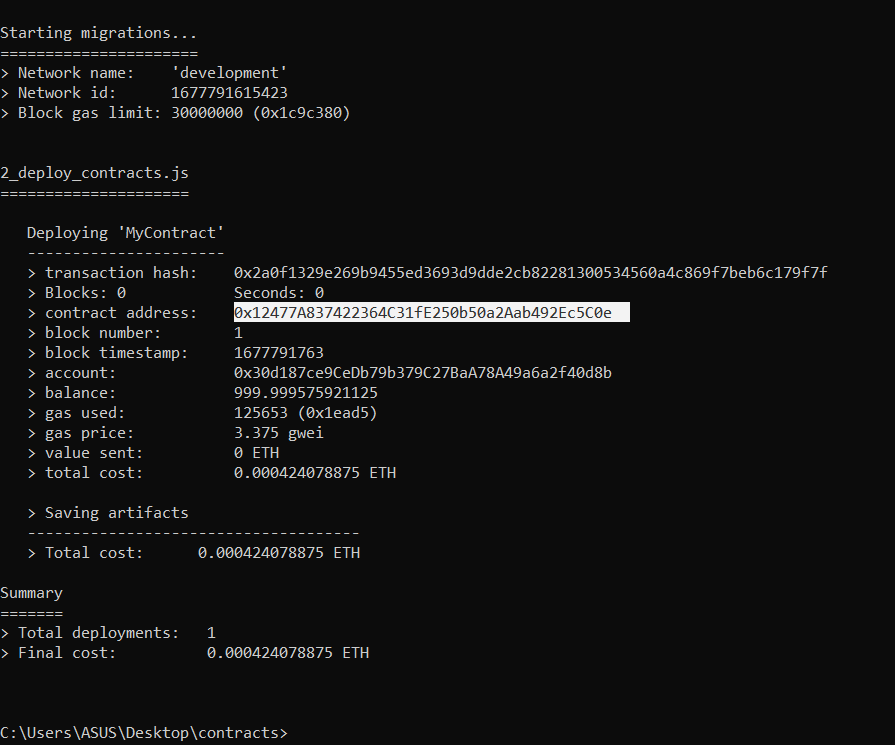
truffle migrate
This command will deploy your smart contracts to the Ganache blockchain and create a new migration script in the migrations directory. Here, we can see all the details. Next, you have to copy this contract address. You will use this while creating a Node.js API for Ethereum.
First, install all the dependencies needed for the project. Run the following command in the terminal:
npm install web3
npm install express
This will install the Express framework and the Web3.js library.
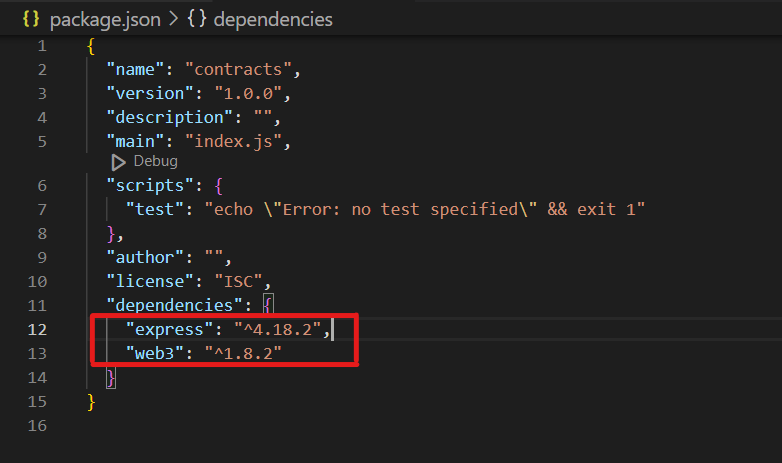
To check if it's properly installed or not go to the package.json file. and see the version of these dependencies.
Next, you need to write the code for your Node.js API. Create a new file called app.js in the root directory of your project. In this file, you will write the code for your Node.js API.
Explanation:
In the code above, the Express and Web3 libraries, and the ABI of our smart contract are imported.
const contractAddress = '0x12477A837422364C31fE250b50a2Aab492Ec5C0e'; // Enter your contract address here
To test the API, you can use a tool like Postman, which allows you to send requests to the API and view the responses.
1. Run Ganache Command: First, run the ganache command to start the local Ethereum node. So, open a new terminal and run the following command:
ganache-cli
This will start a local blockchain network with 10 accounts, each having 100 ethers.
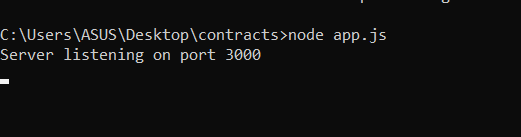
2. Start Node.js Server: Now, back to the original terminal and start the Node.js server. run the file app.js using the command:
node app.js
3. Create a GET Request: Next, open the postman to test the API request. Click on the "New" button in Postman and select "Request". In the "Request" tab, set the URL to http://localhost:3000/number, select the GET method, and click the "Send" button. You should see the value of the number in the response body.
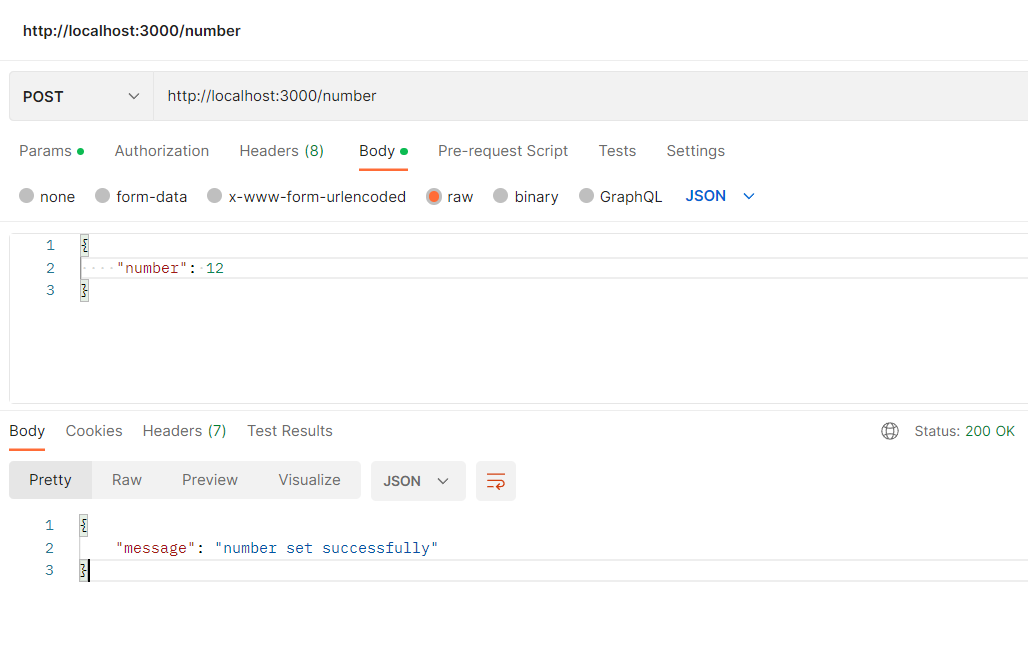
4. Create a POST Request: Click on the "New" button in Postman and select "Request". In the "Request" tab, set the URL to http://localhost:3000/number, select the POST method, and set the body to a JSON object with the new value for the number:
{
"number": 12
}
5. Click the Send button: Click the "Send" Button and you should see a "success" message in the response body.
6. Verify Changes: You can now send another GET request to http://localhost:3000/number to verify that the value of a number has been updated to the new value.
That's it! You have now tested the API using Postman. You can use this same method to test any other endpoints you add to the API.
Building a Node.js API for Ethereum is a great way to interact with smart contracts and build decentralized applications. With the Truffle Suite, Web3.js, and the Express framework, it's easy to get started. Follow the steps outlined in this article, and you'll have your API up and running in no time.

(2).png)
.png)
.png)