|
VOOZH | about |
|
VOOZH | about |
NodeJS is a powerful runtime environment that allows developers to build scalable and high-performance applications, especially for I/O-bound operations. One of the most common uses of NodeJS is to create HTTP servers.It handles incoming requests from clients (typically web browsers), processes them, and sends back appropriate responses.
To create a simple HTTP server in NodeJS, follow these steps:
Begin by initializing your project using npm, which will create a package.json file to manage your project's dependencies and configurations.
npm init -yNodeJS includes a built-in HTTP module that allows you to create an HTTP server.
const http = require('http');Use the http.createServer() method to create an HTTP server. This method accepts a callback function that handles incoming requests and sends responses.
const server = http.createServer((request, response) => {
 // Request handling logic
});
Within the server, set the response header and body to define how the server responds to incoming requests.
const server = http.createServer((request, response) => {
 response.writeHead(200, { 'Content-Type': 'text/plain' });
 response.end('Hello, World!\n');
});
Example: After implementing the above steps, we will effectively establish the NodeJS server
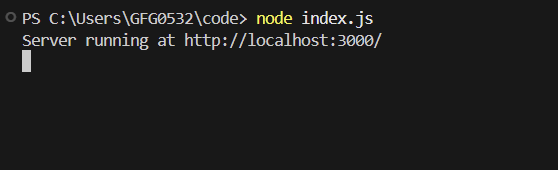
Terminal Output: When you start the server, you'll see:
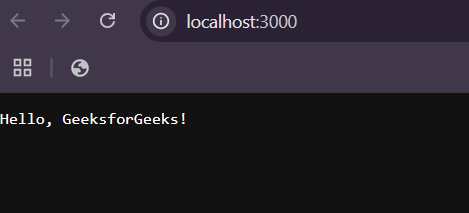
Web Browser Output: When you access http://localhost:3000/ in your web browser, the server responds with
Now a simple HTTP server is created. You can enhance it to handle more complex use cases like CRUD operations etc.