|
VOOZH | about |
|
VOOZH | about |
Pug is a template engine for NodeJS and browsers to render dynamic reusable content. At compile time, the template engine compiles our Pug template code to HTML. Pug has many powerful features like conditions, loops, includes, and mixins using which we can render HTML code based on user input or reference data.
Pug also supports JavaScript natively, hence using JavaScript expressions, we can format HTML code. This approach allows us to reuse static web pages which have dynamic data. Angular brackets are not used while specifying the tags.
A list is a record of short pieces of related information used to display the data or any information on web pages in the ordered or unordered form. In ordered form, list elements are represented using some order; in unordered form, they are represented using a disk, square, or circle. While using the nested list in Pug, we need to consider the indentation to properly display list items.
ul
 li element
 li element
ol
li element
li element
dl
 dt Title of description
 dd Description about the Title.
/). When a user accesses this URL, it renders the list Pug template.style.). It sets styles for the body, headings, containers, and list items.Step 1: Create a NodeJS Application using the following command:
npm init -y
Step 2: Install required dependencies using the following command:
npm i pug express
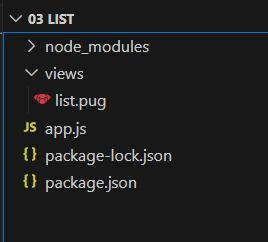
Step 3: Create a views folder that contains the list.pug file.
The updated dependencies in package.json file will look like:
"dependencies": {
 "express": "^4.18.2",
 "pug": "^3.0.2"
}
Example: Below is an example of Pug list.
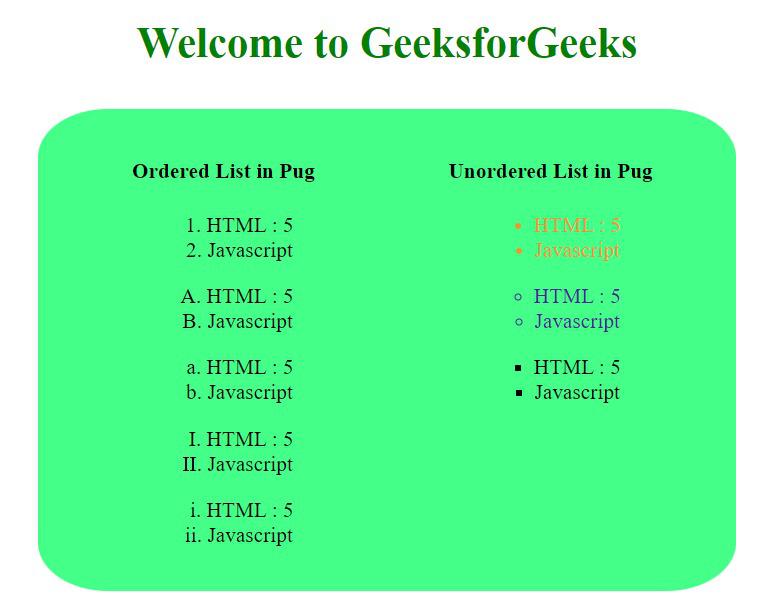
Output:
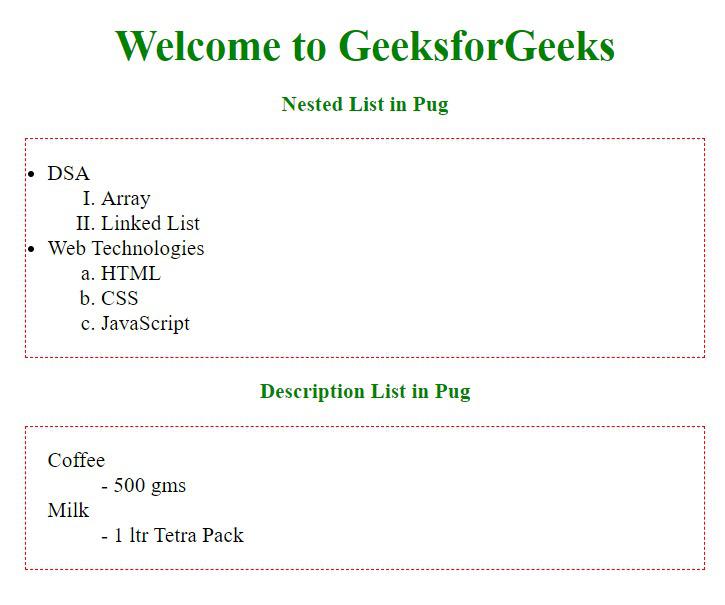
👁 Ordered-and-Unordered-ListExample 2: Illustration of the Lists in PugJS.
Output: