|
VOOZH | about |
|
VOOZH | about |
NVM is a popular tool that allows you to manage multiple versions of Node.js and npm on a single machine. With NVM you can easily switch between different versions of Node.js making it convenient for working on multiple projects that may require different Node.js environments. Installing npm through NVM ensures that the npm version is always compatible with the specific version of Node.js you're using.
To install NVM open your terminal and run the following command
curl -o- https://raw.githubusercontent.com/nvm-sh/nvm/v0.39.3/install.sh | bash=> Downloading nvm as script to '/home/username/.nvm'
=> Appending bash_completion source string to /home/username/.bashrc
=> Close and reopen your terminal to start using nvm or run the following to use it now:
After installation close and reopen your terminal or run
Once NVM is installed you can install a specific version of Node.js using NVM npm will be installed automatically with Node.js
nvm install 16.20.0Downloading and installing node v16.20.0...
Downloading https://nodejs.org/dist/v16.20.0/node-v16.20.0-linux-x64.tar.xz...
Now using node v16.20.0 (npm v8.19.4)
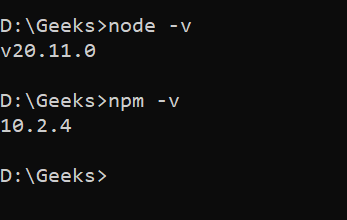
After Node.js and npm are installed you can verify the installation by checking the versions of Node.js and npm
node -v
npm -v
Using NVM to manage Node.js and npm versions is a highly efficient way to work on multiple projects with different dependencies. NVM simplifies the process of switching between versions and ensures compatibility across your development environment.