|
VOOZH | about |
|
VOOZH | about |
Running npm start or npm run start in the background is one of those things that may not realized until you are knee-deep in a project. Whether you are building a web application, working with microservice, or just trying to keep your terminal free from having a server run without locking your terminal is a massive time-saver. So, let's explore how we can get this done - in such an efficient manner.
These are the following topics and approaches that we are going to discuss:
Table of Content
When we run npm start, usually our terminal gets locked up, dedicated to keeping that process running. You cannot type any more commands in the same terminal window without stopping the server first. While this works fine for quick tests it is not ideal when we want to keep working while our server keeps running in the background.
Running npm run start in the background simply means that we can free up our terminal while the server continues running. It's like asking your terminal, "Hey you will keep doing that task quietly while I move on with other things?"
Here are a few scenarios where running npm starts in the background :
If you are using unix-based systems like Linux or macOS
npm start &[1] 12345Stopping the Background Process:
If you want to stop the server , you can use kill commands followed by PID.
kill 12345For more advanced process management , we have pm2 , a popular process manager for node.js applications , pm2 does a lot more than just background running your process -- it can automatically restart your app if it crashes , manage logs and even handle clustering.
npm install -g pm2pm2 start npm -- startpm2 is a powerful tools and it's good to manage multiple apps or need robust control over our node.js processes.
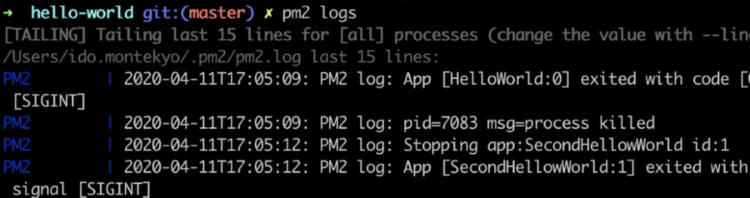
pm2 listpm2 stop <process-id>pm2 logsRunning npm start / npm run start in the background can drastically improve the workflow , whether a solo developer or working in a large team .It help to free up the terminal and let us to focus on what matters the most -- writing code , not managing windows or terminal sessions.