|
VOOZH | about |
|
VOOZH | about |
In Node.js with Pug, we can pass the variables to the Pug template engine using the res.render method. To make the variable available inside the Pug script tag, we include it in the object passed to res.render and then reference it within the Pug file using the syntax "#{variableName}" inside the script tag.
In this article, we will explore the two different approaches along with the processes of passing a Node.js variable to the inside of a Pug script tag
Table of Content
Step 1: Create a backend server using the following command in your project folder.
npm init -yStep 2: Install the necessary package in your server using the following command.
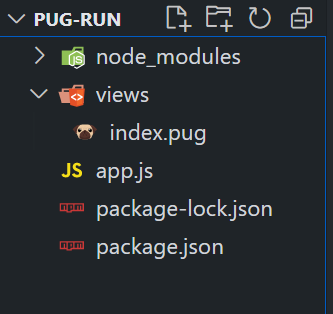
npm i express pugFolder Structure:
Dependencies:
"dependencies": {
 "express": "^4.18.2",
 "pug": "^3.0.2"
}script.
// JS code
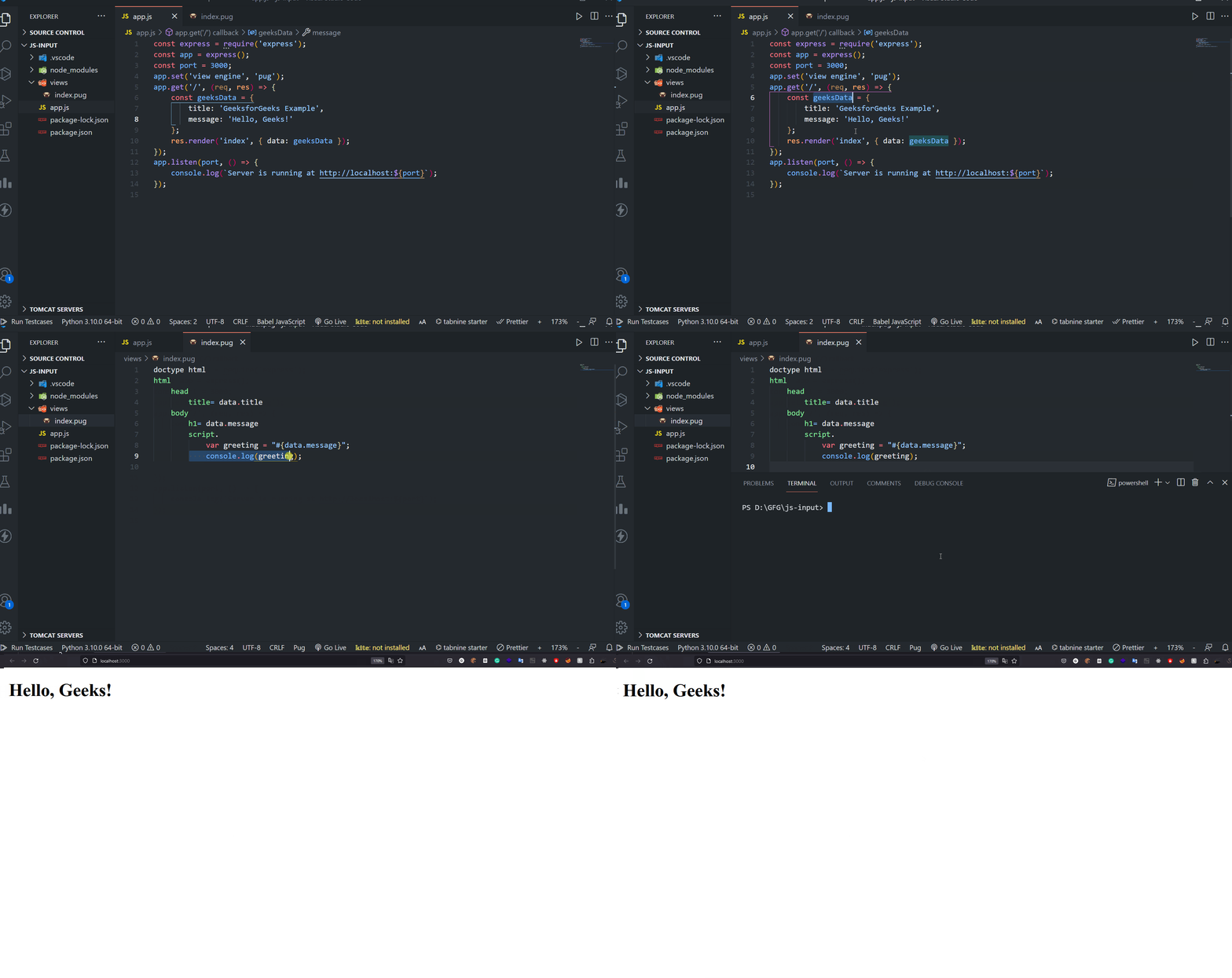
var yourVariable = '#{pugVar}';Example: Below is an example to pass a Node.js variable to the inside of a Pug script tag.
To run the application, we need to start the server by using the below command.
node app.jsOutput:
html
 head
 body
 div(data-your-attribute='#{pugVar}')
 // HTML content
 script.
 const yourDataValue = document.querySelector('div').dataset.yourAttribute;
 // JavaScript code using the data attribute value
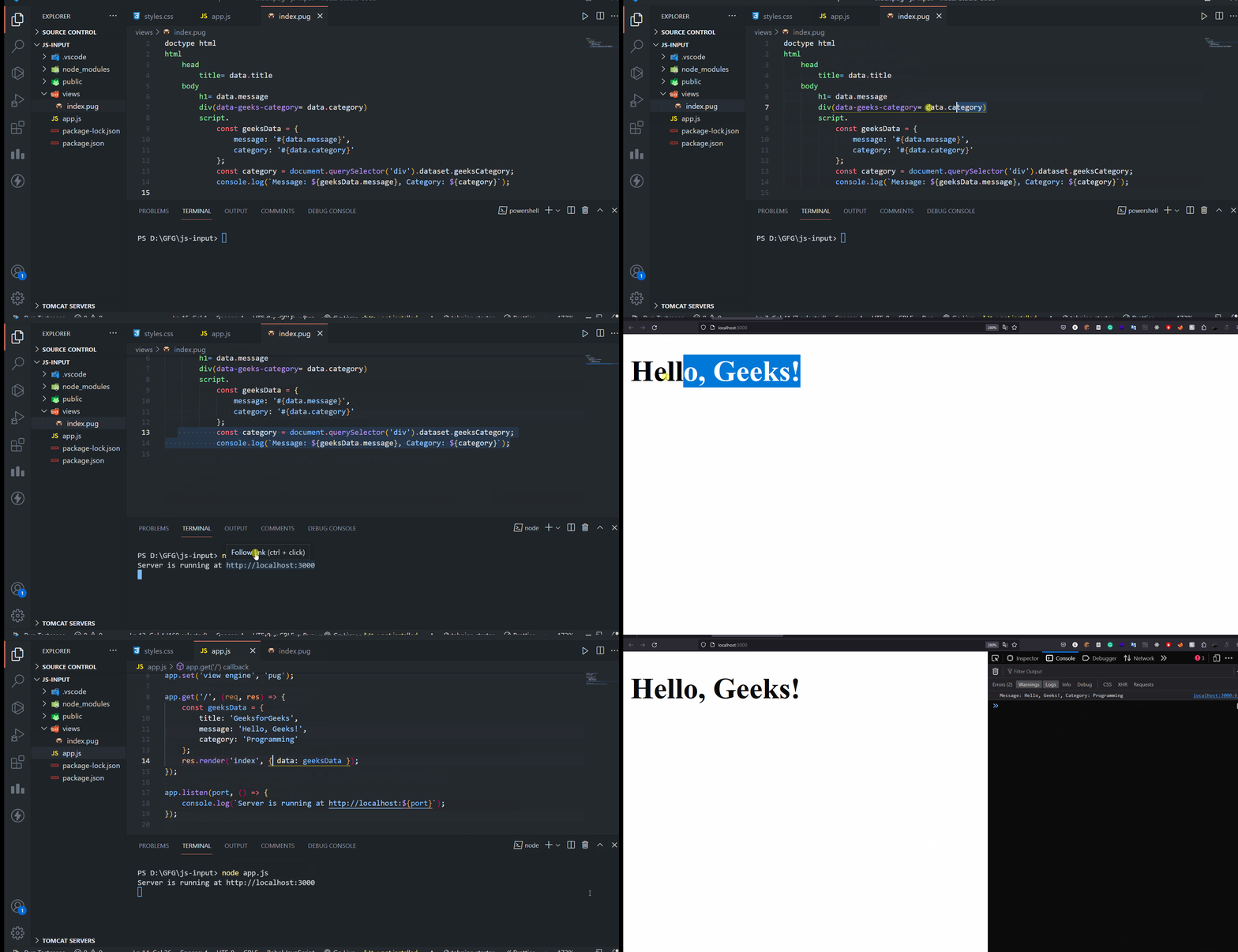
Example: Below is an example to pass a Node.js variable to the inside of a Pug script tag.
To run the application, we need to start the server by using the below command.
node app.js
Output: