|
VOOZH | about |
|
VOOZH | about |
NestJS is a Node.js framework for building efficient, reliable and scalable server-side applications. It is built using TypeScript and It offers support for unit testing through the Jest testing framework. In this article, we will learn about performing unit testing in a NestJs.
Table of Content
Unit testing is a type of software testing where individual components (units) of a software application are tested in isolation. In JavaScript or TypeScript, It could be a single function, method or class. The goal of unit testing is to ensure that each unit of your application works as intended.
In NestJS, a unit might be a service, controller or function within a service. Unit tests are particularly important because they verify the correctness of individual components.
NestJS promotes modular architecture, which is perfect for unit testing because each module can be tested independently. Unit testing in NestJS allows you to ensure that your service classes, controllers and other components function as expected even before integrating them into the complete application.
Follow the below steps, to set up the NestJS project.
npx @nestjs/cli new project_namecd project_nameBy setting up the project, NestJS will by default add required libraries for Jest testing. If still not found use the below command to install.
npm install --save-dev jest @nestjs/testing ts-jest @types/jestIf the configuration file doesn't exist then create a new configuration file:
jest.config.js
module.exports = {
 moduleFileExtensions: ['js', 'json', 'ts'],
 rootDir: 'src',
 testRegex: '.*\\.spec\\.ts$',
 transform: {
 '^.+\\.(t|j)s$': 'ts-jest',
 },
 collectCoverageFrom: ['**/*.(t|j)s'],
 coverageDirectory: '../coverage',
 testEnvironment: 'node',
};
Update package.json to include test scripts:
"scripts": {
 "test": "jest",
 "test:watch": "jest --watch"
}
Dependencies
"dependencies": {
 "@nestjs/common": "^10.0.0",
 "@nestjs/core": "^10.0.0",
 "@nestjs/platform-express": "^10.0.0",
 "reflect-metadata": "^0.2.0",
 "rxjs": "^7.8.1"
 }
To Run the Test with Jest you can use the following command:
npm testBefore we begin, learning example read this key concepts:
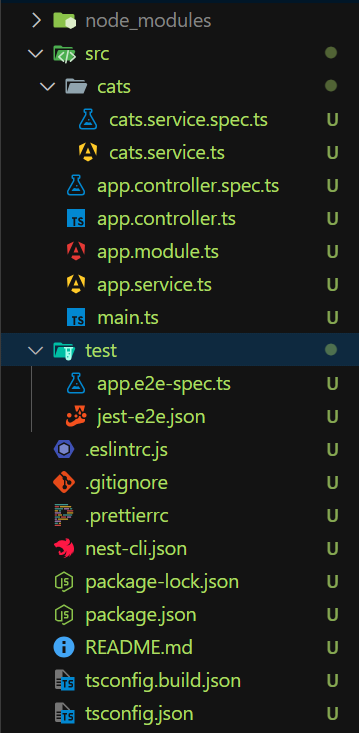
Before, you begin the example make sure you have completed the Jest setup by following "Setting Up Unit Testing in NestJS" Steps.
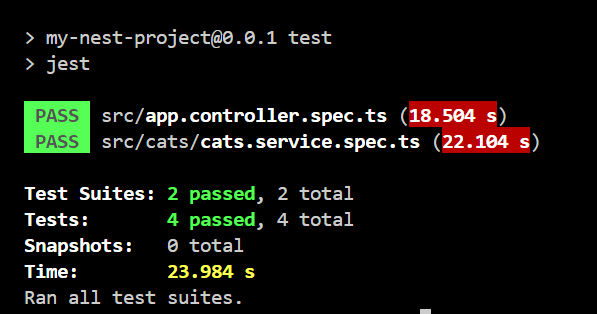
Output
To run the test, write the following command in your terminal.
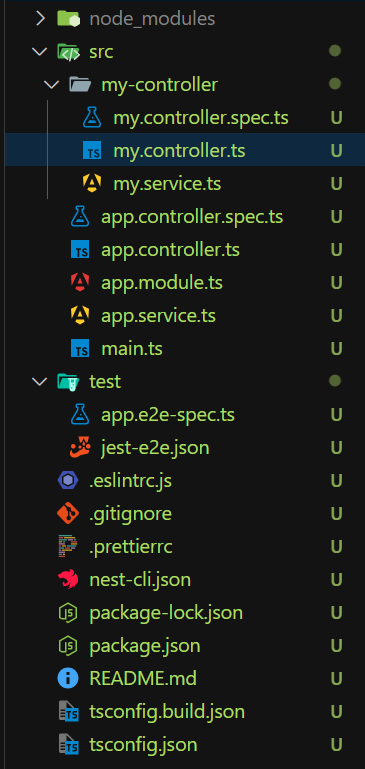
npm testBefore, you begin the example make sure you have completed the Jest setup by following "Setting Up Unit Testing in NestJS" Steps.
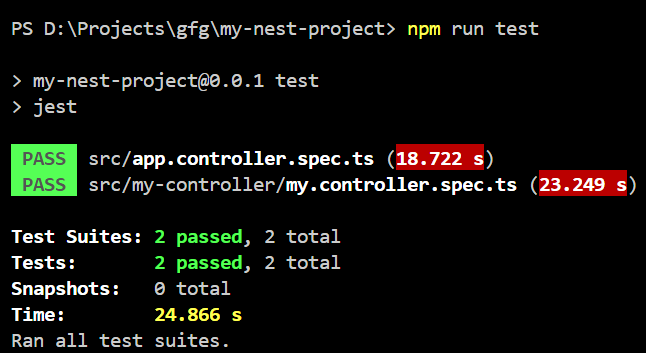
To run the test, write the following command in your terminal.
npm testYou can follow the below best practices when writing Unit Test.