|
VOOZH | about |
|
VOOZH | about |
A "Process out of Memory Exception" in Node.js typically occurs when your application consumes more memory than is available, causing the Node.js process to crash. This issue is critical in applications that handle large datasets, process intensive tasks, or have memory leaks. Here’s a comprehensive guide to solving this problem:
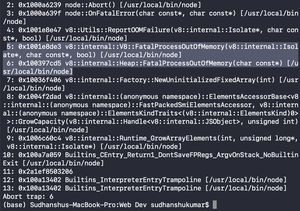
FATAL ERROR: Ineffective mark-compacts near heap limit Allocation failed - JavaScript heap out of memory.Step to Run Application: Run the application using the following command from the root directory of the project
node app.jsOutput: We will get a FATAL ERROR saying FatalProcessOutOfMemory as shown below.
👁 ImageNote: The default memory allocated to a node.js program is 512MB on 32-bit systems and 1024MB on 64-bit systems (Above program was run on a 64-bit system).
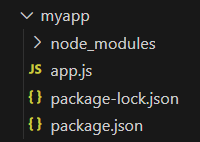
Step 1: Make a folder structure for the project.
mkdir myappStep 2: Navigate to the project directory
cd myappStep 3: Initialize the NodeJs project inside the myapp folder.
npm init -yTo solve the "Process out of Memory Exception" in Node.js, increase memory limit with --max-old-space-size, optimize memory usage, monitor memory consumption, and refactor code to handle large data efficiently.
node --max-old-space-size=<SPACE_REQD> app.js
Parameters:
In the following example, we increase the memory space requirements to 2048MB (2GB). Use the command below to run the JS file (app.js in this case)
Syntax:
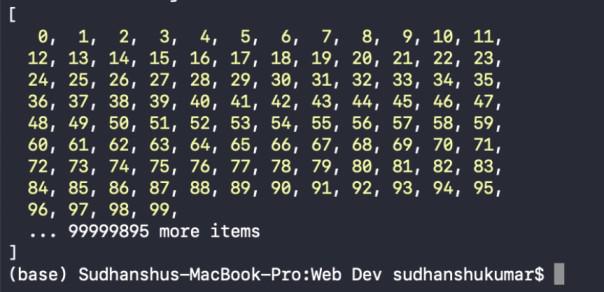
node --max-old-space-size=2048 app.jsWith this command, our program runs perfectly without any exceptions. If you use the standard node index.js command, it will throw a FatalProcessOutOfMemory exception because the program exceeds the default allocated memory space. By using the --max-old-space-size option, we increase the allocated memory space, preventing the program from running out of memory.
Step to Run Application: Run the application using the following command from the root directory of the project
node app.jsIn the following example, we increase the memory space requirements to 3072MB (3GB). Use the command below to run the JS file (app.js in this case):
Syntax:
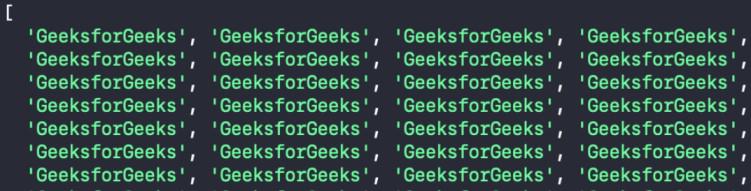
node --max-old-space-size=3072 app.jsIf you use the standard node index.js command, it will throw a FatalProcessOutOfMemory exception because the program exceeds the default allocated memory space. By using the --max-old-space-size option, we increase the allocated memory space, preventing the program from running out of memory.
Step to Run Application: Run the application using the following command from the root directory of the project
node app.js