|
VOOZH | about |
|
VOOZH | about |
The POST method is a crucial aspect of web development, allowing clients to send data to the server for processing. In the context of Express, a popular web framework for Node, using the POST method involves setting up routes to handle incoming data. In this article, we'll explore how to test the POST method of Express with Postman.
Step 1: Create a folder for Express Application
mkdir express-postMethod
cd express-postMethod
Step 2: Initialized the express application and install the required dependencies and create respective files
npm init -y
npm i express body-parser nodemon
touch app.js
Project Structure:
The updated dependencies in package.json file will look like:
"dependencies": {
 "body-parser": "^1.20.2",
 "express": "^4.18.2",
 "nodemon": "^3.0.2"
}
Example: Let's create a simple Express route that handles a POST request.
Step 3: Run the express application by running the following command.
nodemon app.js
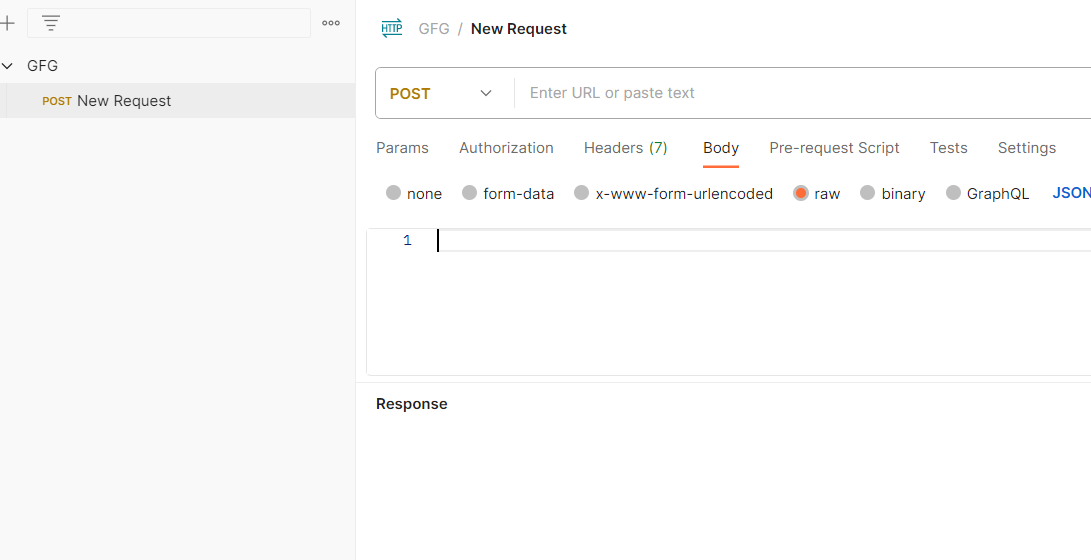
Step 4: Open the Postman application to test the POST method. In the collection add a new POST request.
👁 jlkghc
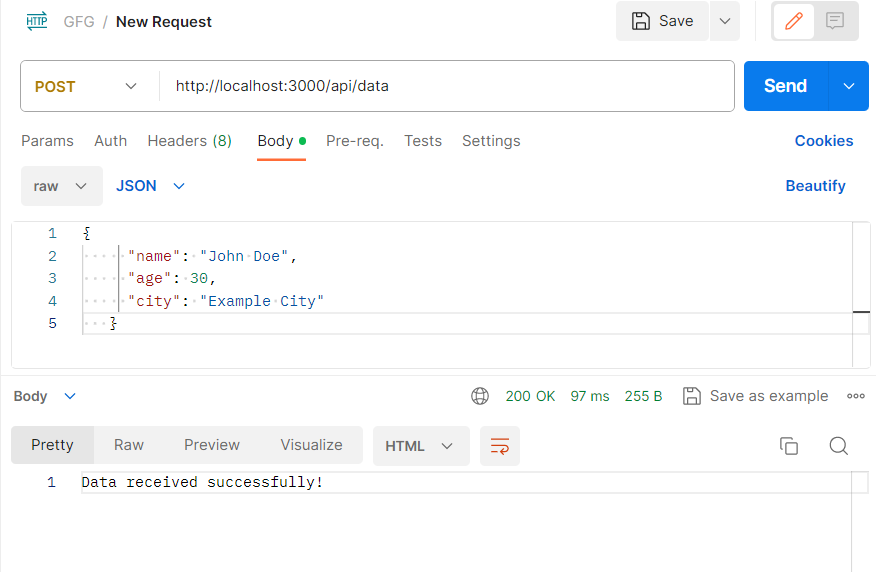
Step 5: In the URL section add the API URL and in body section add the data you want to send and click on send button.
URL:
http://localhost:3000/api/data
Body json data:
{
 "name": "John Doe",
 "age": 30,
 "city": "Example City"
}
Output:
1. Terminal Output:
2. Postman output: