|
VOOZH | about |
|
VOOZH | about |
NestJS is a popular framework for building scalable server-side applications using Node.js. It is built on top of TypeScript and offers a powerful yet simple way to create and manage APIs. One of the core features of any web framework is handling query parameters, which allow developers to pass data through URLs. This article will focus on how to use query parameters in NestJS, their different use cases, and best practices for working with them.
Query parameters are key-value pairs appended to the end of a URL after a question mark (?). They are used to send additional data in HTTP requests and are often used to filter, paginate, or sort resources.
For example:
https://example.com/api/users?page=2&limit=10In this URL, page=2 and limit=10 are query parameters. The page parameter might be used for pagination, and limit to specify the number of items per page.
NestJS makes it simple to access query parameters using decorators. The most common approach to accessing query parameters is by using the @Query decorator provided by NestJS. It automatically parses the query parameters into an object and makes it accessible inside your route handler functions. You can retrieve individual query parameters or the entire query object.
Various Approach To Use Query Parameters in NestJS
Table of Content
To create a project in NestJS and handle query parameters, follow these steps:
Ensure you have Node.js installed on your system. You can download it from Node.js official website.
To create and manage a NestJS project, install the Nest CLI globally on your system:
npm install -g @nestjs/cliUse the Nest CLI to create a new NestJS project
nest new my-nestjs-query-paramsThis will prompt you to choose a package manager (choose between npm or yarn). Once selected, the CLI will install the dependencies for you.
Move into the newly created project directory:
cd my-nestjs-query-paramsGenerate a new controller where you will handle query parameters:
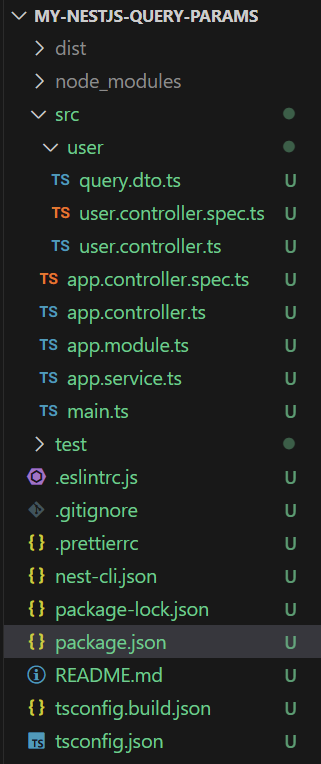
nest generate controller userThis will create a user.controller.ts file inside the src/user/ directory.
First, ensure the necessary packages are installed:
npm install class-validator class-transformer"dependencies": {
"@nestjs/common": "^10.0.0",
"@nestjs/core": "^10.0.0",
"@nestjs/platform-express": "^10.0.0",
"class-transformer": "^0.5.1",
"class-validator": "^0.14.1",
"reflect-metadata": "^0.2.0",
"rxjs": "^7.8.1"
}
The most basic and widely used approach to handle query parameters is the @Query() decorator in NestJS. It extracts the query parameters from the request and makes them available in the controller handler.
@Query(parameter: string): anyExample: In the example Below, the @Query('name') extracts the name parameter from the URL like /users?name=John.
Start The Project for using below command
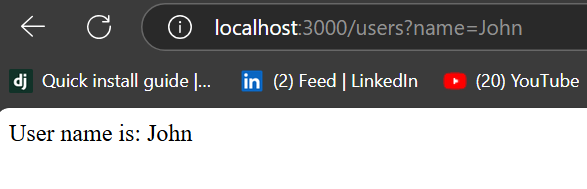
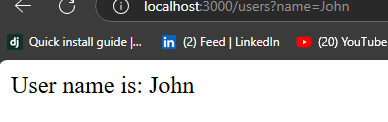
npm run startIf you visit http://localhost:3000/users?name=John You will get desired output
Sometimes, query parameters might not always be provided by the user. You can set default values for query parameters in such cases.
Syntax:
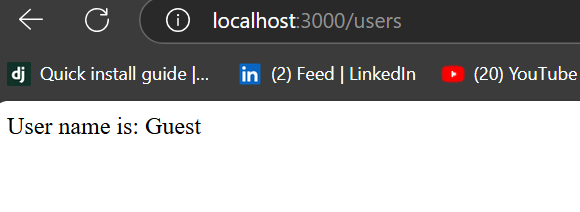
getUser(@Query('name', { defaultValue: 'Guest' }) name: string)If the URL is http://localhost:3000/users, the response will be:
Using validation helps ensure that the query parameters meet certain criteria (e.g., non-empty strings). For this, we'll use DTOs (Data Transfer Objects) and the class-validator package.
@Query(parameter: string): TypeExample: Create a new query.dto.ts file in the src/user/ directory.
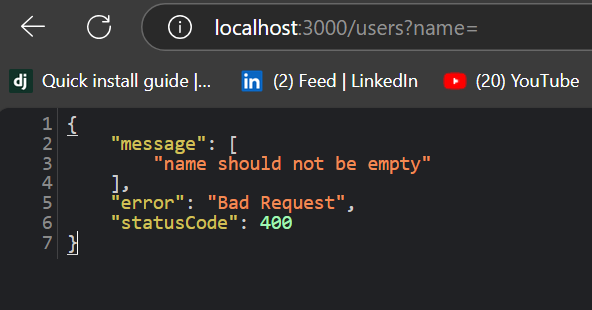
Visiting http://localhost:3000/users?name= will throw a validation error because the name cannot be empty.
Sometimes, you might need to extract multiple query parameters in one controller method. NestJS allows you to do this by passing multiple parameters into the @Query() decorator.
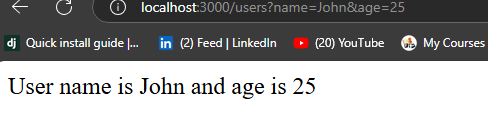
@Query(): objectVisiting http://localhost:3000/users?name=John&age=25 will return:
In this approach, the query parameter is optional and the method will respond differently based on whether the parameter is provided.
@Query(): parameterName?If the URL is http://localhost:3000/users, the response will be:
If you visit http://localhost:3000/users?name=John, the response will be: