|
VOOZH | about |
|
VOOZH | about |
The console module provides a simple debugging console that is provided by web browsers which export two specific components:
The console.timeStamp() (Added in v8.0.0) method is an inbuilt application programming interface of the 'console' module which does not display anything unless used in the inspector. This method adds an event with the label 'label' to the Timeline panel of the inspector.
Note: The global console methods are neither consistently synchronous nor consistently asynchronous.
Syntax:
console.timeStamp([label])
Parameters: This function accepts a single parameter as mentioned above and described below:
Return Value: It doesn't print anything in the console instead, prints the timestamp at the call in Inspector.
The Below examples illustrate the use of console.timeStamp() method in Node.js.
Example 1: Filename: index.js
Run index.js file using the following command:
node index.js
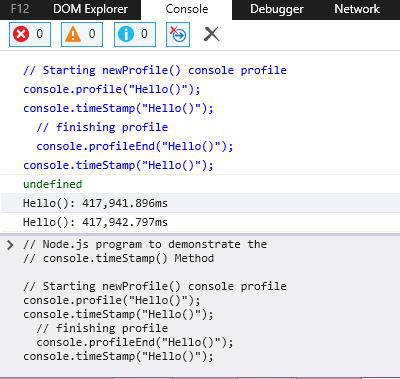
Output in Console:
*Doesn't print anything in Console...
Output in Inspector(edge):
Example 2: Filename: index.js
Run the index.js file using the following command:
node index.js
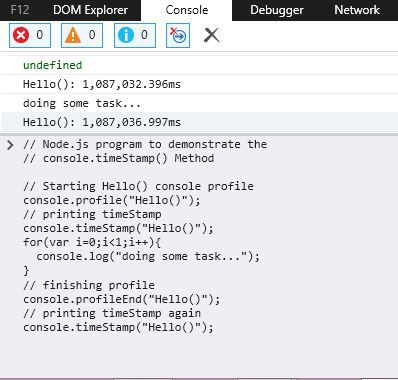
Output in Console:
Doing some task...
Output in Inspector (edge):
Reference: https://nodejs.org/api/console.html#console_console_timestamp_label