|
VOOZH | about |
|
VOOZH | about |
A Custom Module in Node.js is a user-defined module that contains reusable code, such as functions, objects, or classes, which can be exported and used in other parts of an application.
To create a custom module, first define the functions, classes, or objects you want the module to contain, and then export them so they can be used in other parts of your application.
Start by creating a new JavaScript file, which will act as your custom module. In this file, you can define functions, classes, or objects as you would in any JavaScript code.
Example: Create a simple utility module named 'math-utils.js' with two functions for adding and multiplying numbers:
To make the functions, classes, or objects defined in your custom module accessible from other parts of your application, you need to export them using either 'module.exports' or 'exports'. Both methods achieve the same result, but their usage differs slightly.
Using 'module.exports':
Using 'exports':
In both cases, the add and multiply functions are exported, allowing them to be imported and used in other files via require().
filename: arthmetic.js
Output:
Once a custom module is created and its functionality is exported, it can be imported and utilized in other files of the application using module loading mechanisms like require().
Loading a Custom Module with 'require()'
To load a custom module, you can use the 'require()' function, just as you would for built-in core modules. Pass the relative file path of your custom module as an argument, and 'require()' will return an object containing the exported functionality.
Suppose we have a custom module named 'math-utils.js' with two exported functions, 'add()' and 'multiply()':
filename:math-utils.js
To use this module in another file, say 'arthmetic.js', you can load it like this:
Accessing Exported Functions, Classes, or Objects
After importing the module using require(), its exported functions can be accessed through the returned object and used in app.js, such as calling add() and multiply() from math-utils.js.
Output:
As applications grow, organizing code into multiple custom modules improves clarity and maintainability. Each module should handle a specific functionality.
For example, a math application can use separate files:
Each module exports its function and is imported into the main file using require().
addition.js
multiplication.js
subtraction.js
division.js
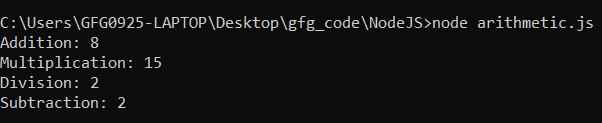
In 'arithmetic.js' file, you can load and use these custom modules like this:
Output: